The I2P and the TOR logos are registered trademarks owned by their respective copyright holders and are only used in this article for informative purposes
Creating I2P and TOR website hidden services running inside BSD jails at home (2026)
I've wanted to setup my own I2P website for a while but I've always ran into an issue in the form of lack of guides to do it, I've always found myself hitting a roadblock at one point or the another and given the relatively small size of the network (I2P had exactly 1240 websites active at the moment of writing this guide versus TOR which has literal millions) there really is nobody to ask about this.
The specific problems I've usually faced are regarding:
Running a headless installation (Without a GUI): Given that i2p is thought of as a p2p network instead of a server-client network the people using it are normally people that turn their computers on and off instead of keeping a server 24/7, this means most guides out there cover making a server on a computer like a laptop with a desktop environment installed.
Registering a website: Legit found very bad answers regarding this, everyone seems to avoid mentioning it for some reason? It's like the first rule of fight club type shit, I don't get it.
I believe I sufficiently covered both of these issues in this article, as well as running the server on FreeBSD instead of Linux as I couldn't find any guides on it, let alone doing it inside jails.
I'm using HardenedBSD instead of FreeBSD, not so much because of security but rather because HBSD keeps a single version and you don't have to upgrade it to a new version until a new big version hits (Basically with FreebSD you must upgrade the version 15.0 to 15.1 to 15.2 to 15.3 until 2029, with HBSD there's only version 15 from here until 2029). It should be noted jails between FreeBSD and HBSD are not compatible, if you install an HBSD jail inside FreeBSD it will break and the same will happen vice-versa.
I've also added TOR because honestly the process is mostly the same, I wanted to add nginx as an alternative to lighttpd and honestly TOR is just easy to deal with? So yeah I'm adding this for two out of three hidden services, I may do this for Freenet (Or whatever they call themselves now, apparently they call themselves Hyphanet now?) in a different article for fun at some point, I currently don't think it offers anything I2P and TOR do not though.
I will also admit, I'm not running a TOR hidden service, the risk involved is significantly bigger than running an I2P service due to the amount of threat actors and honestly it's not worth it.
1. I2P SECTION
1.1 Installing an HBSD virtual machine
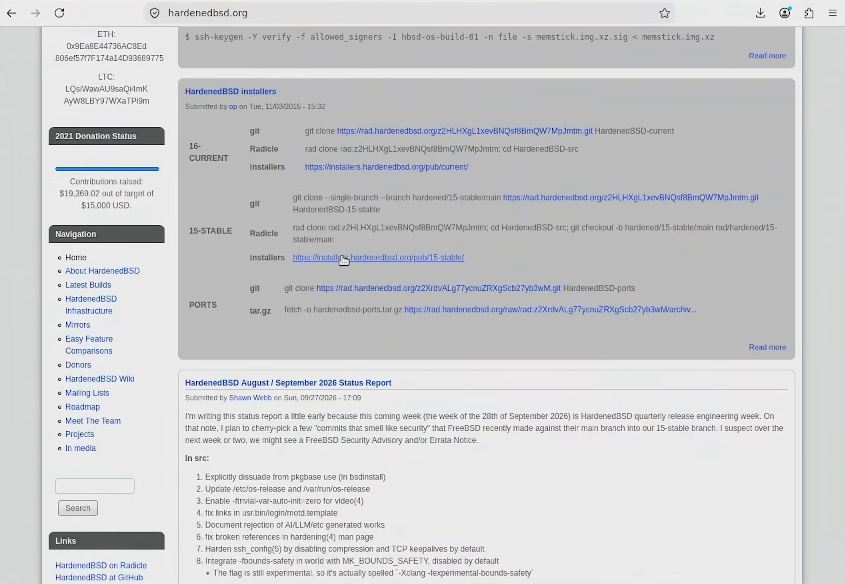
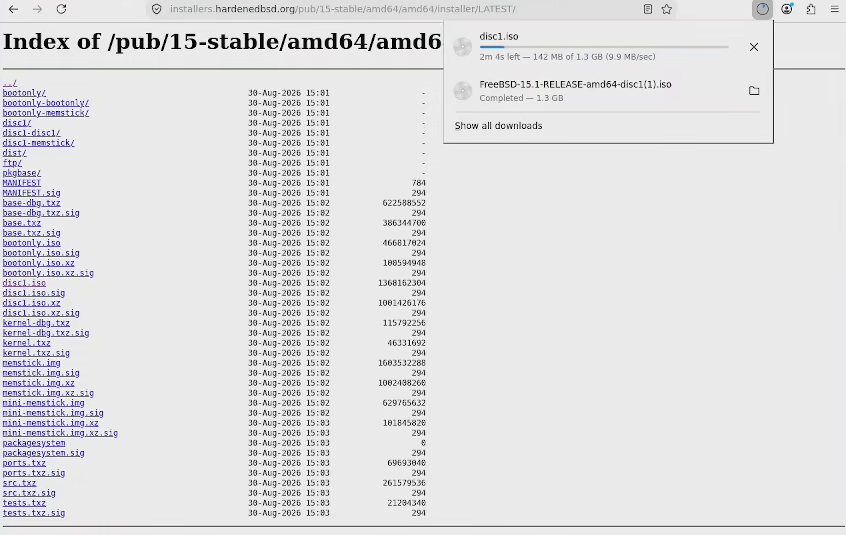
First you'll want to download Hardened BSD, their website looks like an old 90's fever dream (Which is fitting given all websites on I2P look like this). Pick the stable release and once in their directory download the ISO that says disc 1.
Selecting the stable version from the websiteDownload the disc iso (It has no name)
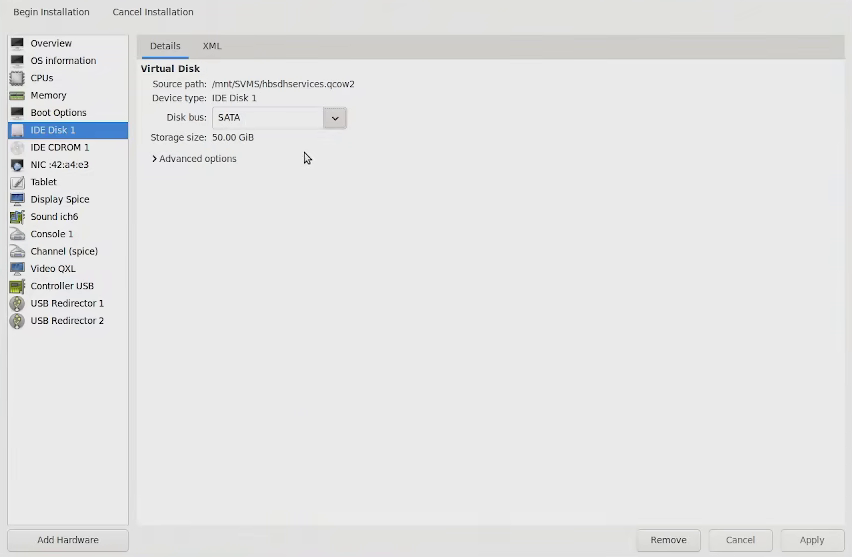
Before you start the install go to your virt manager configuration panel and change the disk bus from IDE to SATA. This is optional but I recommend you do it as I experienced rather slow speeds on my last virtual FreeBSD tutorial and I narrowed it down to the bus. I set the disk to 50 gigs but I greatly over-estimated my install, the whole virtual machine with 2 jails running was about 2 GB in size I recommend allocating between 10 and 20 GB to this.
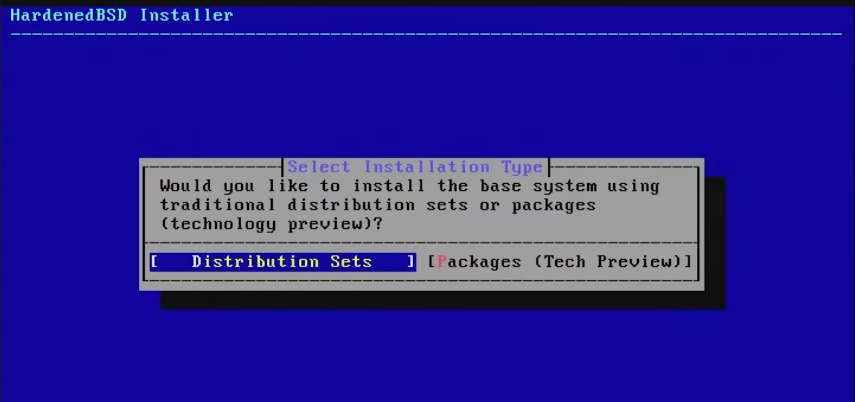
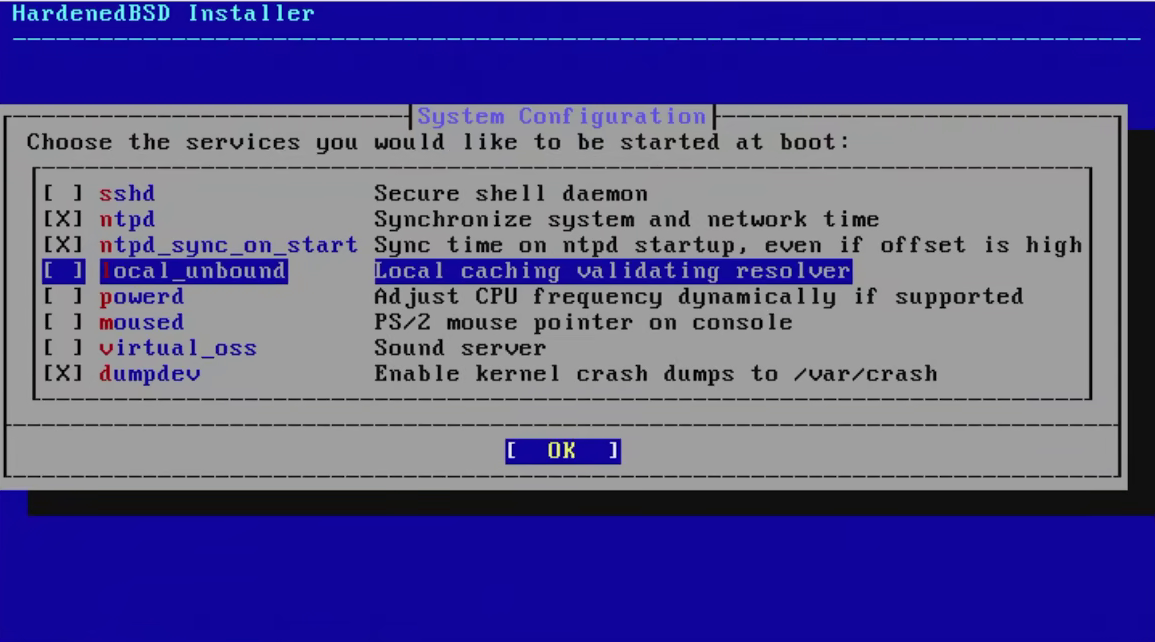
Afterwards just make a normal FreeBSD install (You can check here if you want to see how to do it but it's honestly a very straight-forward process). The only places where it differs is that HBSD only offers distribution sets for installation and I disabled ssh and enabled ntpd (I did this because it's going to be facing the I2P intranet and since I have direct access to the terminal I really don't need ssh), this act alone hardens the server quite a bit.
Installing via distribution packagesUnselecting ssh and selecting ntpd
After you're done installing you need to do some hardening.
1.2 Configuring doas and disabling root
Before doing anything anything else, as per usual when it comes to web servers, you want to give a random user privileges and disable root.
Install nano and doas with a simple pkg install
# pkg install nano doas
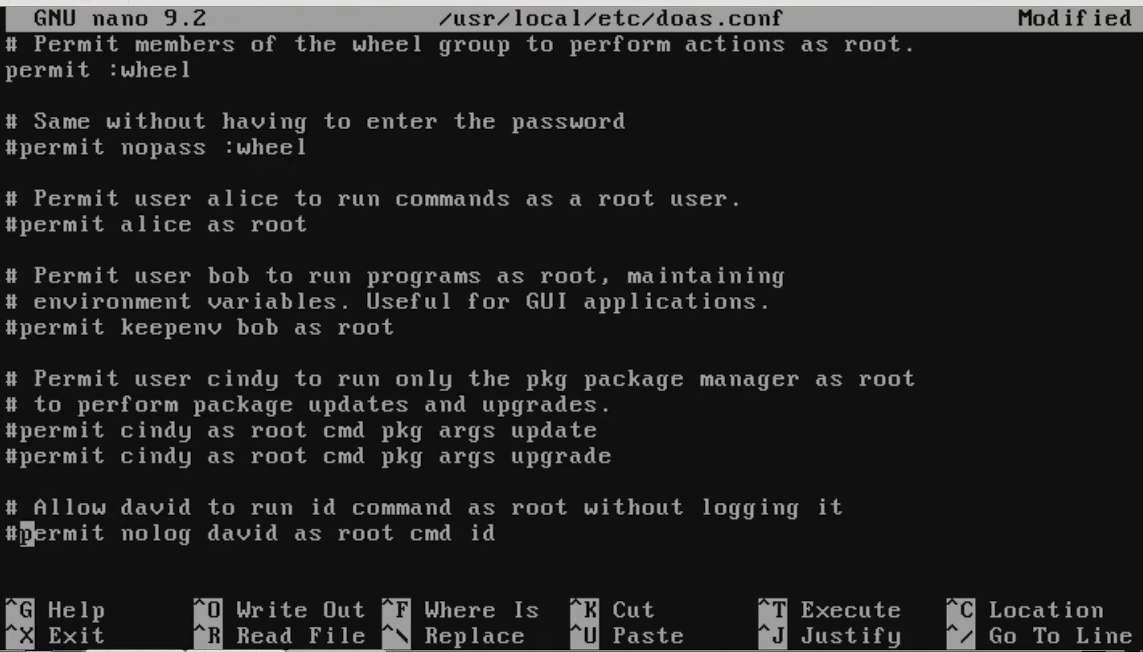
Afterwards, you have to edit the rules at /usr/local/etc/doas.conf and give the wheel group doas privileges, the file contains several lines as examples that aren't uncommented for some reason, just uncomment them all and only leave 'permit wheel'.
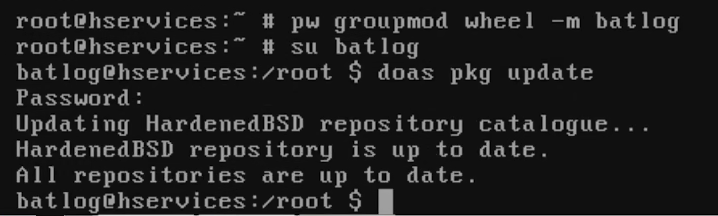
Then add your user to the wheel group, switch to it and run a doas pkg update to ensure it's working as intended.
# nano /usr/local/etc/doas.conf
 pw groupmod wheel -m <your user>
su <your user>
$ doas pkg update
Uncommenting doas.conf, leaving only permit wheelAdding a user to the wheel group and running a command
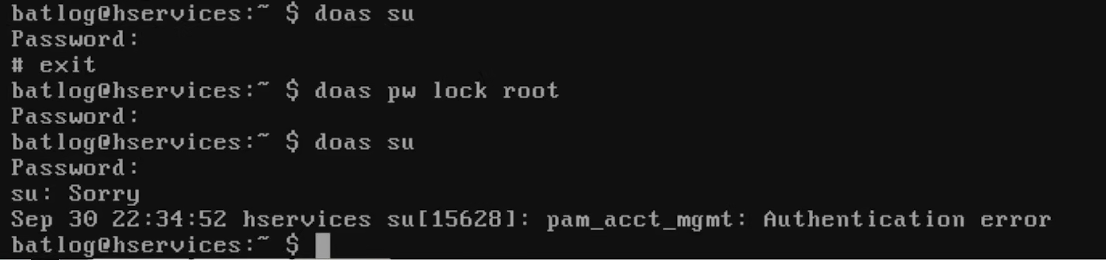
Now quit your session with exit, login as your regular user and enter doas pw lock root, then try to switch to root.
$doas pw lock root
Root is now locked. If you want or need to use the root user you need to use doas -s, this article will be done mostly using that command as otherwise entering a long password gets rather tedious.
doas -s
1.3 Configuring a Firewall
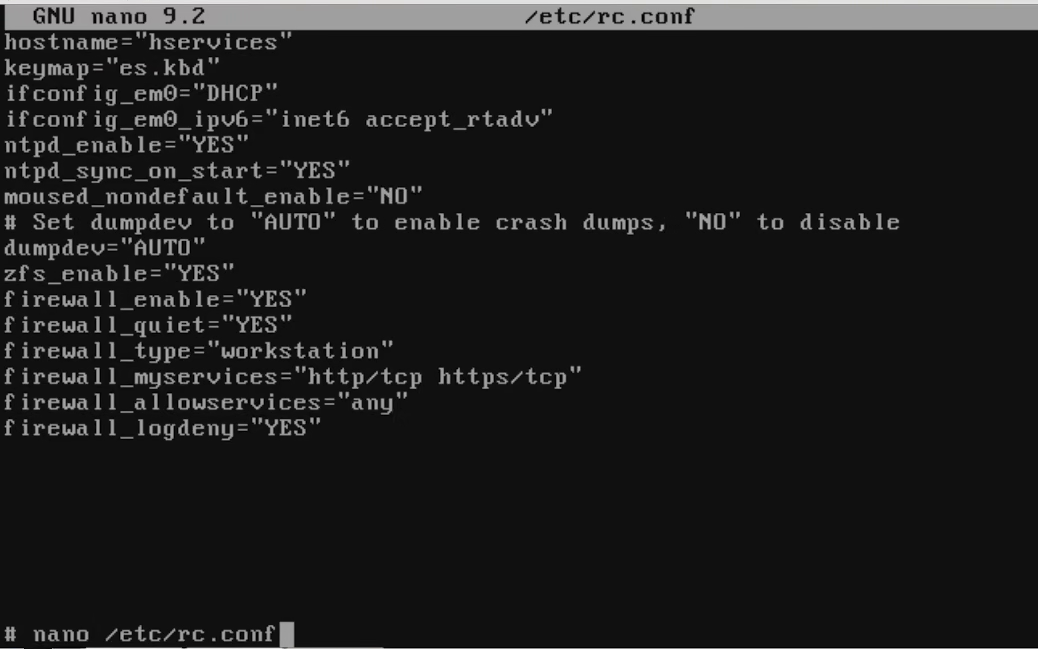
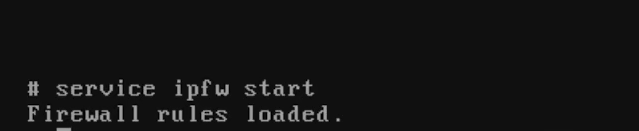
Unlike Linux, FreeBSD already comes with a firewall installed out of the box but it's disabled by default. To enable it first edit rc.conf and add the following lines into it, then start the service.
# nano /etc/rc.conf
 service ipfw start
Adding some basic rules to the firewallStarting the firewall
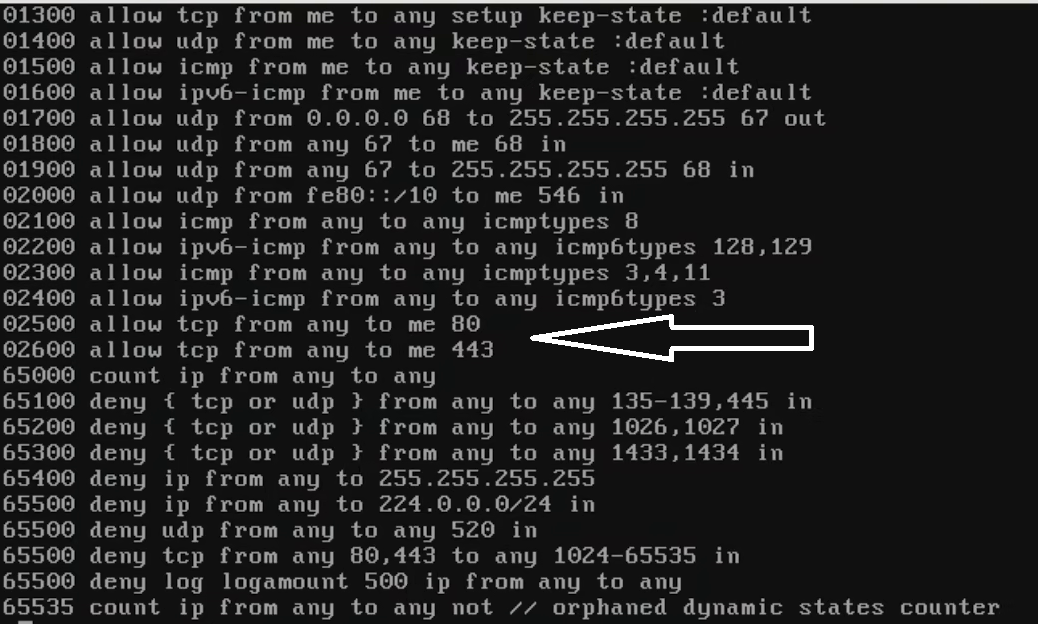
This should be enough in most instances as HBSD already comes with a bunch of rules pre-loaded but I want for my website to use port 8080 and for the firewall to block all port 22 requests, so let's do that.
First, list all the firewall rules with ipfw list, the rules should start from the number 100 and there should be a large gap between two numbers, keep an eye for that.
#ipfw list | less
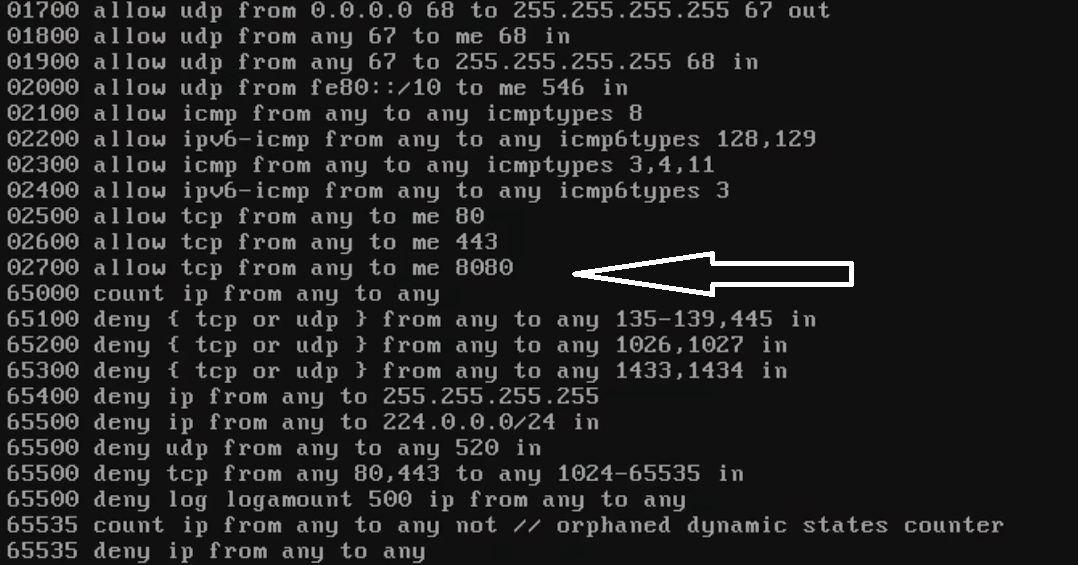
Now that you've identified it, load a couple of rules. First I'm going to block all requests for port 22 and then I'm gonna add a rule to allow connections to port 8080.
Afterwards run ipfw again and verify your rules are there, then restart the service
#ipfw list | less
service ipfw restart
Now that the basic security measures are in place, it's time to move actually make the jail.
1.4 Making an HBSD jail using bastille and installing i2pd and lighttpd
I was debating whether to use bastille or just use the jail service bundled in with FreeBSD but honestly given bastille is nothing more than a glorified collection of shell scripts that weigh <250 KB I may as well use it given it really makes managing jails a lot easier as long as you aren't doing something crazy like trying to get CUDA to work using a linux jail.
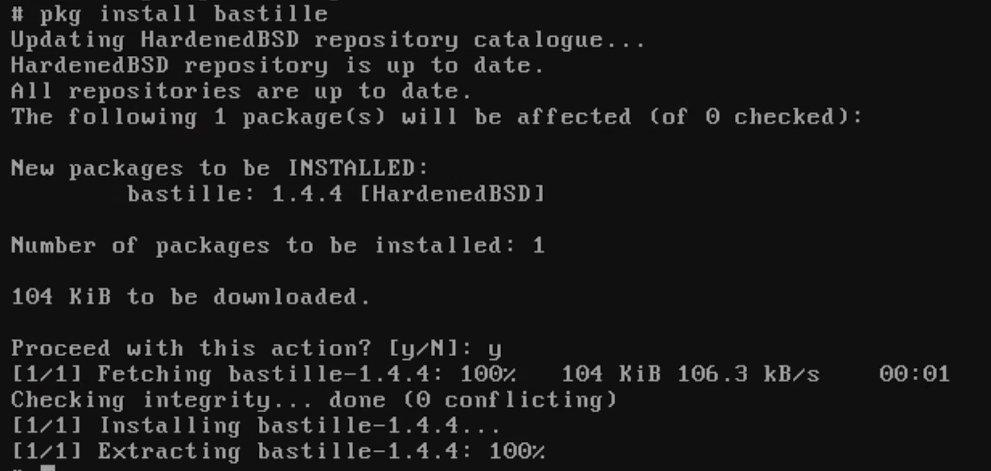
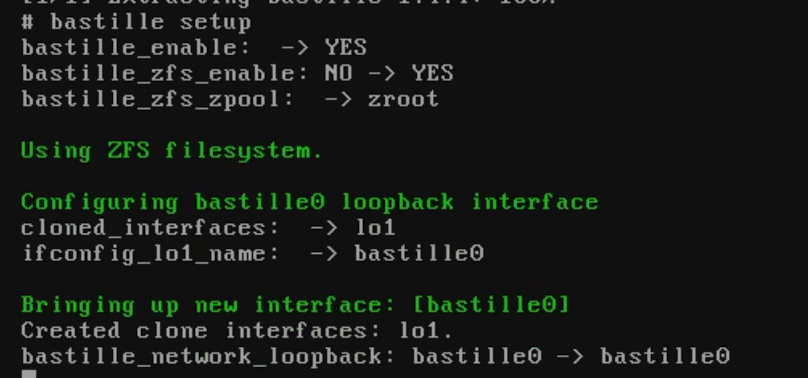
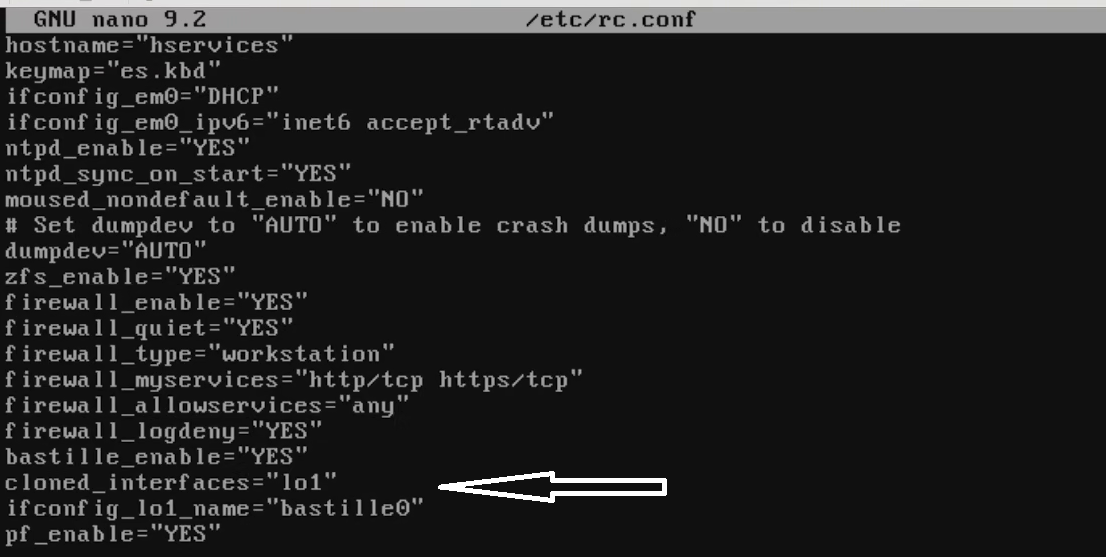
First install bastille and run the automated setup which is easy enough. Make sure to check rc.conf and check the new rules for bastille are in place.
Yes, it really does only use 104 KB and has 0 dependenciesrunning bastille setupverifying bastille setup added the rules to rc.conf correctly
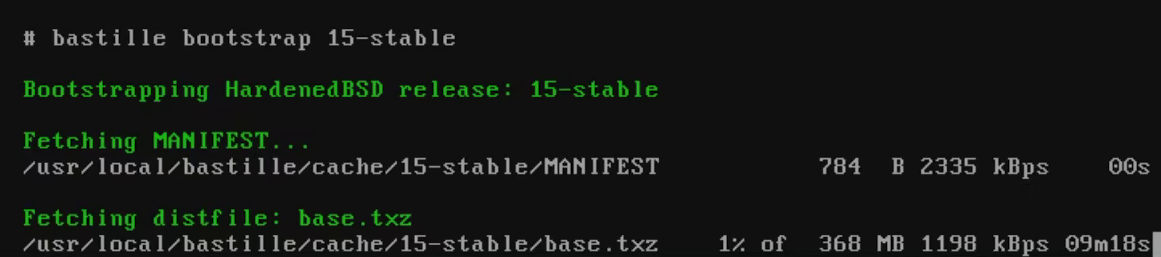
Now that bastille is installed, you have to get a template for jails. In this scenario the template you want is the 15-stable template as that's the one that correlates to HBSD, keep in mind as described in the introduction of the article HBSD and FreeBSD jail templates are incompatible with each other, so don't install a FreeBSD image unless you want a broken system.
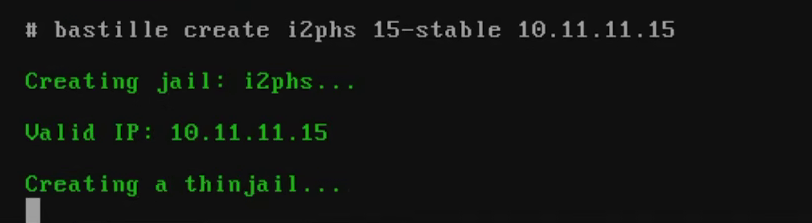
Once the template is downloaded (It can take a while), create a jail using that template. The only thing to keep an eye out for here is the IP which should be in the 192.168.x.x, 10.x.x.x or 172.16-31.x.x ranges. For this example I'm creating it with the IP 10.11.11.15.
At this point you're pretty much done with the installation, open the jail from this point onward assume all subsequent steps are inside the jail unless told otherwise.
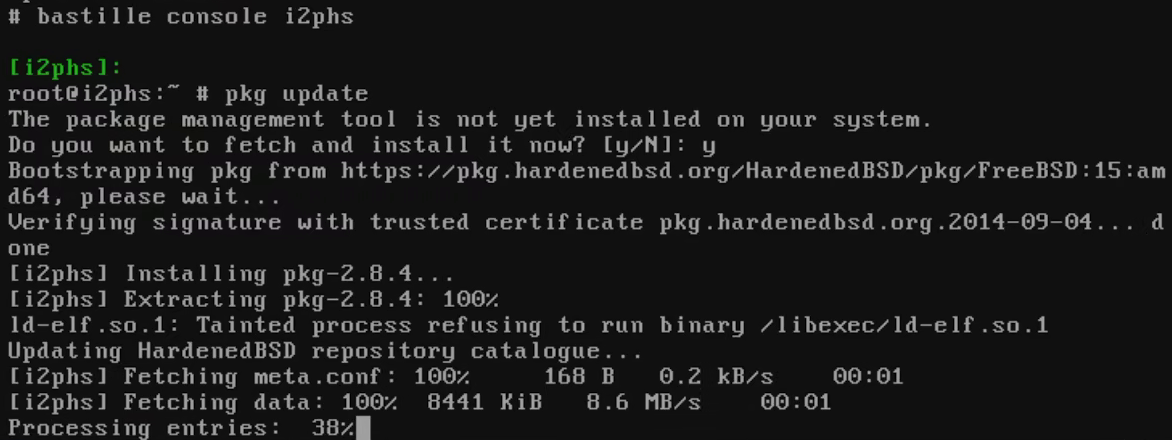
# bastille console i2phs
1.5 Configuring lighttpd and making a test website (This is kind of a pain due to a bug detailed in step 1.8, go to the TOR section if you want to use Nginx for an easier experience instead, the same config should work here too, I just used lighttpd because I think it'd be slightly harder to pwn).
Now to actually start getting the i2p part done.
Install lighttpd and i2pd, don't worry about either firing up immediately right away, neither turn on until you start them manually
# pkg install lighttpd i2pd
Enable lighttpd in /etc/rc.conf
# sysrc lighttpd_enable="YES"
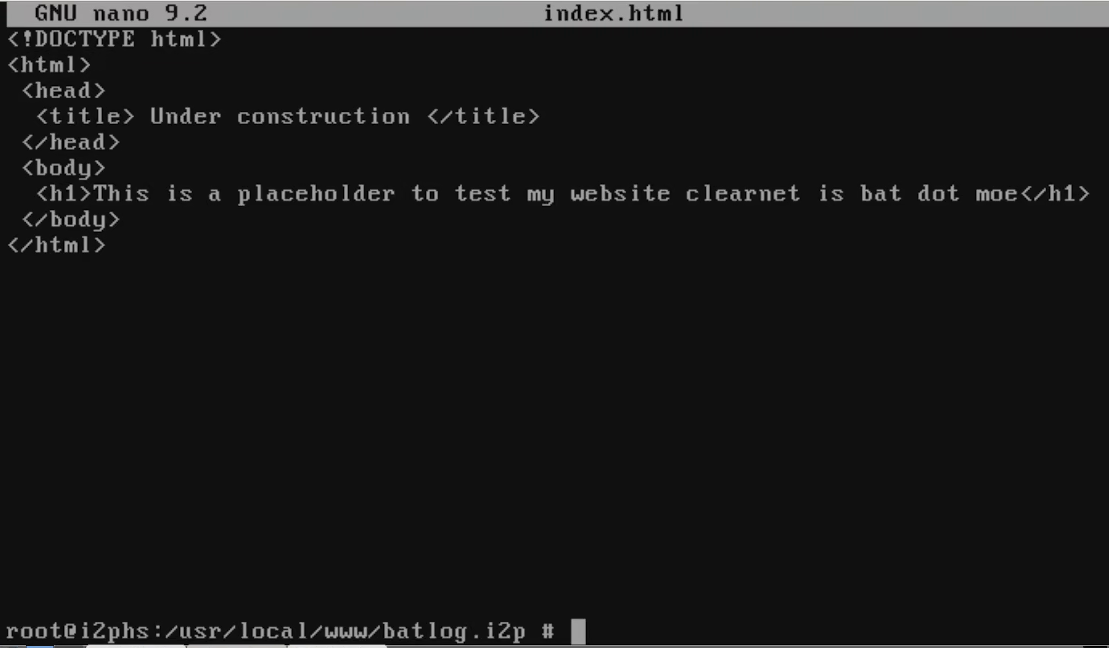
Make a directory under /usr/local/www/<name you want to give your website>, then create an index.html file there just for testing. Here is a small template.
# mpdir -p /usr/local/www/<your_website_name>
touch /usr/local/www/<your_website_name>/index.html
index.html contents:
<!DOCTYPE html> <html> <head> <title> Under construction</title> </head> <body> <h1> This is a placeholder while I build some stupendous site, bat(dot) moe is a good website</h1> </body> </html>
Now you have to give it permissions in order for lighttpd to be able to read the files and access the directories.
I thought very nice and hard about it, under normal circumstances you are supposed to set the user and group to www, however given this is a darknet there's always more than a 0% chance a ruffian will use an exploit to gain shell access and vandalise the website for fun and, since getting a normal user shell is usually easier than a root shell, I decided to get a bit creative.
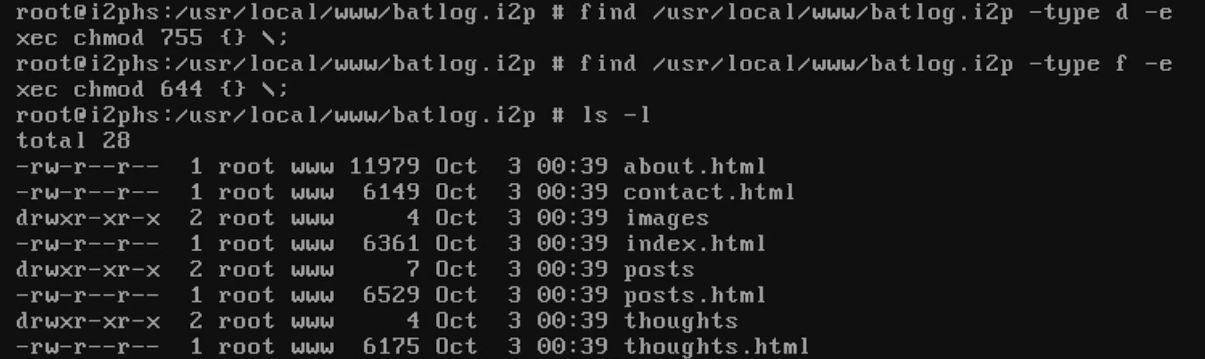
What the following does is allow only root to read and write and for users in the www group to only read and open directories.
# chown -R root:www /usr/local/www/<yourwebsitename>
find /usr/local/www/<yourwebsitename> -type d -exec chmod 755 {} \;
find /usr/local/www/<yourwebsitename> -type f -exec chmod 644 {} \;
ls -l
Now to actually configure lighttpd. This one took me a while because I kept running into a duplicity error and given how underutilised lighttpd is I couldn't find the correct answer anywhere.
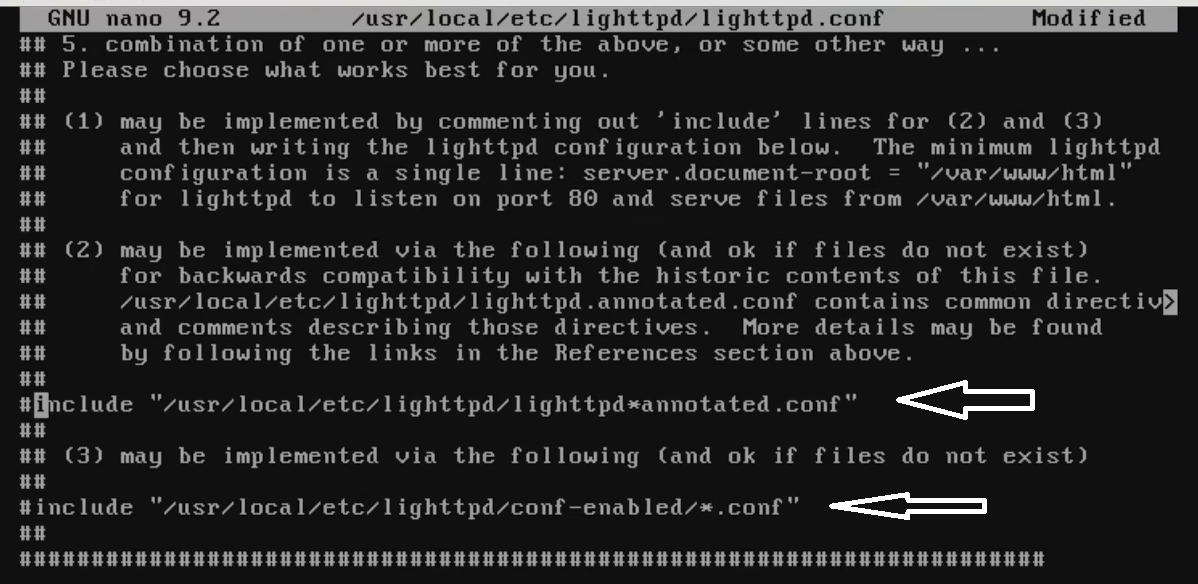
As it turns out it was very simple and stupid, just like other web servers the developers of lighttpd have included some 'helpful' configuration files that honestly did nothing but get in the way. Open /usr/local/etc/lighttpd/lighttpd.conf with nano and comment these lines out.
Comment these lines out
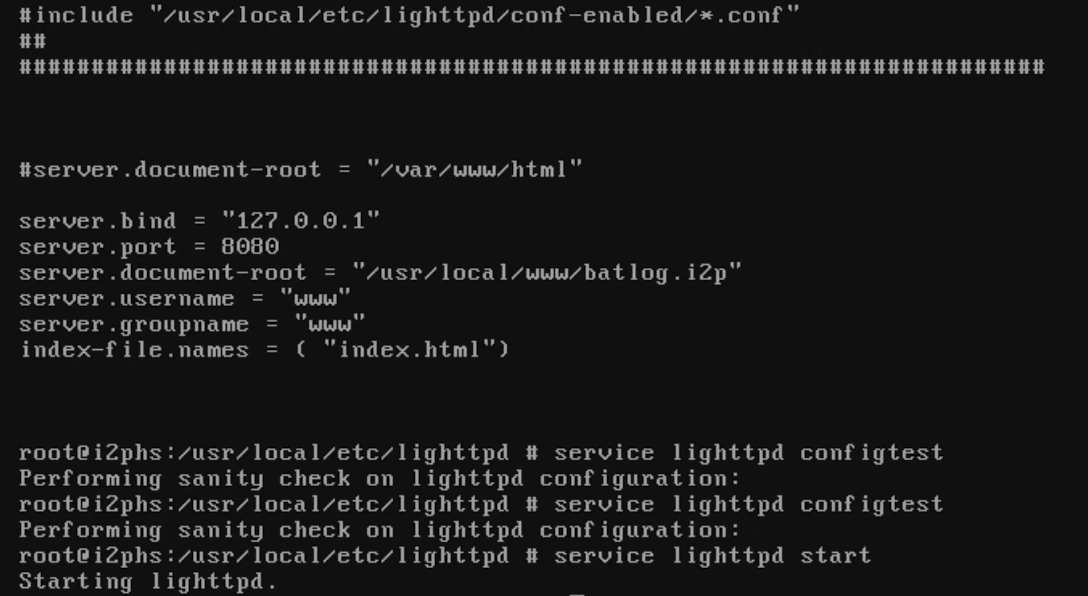
Now that's done just fill out /usr/local/etc/lighttpd/lighttpd.conf with the information of your server pointing at the html file, in my case I'm gonna use the port 8080. if you get no errors, start the service.
Now that you have your web server working, it's time to get i2pd configured.
1.6 Configuring i2pd
Configuring i2pd is significantly more straight-forward than the server, to the point that it made me wonder why nobody does it.
First of all, enable the i2pd service
# sysrc i2pd_enable = "YES"
And then, you only need to modify two files. tunnels.conf and i2pd.conf, both of these are in /usr/local/etc/i2pd/
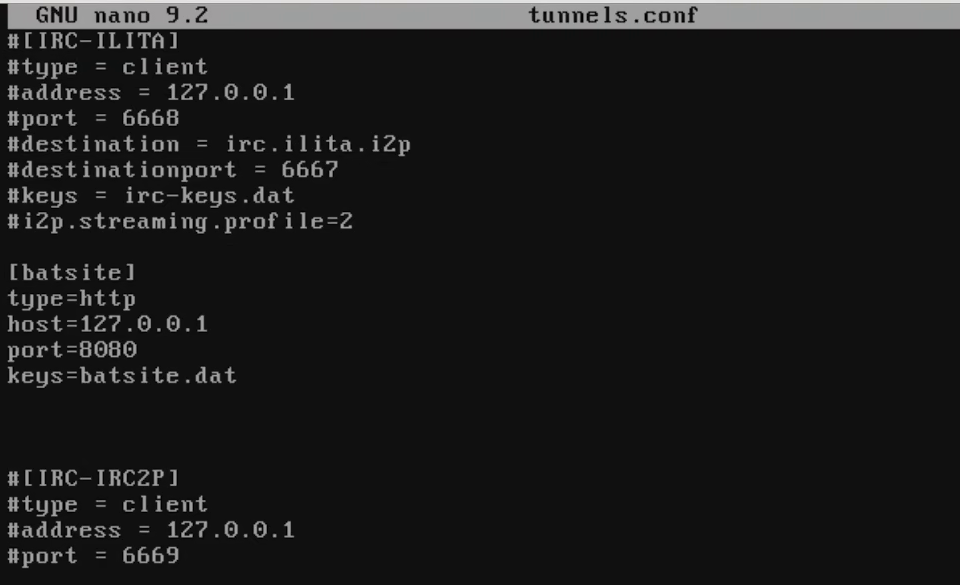
For tunnels.conf, uncomment the IRC service that comes enabled by default and add the following (Try to keep the name of the hidden service as a string without dots, underscores or anything else):
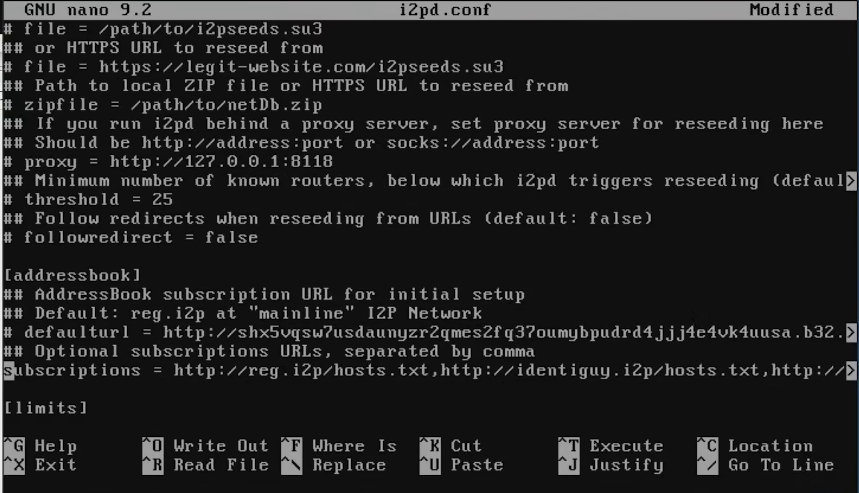
For i2pd.conf you don't really need to type anything, you just have to uncomment a line under [addressbook] that says subscriptions.
Uncommenting subscriptions
After you do both of these things start i2pd
# service i2pd start
If you get no errors then what you have to do is run a curl command to get the links of the services you're running, one is your website, the second one is for your router (Avoid sharing the second one).
Addresses for i2p services running on your computer
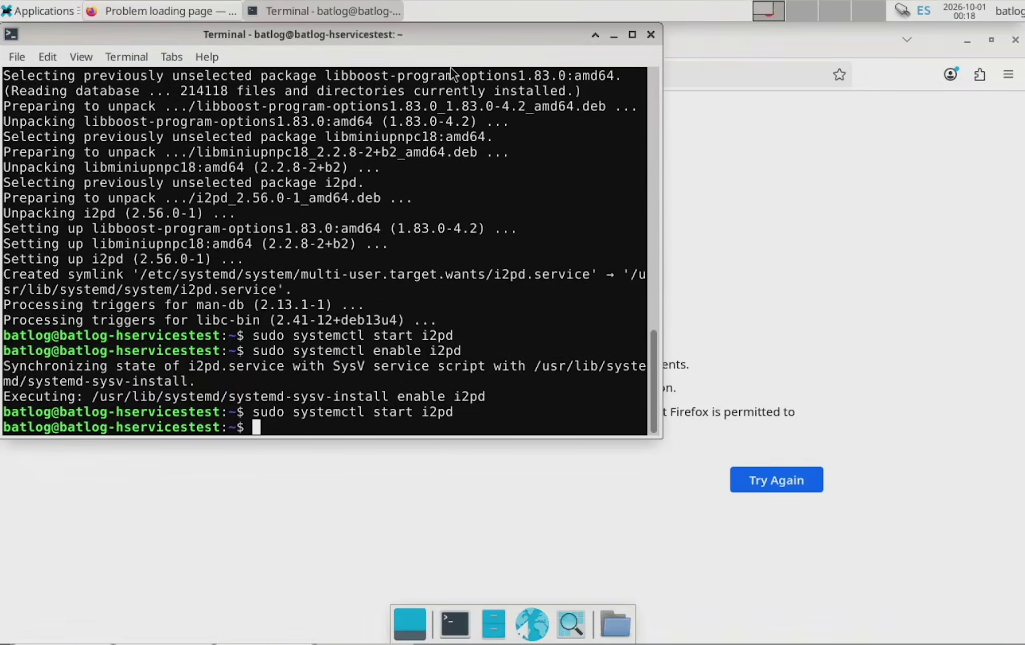
On a different machine (I recommend a debian machine because it doesn't sandbox firefox by default) you'll have to install i2pd to check everything is working correctly. Below is the install from an xfce debian 13 image that already comes with firefox and everything else you may need pre-installed:
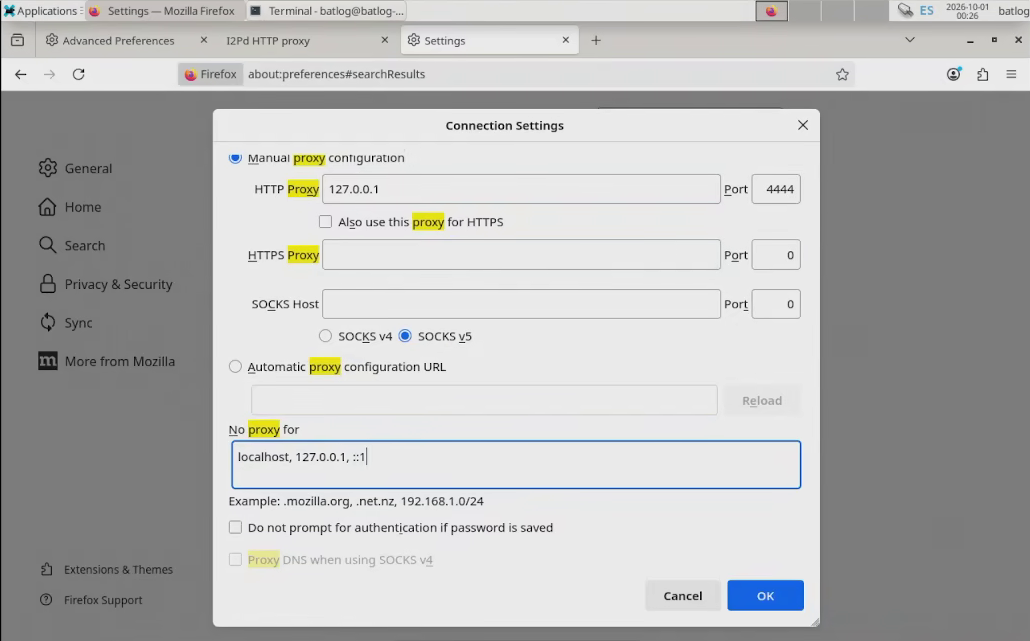
Give it a few minutes (I entered the start command here a second time because nothing was happening). While you wait head over to firefox and under proxy settings fill the following:
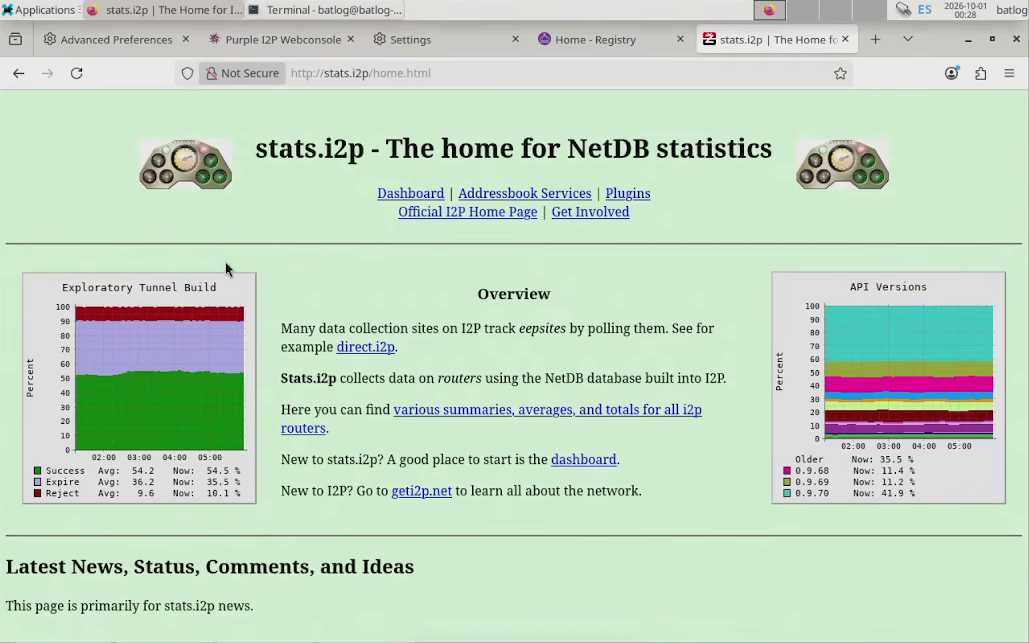
This will connect firefox to the router, after a few minutes have passed try going to stats.i2p. If you see this screen you're connected to the i2p network
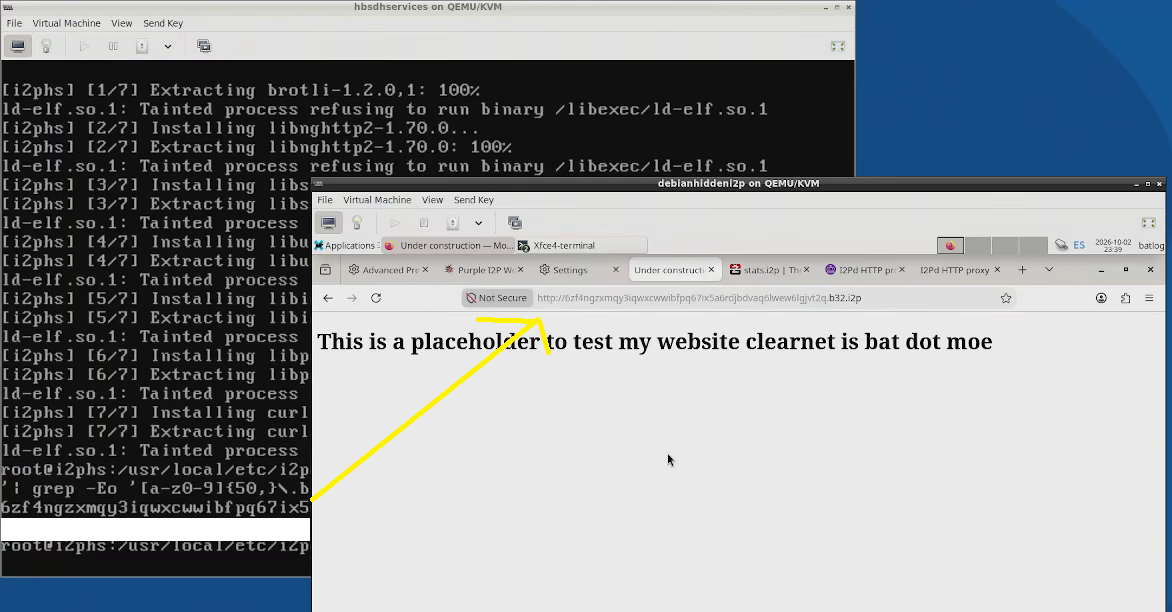
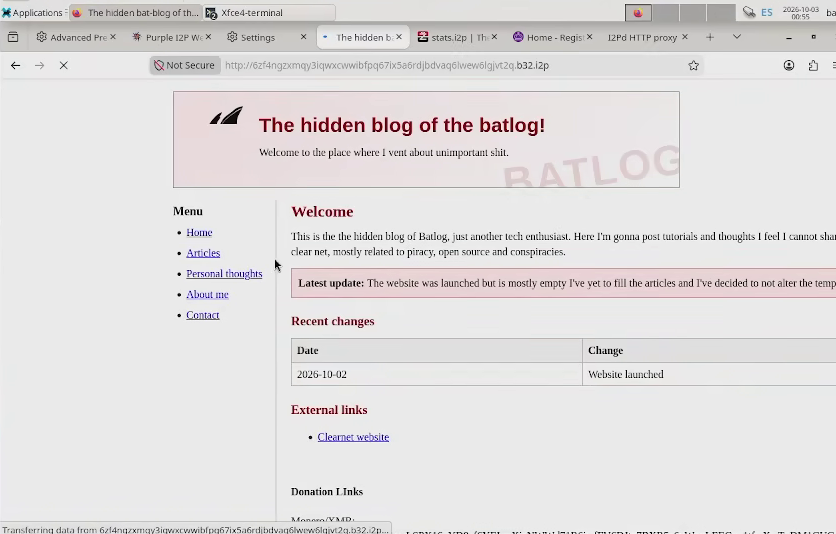
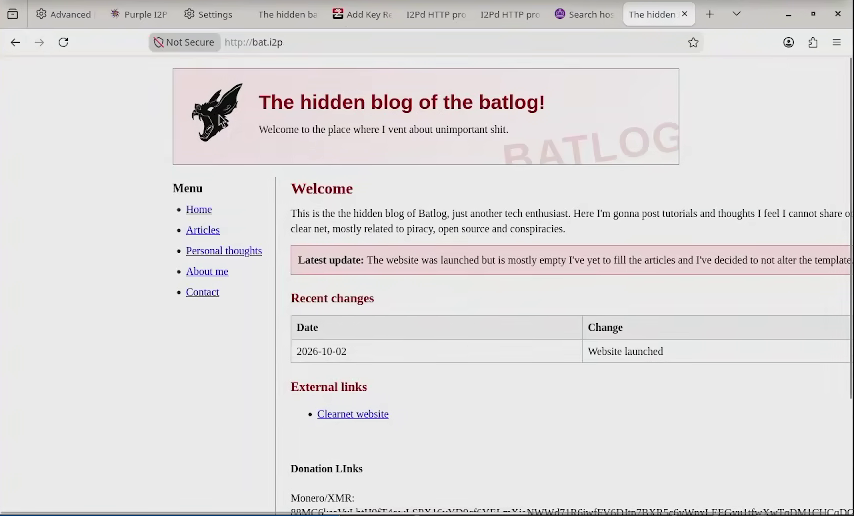
Now what you have to do is kind of tedious, you have to type in the address that curl gave you a couple paragraphs back, if you see your placeholder you're almost done.
1.7 Making a website and uploading it to a git
I thought very hard on a practical way to get my website to my web server because given the amount of layers I'm behind I needed a convenient method to do so.
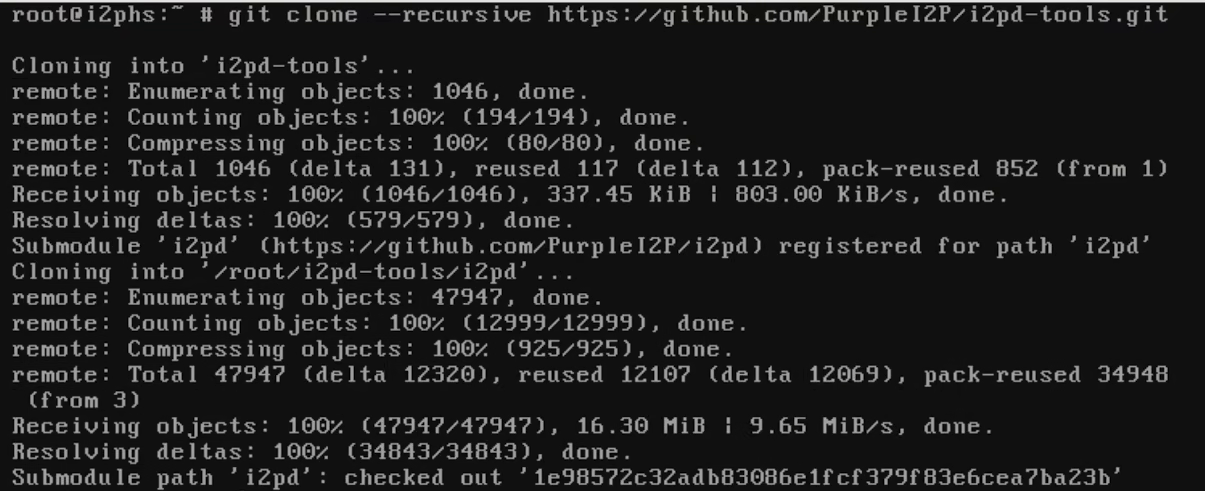
I quickly arrived at the conclusion the easiest way would probably be via git because since my server is headless I need to run a specific tool that I must download and compile from github in order to get my string to register my website with i2p registrars anyways. So... I guess this is also a gitgud tutorial?
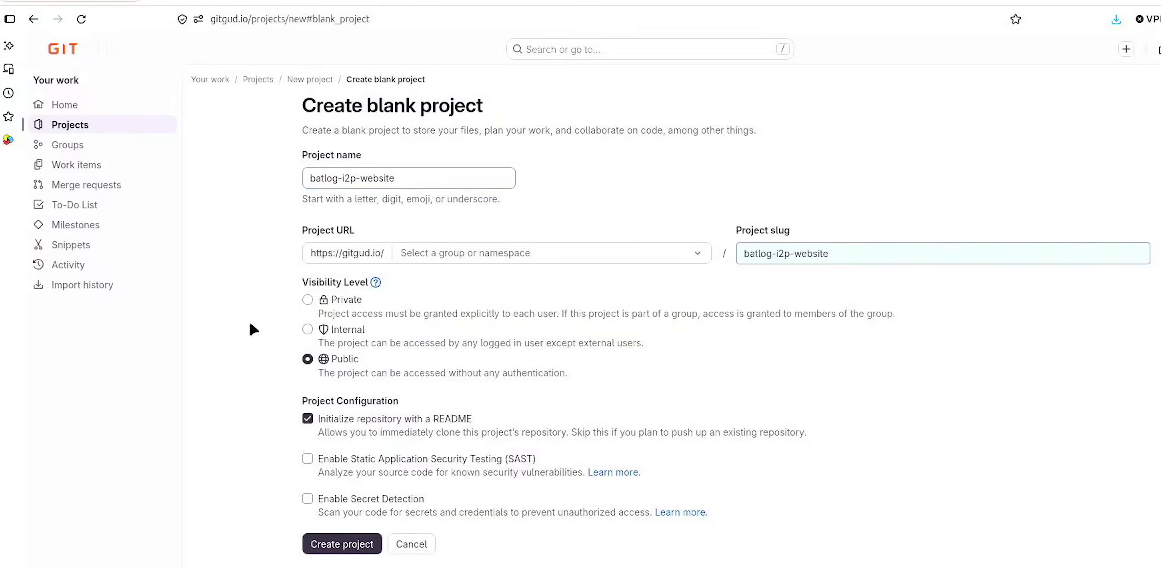
Start by creating a new project. If you don't want for the people to see your ramblings you CAN make it private, all that will happen is that your computer and server will ask you for your password/token when running git clone.
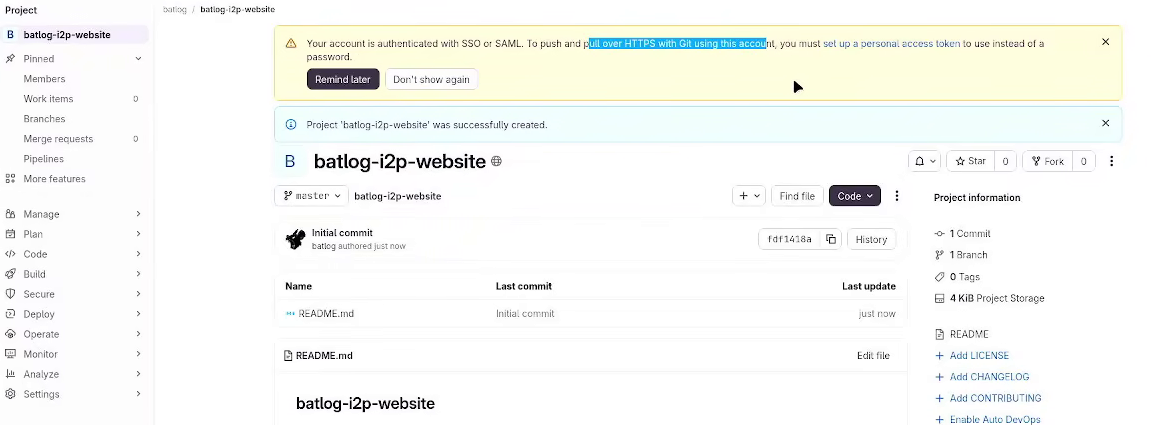
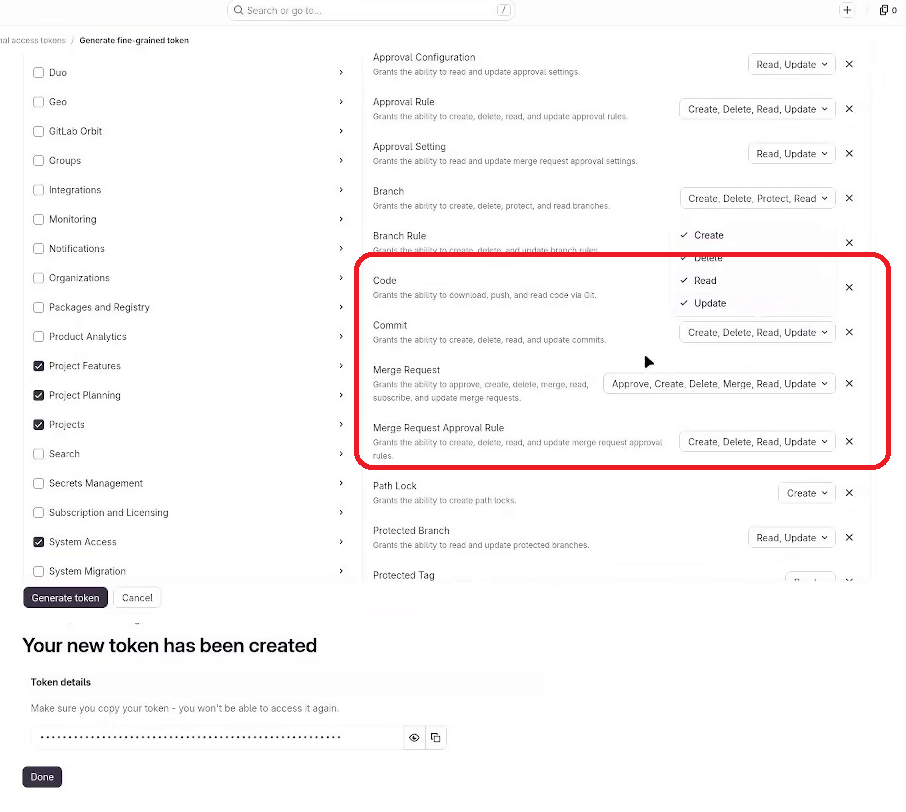
Now, for gitlab (And by extension gitgud) they have this security measure that I find a bit pointless but whatever. They require you to create expiring authentication tokens in order to use the service.
Go create your token, it's fairly straight forward and it can be issued indefinitely until you delete it. The 'token' itself is just a very long string of text so after it generates it just copy it in a text editor and keep it somewhere safe like a password manager. Make the permissions that you think you may need, highlighted are the parts you need for cloning and pushing code.
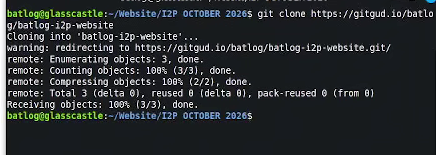
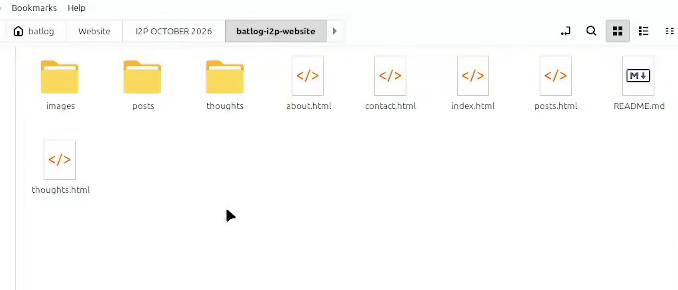
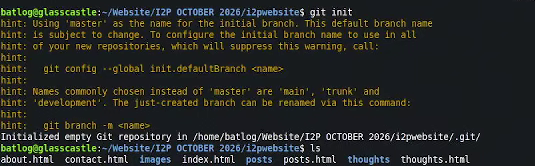
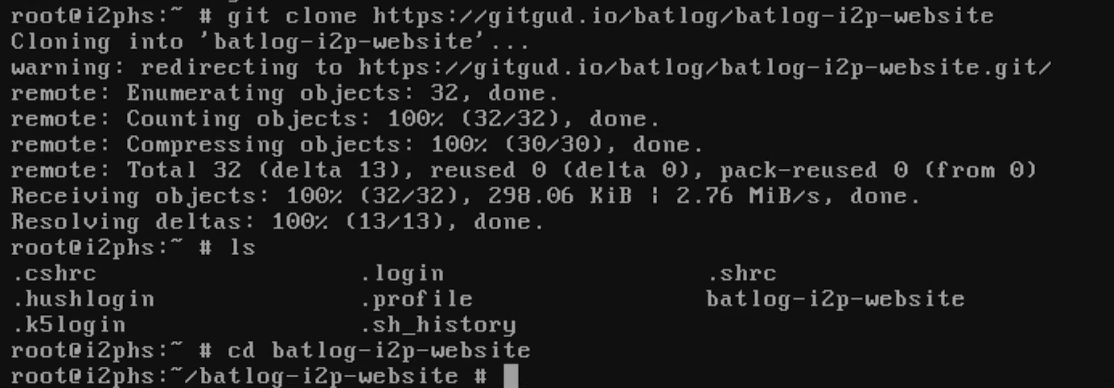
Now go to your PC where your website is and clone the repo. Then run copy your files and run 'git init'
$ git clone <your project name>
git init
cloning the repoAdding files to the repo directoryInitialising the repo
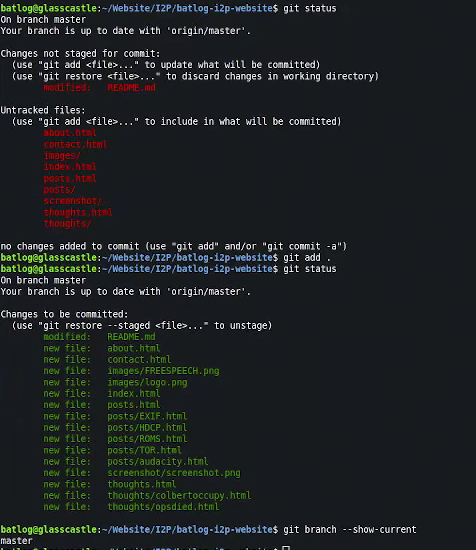
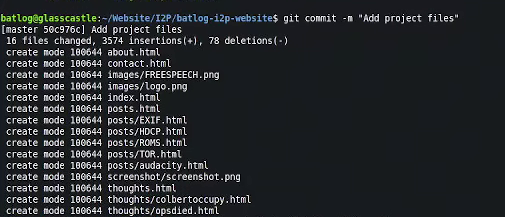
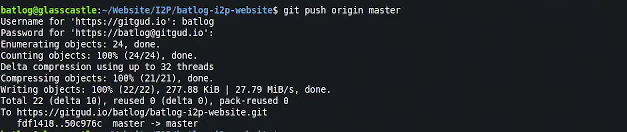
Now all you have to do is add the files to a commit and push it. (Please note gitgud uses 'master' instead of 'main'). When the system prompts you for a password use the token you generated.
$ git add .
git commit -m "name of commit"
git push origin <name of branch>
Adding filesMaking a commitPushing the project
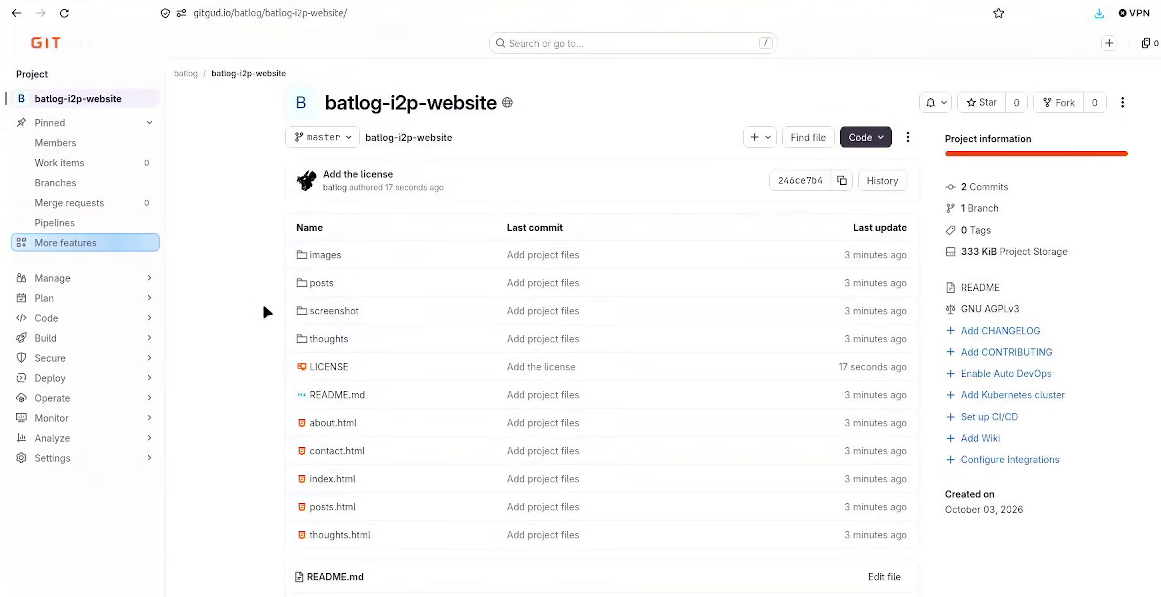
After you're done, just go back to your project and check everything is there.
1.8 Downloading a website via git to the server and managing it
NOTE: It's important you have your website ready before the registration process. Regardless of what method you use to get your website into your server it's important you have it completed (Even if it's missing posts or if it's in a non-functional state if you have a forum or whatnot). The reason for this is because arguably the network's third most important website (Called notbob.i2p) catalogues all websites based on their appearance and if you leave a simple 'under construction' site you will be catalogued under that category and probably stay there forever.
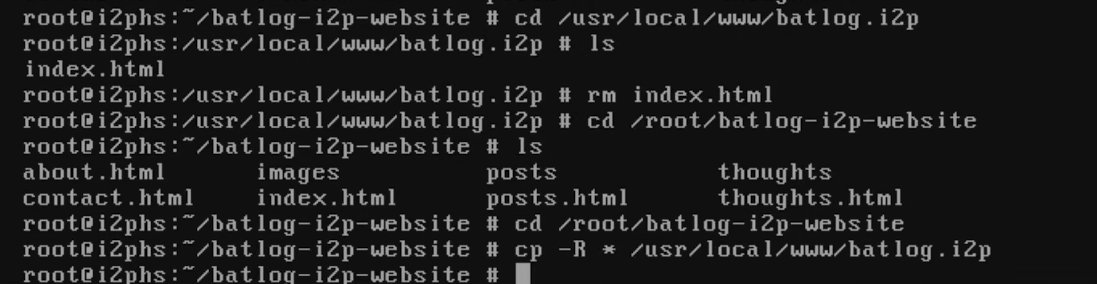
Now all you have to do is clone your git like you did in the previous step, delete the placeholder file in your website directory and set the permissions again like in step 1.5
# git clone <route to rour git repo>
cd <name of your git repo>
rm /usr/local/www/<yourwebsitename>/index.html
(See step 1.5) # chown -R root:www /usr/local/www/<yourwebsitename>
find /usr/local/www/<yourwebsitename> -type d -exec chmod 755 {} \;
find /usr/local/www/<yourwebsitename> -type f -exec chmod 644 {} \;
ls -l
Cloning the repo to your serverCopying the website to your directory
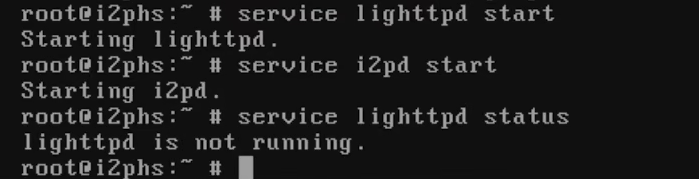
Now, as for management... As of the time of writing (07 Oct 2026) Lighttpd has a bug and I refuse to report it for ideological reasons, where you can start the service but you cannot manage it.
Explanation: Lighttpd service starts the program but doesn't track it nor has any control over it
It's probably just a service misconfig (See addendum 2) but I thought about it and if I were to fix it an update to lighttpd an update may overwrite my changes and render it useless... and if I were to render it unwritable it would possibly break the whole thing from updating. Point is, lighttpd as a service is broken.
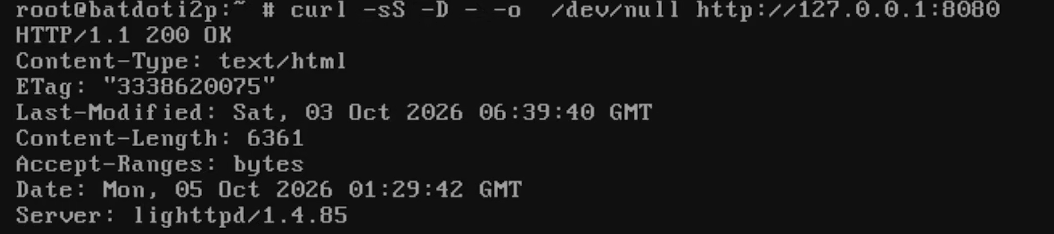
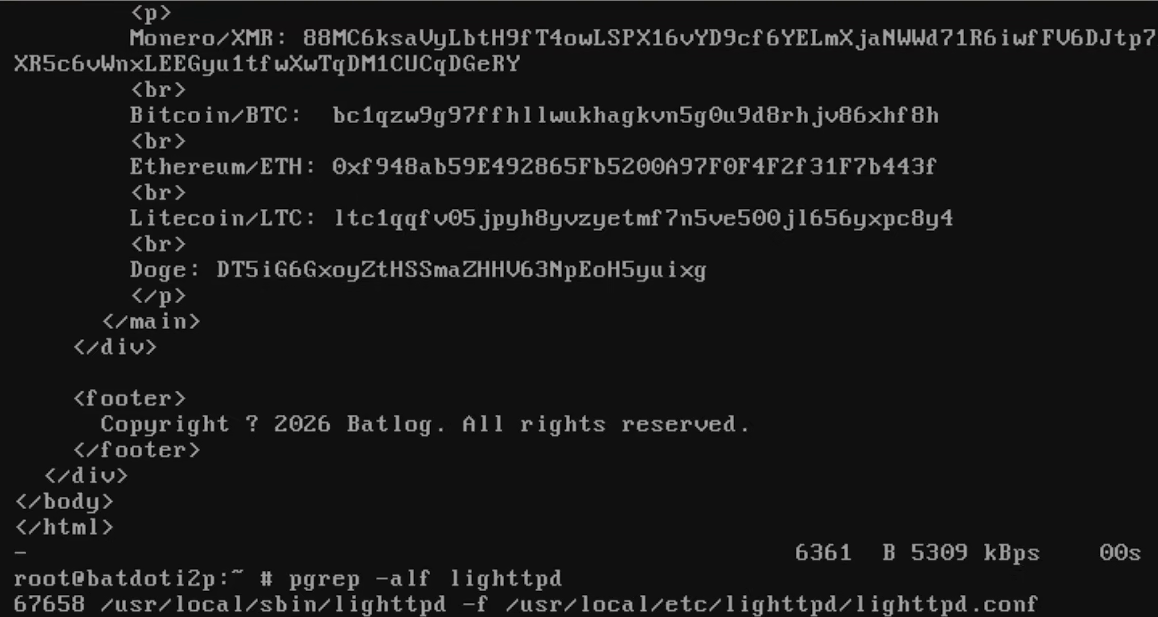
So, the process for managing at the time of writing is killing the process and starting the service again, and then running the commands at 1.5 to check it's running. Here is an example of how that would look like
Reload your website and see if it reflects your changes (Bear in mind it may take a minute or two to download).
I was also using sockstat to expedite this process but after an update it broke and apparently this was another bug and I was never supposed to be able to do that inside of a jail (lol). You can however use sockstat to check if lighttpd is running inside the jail.
Proof I was running sockstat inside a jail
This is how to run sockstat in your host before jumping into your jail:
# sockstat -4 -l -j <jail name> | grep -w 8080
How and where to actually run sockstat
1.9 Registering the website
Now that you have your website visible it's time to register it.
In order to register it you need to get a long string from your router, if you were on a GUI this process is literally just a couple of clicks away on your localhost when opening your browser, but since this is a headless install it gets a bit complicated.
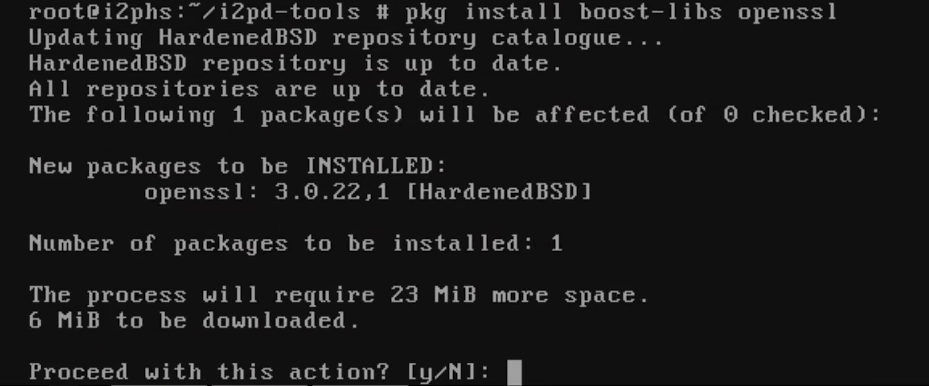
First, you'll need to clone i2pd-tools and resolve the dependencies associated with it, boost was already installed with i2pd so the only pending dependency is openssl
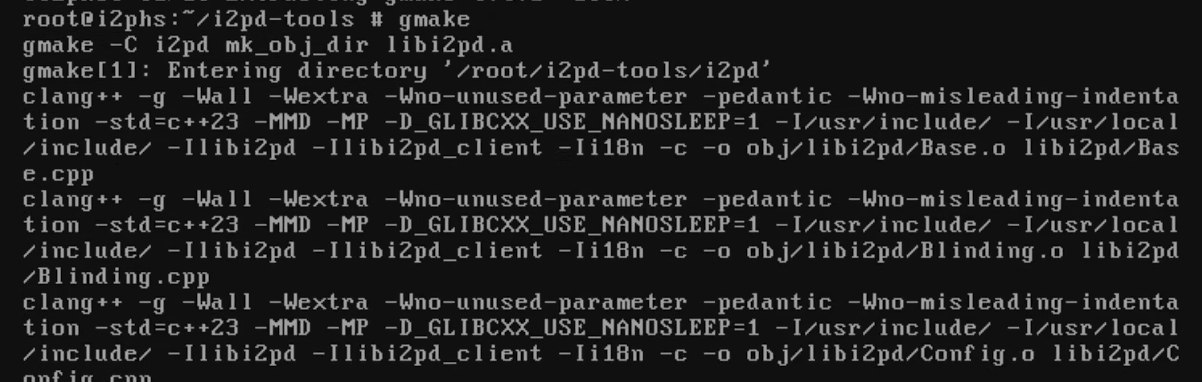
Now, it took me a while to figure out how to get the program to compile because the make file was thought for a Linux install, but it turned out it was as easy as just using a different compiler. Open the directory and use gmake, then go do something else, it takes a while to compile.
# cd i2pd-tools
pkg install gmake
gmake
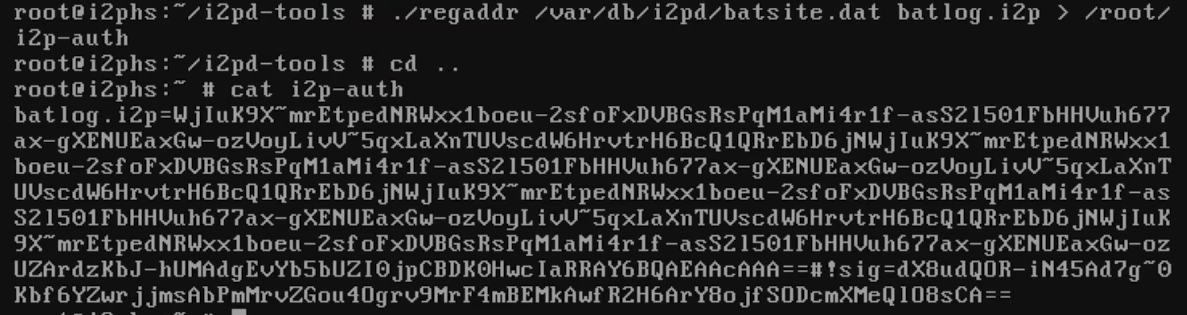
After it's done compiling you'll be left with a few binaries, run regaddr and point it to the name you gave your service dat file (See step 1.6) with the name you want for your site and save it to a text file. This string is public by registrars so it's not a big issue to show it.
# ./regaddr /var/db/i2pd/<nameofyourdatfile>.dat <name you want for your website> > /root/i2p-auth
Originally I wanted batlog but after checking the registry I found bat.i2p was available and I couldn't resist.
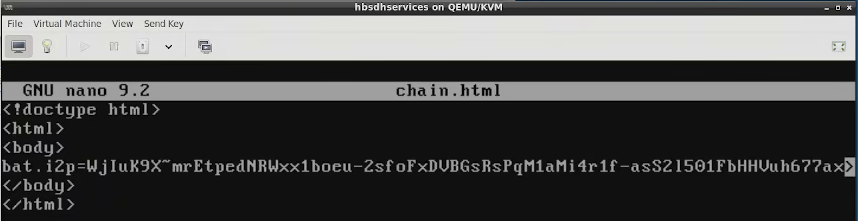
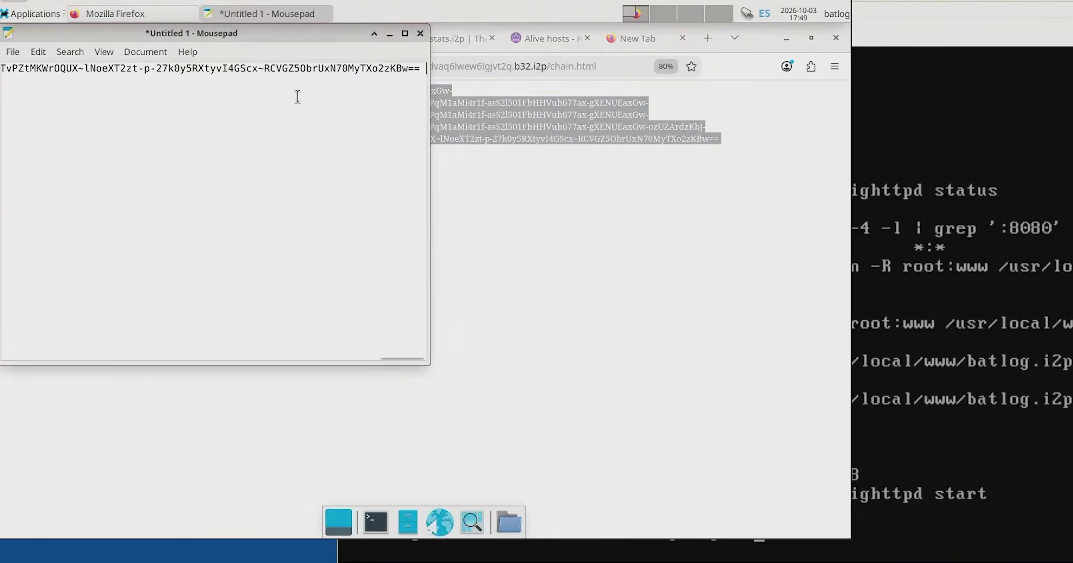
Now the problem is that you need to enter this form in a couple of websites, you could do it manually but look at the size of that bloody string and if you commit a single mistake that website gets reserved maybe forever. So... I did something that maybe I shouldn't have, I copied this text file as an html file to the same directory as my website and basically made it a hidden page, then I copied the string to a notepad on the computer with the GUI and deleted the file.
# cp i2p-auth /usr/local//www/<yourwebsite>/chain.html [procedure to assign permissions and restart lighttpd] rm cp i2p-auth /usr/local/<yourwebsite>/chain.html
Making the reg string an html fileCopying the file for registrationRemoving the reg file
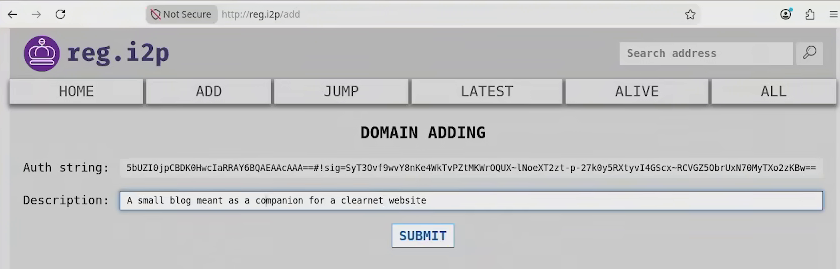
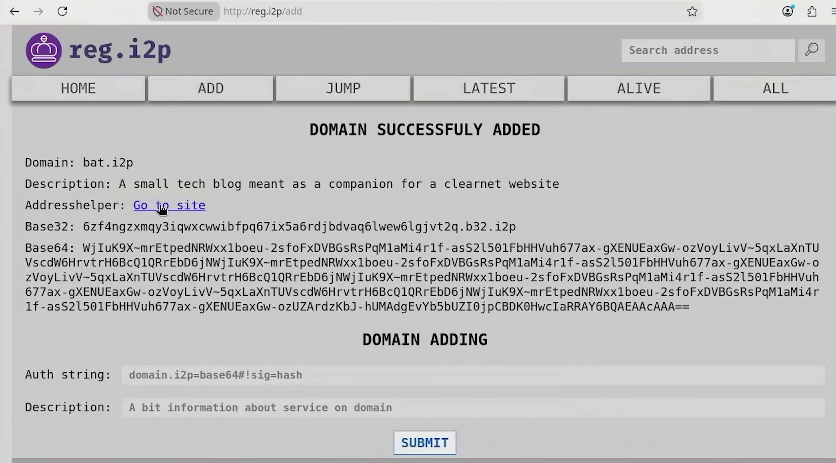
Now all you have to do is first go to reg.i2p/add and add your string with a description of what your website is. Then just submit it.
Registering on reg.i2pRegistration succesful
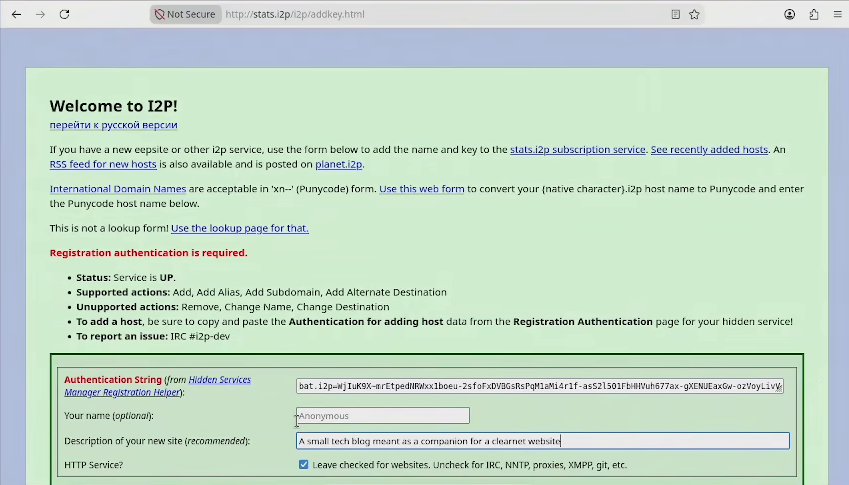
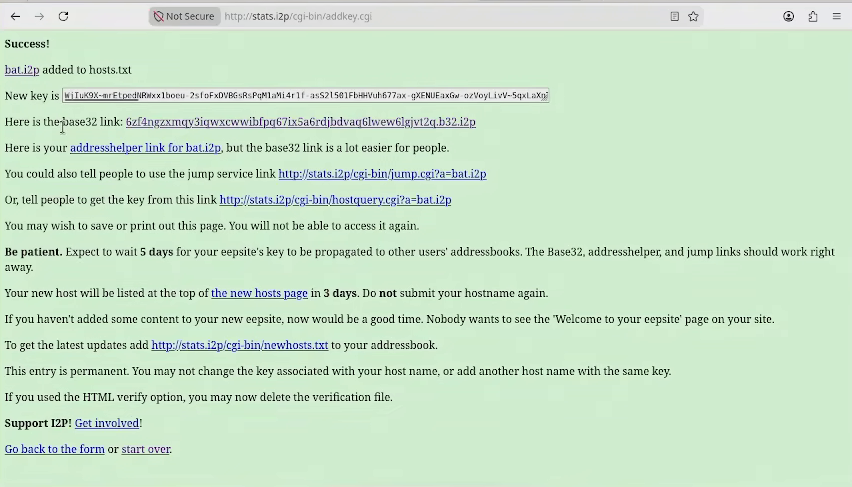
And now do the same for stats.i2p/i2p/addkey.html. You will be generated a 'jump form' and redirected to your website.
Register website on stats.i2pRegistry successful
Your website should now be online!
Success! Victory, Huzzah! etc etc
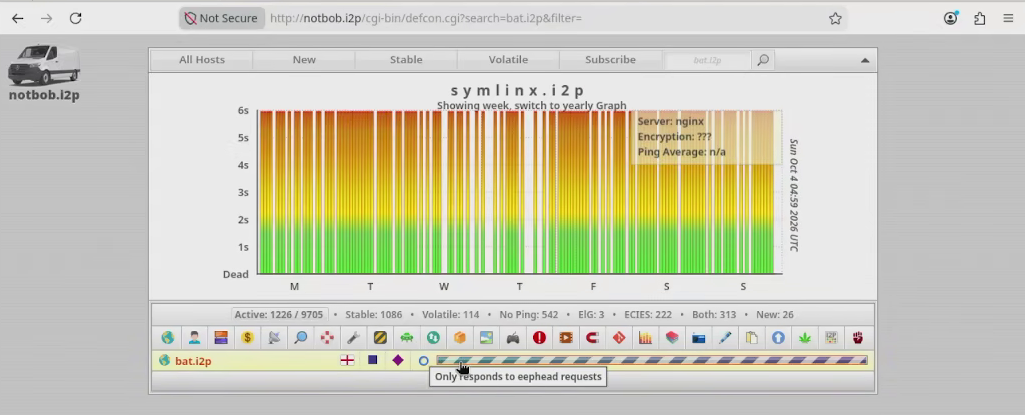
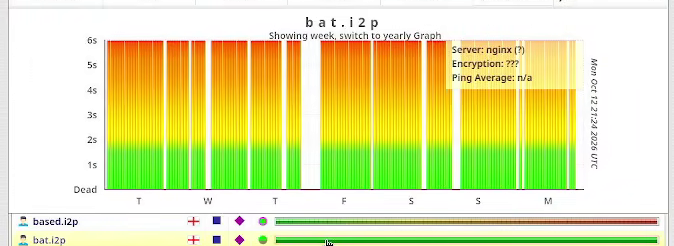
Now, if you try to go to your website with the address chances are it's not gonna load. This is because most nodes are running outdated versions of i2p and they don't know the route to your website and as such it may take a while (I'm talking months here) this is what uncommenting the 'subscriptions' line is for by the way. If you want to see if your website really is visible, notbob.i2p is the best and most up-to-date stats website on I2P, if you see your website there then you've done everything correctly. all that's left now is taking snaps of the jail and setting it to auto-upgrade (See section 3).
The website is available according to notbob.i2pThis is how the traffic looks shortly before the article was published
2. TOR SECTION
The process for this is almost the same and quite honestly, it's a lot of a hell more straight forward that I2P. I'm gonna skip the installation process of HBSD as this is hosted on the same server. I'll also skip uploading the website for the same reason and because frankly, I don't plan on keeping this server up for anything other than demonstration purposes.
I'll be honest here, I'm not overly-enthusiastic about this section; Tor isn't what it used to be ten years ago, almost all nodes are compromised in some way or another and maintaining a website is legitimately harder than maintaining a clearnet website but unlike the clearnet or i2p you get zero discoverability and a thousand more malicious bots.
Honestly if you want to run a TOR site as a hobby I recommend you do it in a server that isn't in your home and build your brand first.
2.1 Making a jail, installing TOR and nginx
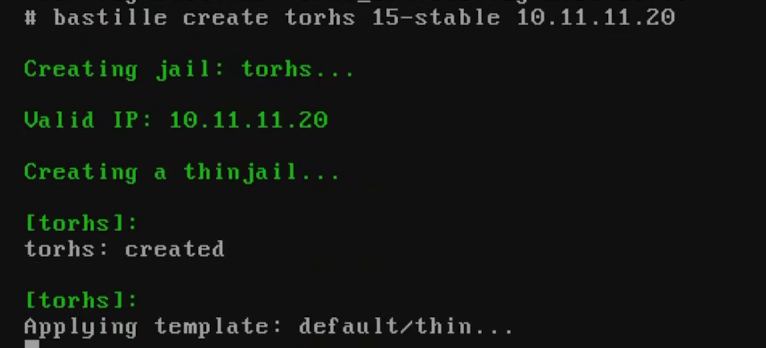
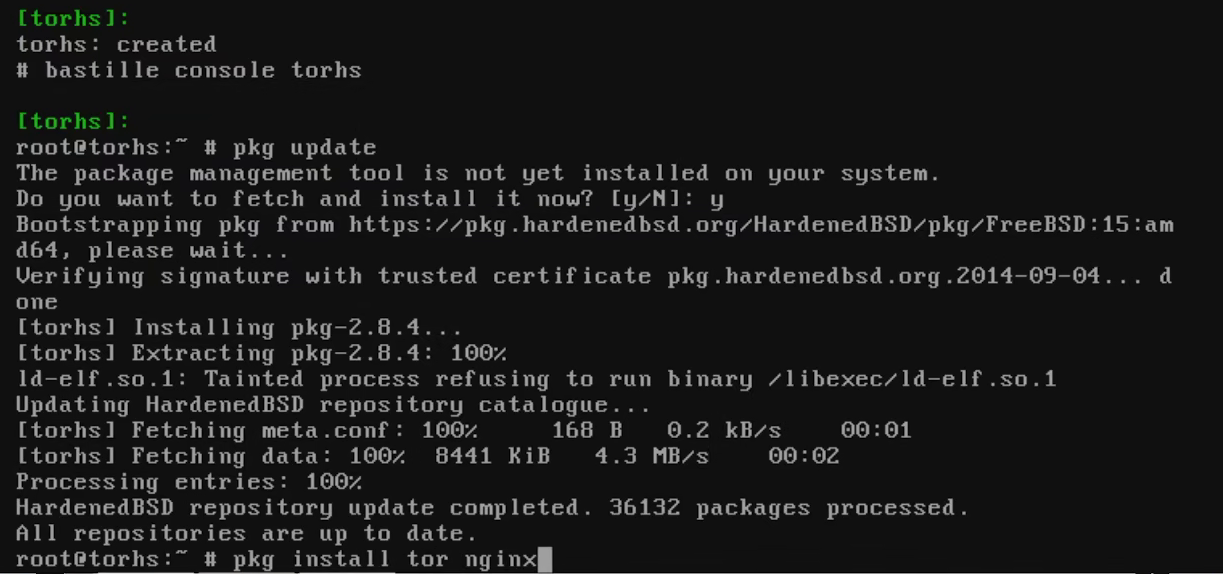
The process is the same as with I2P, create a jail with a unique name and IP address and install tor an nginx using the packages.
Creating a jailEntering the jail and installing tor and nginx
People that are familiar with tor are probably scratching their heads as to why I recommend using the repository packages because those are usually outdated, but that's what the tor project official website actually recommends for FreeBSD.
2.2 Configuring nginx
First of all, enable the service.
# sysrc nginx_enable="YES"
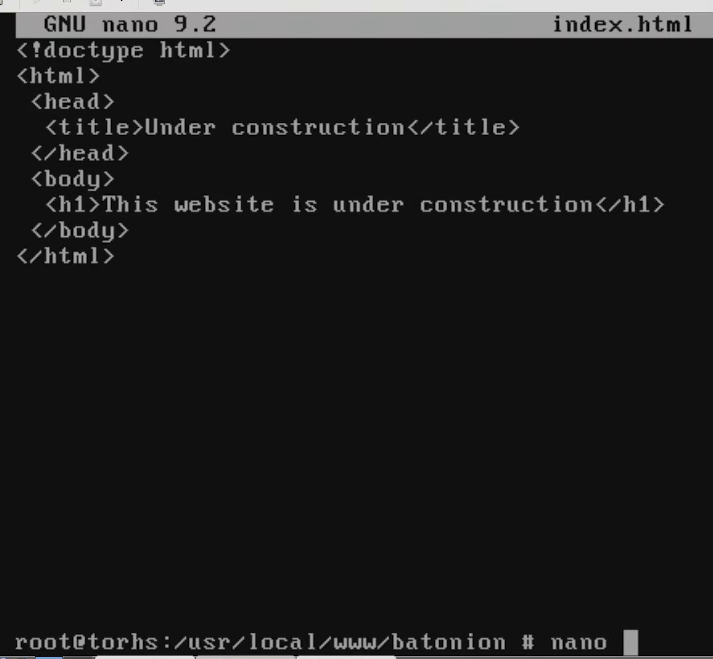
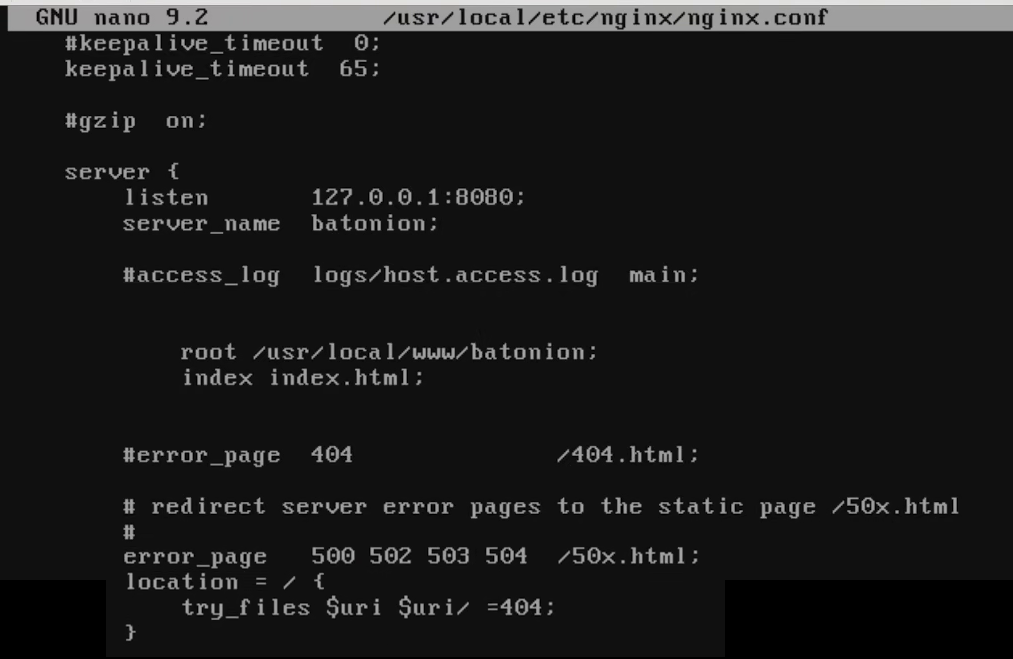
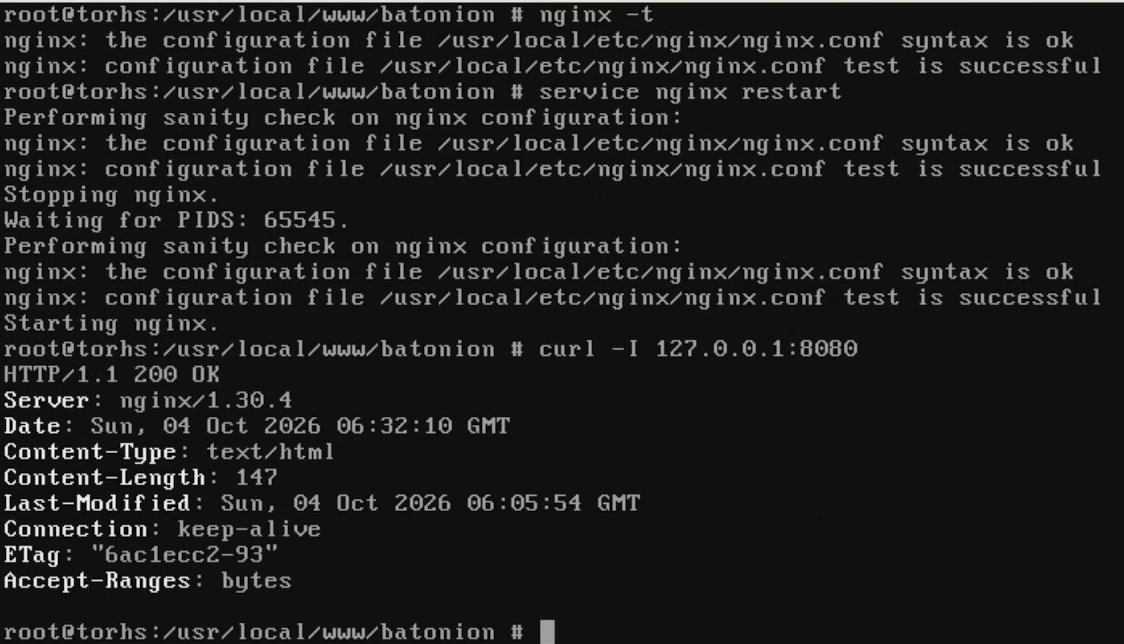
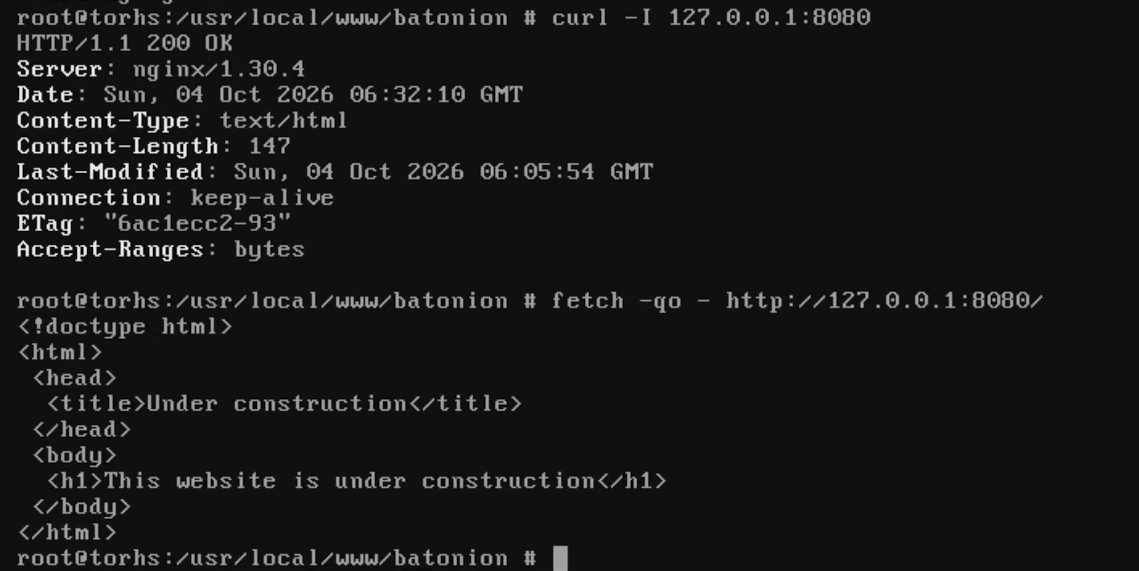
Make a test website located under /usr/local/www with an index.html file similar as to how it was done with I2P.
Testing and starting nginxoutputs of curl and fetch
Now you can move to making a tor hidden service.
2.3 Configuring TOR and deploying the website
As per usual, you first want to enable the tor service.
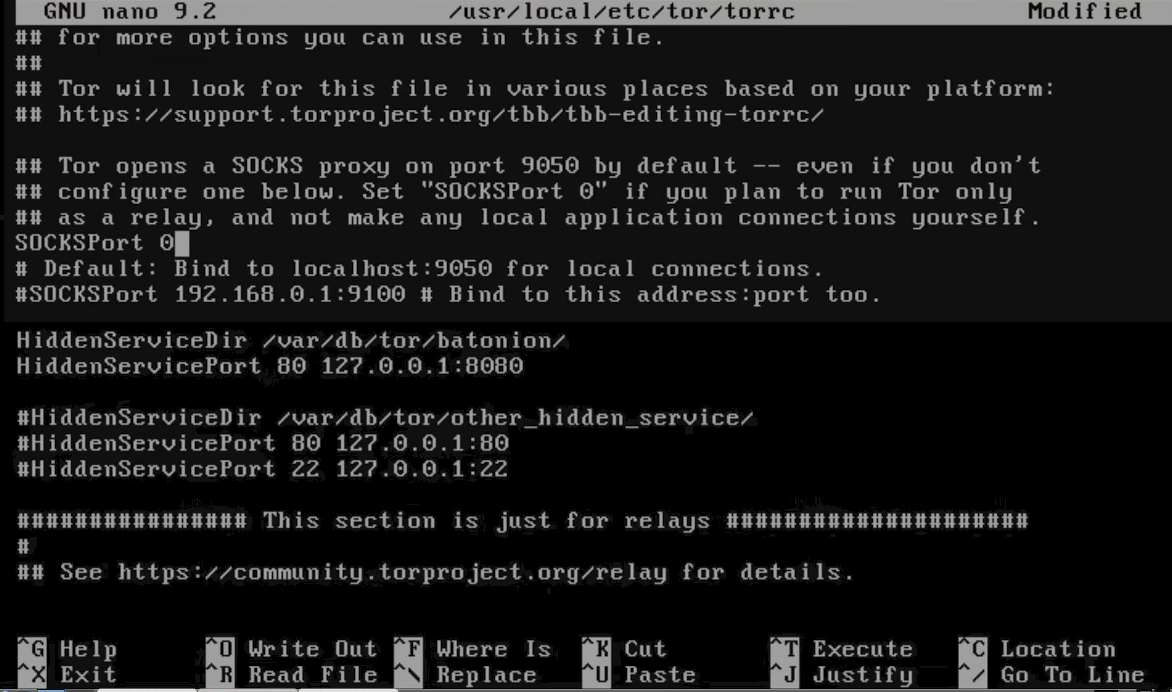
Afterwards you want to edit /usr/local/etc/torrc and add the following:
# nano /usr/local/etc/torrc
torrc contents:
SOCKSPort 0
HiddenServiceDir /var/db/tor/<name of your hidden service>
HiddenServicePort 80 127.0.0.1:8080
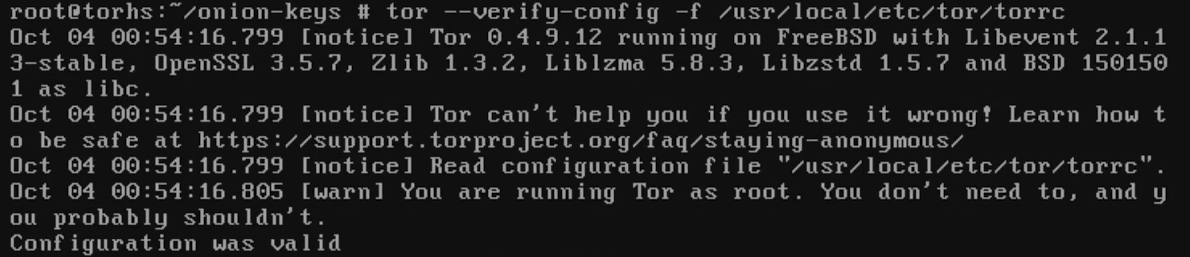
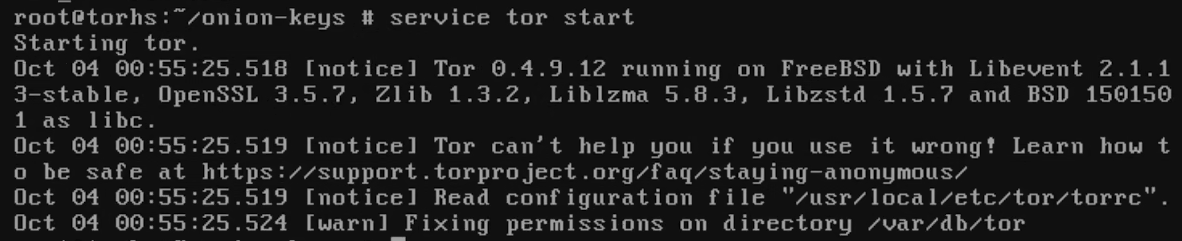
Now run a command to check if the config is valid and if it is, start the service.
# tor --verify-config -f /usr/local/etc/torrc
service tor start
Checking if tor is configured correctlyStarting Tor
Now run a cat command to get the information located in a new file called hostname that appeared in the directory that you declared in torrc
# cat /var/db/tor/<your hidden service name>/hostname
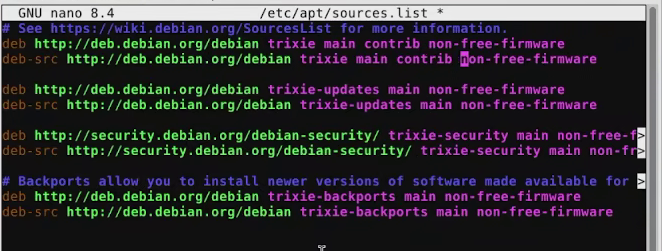
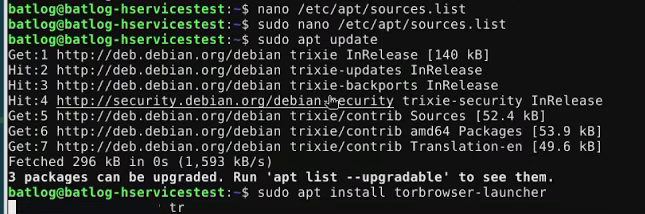
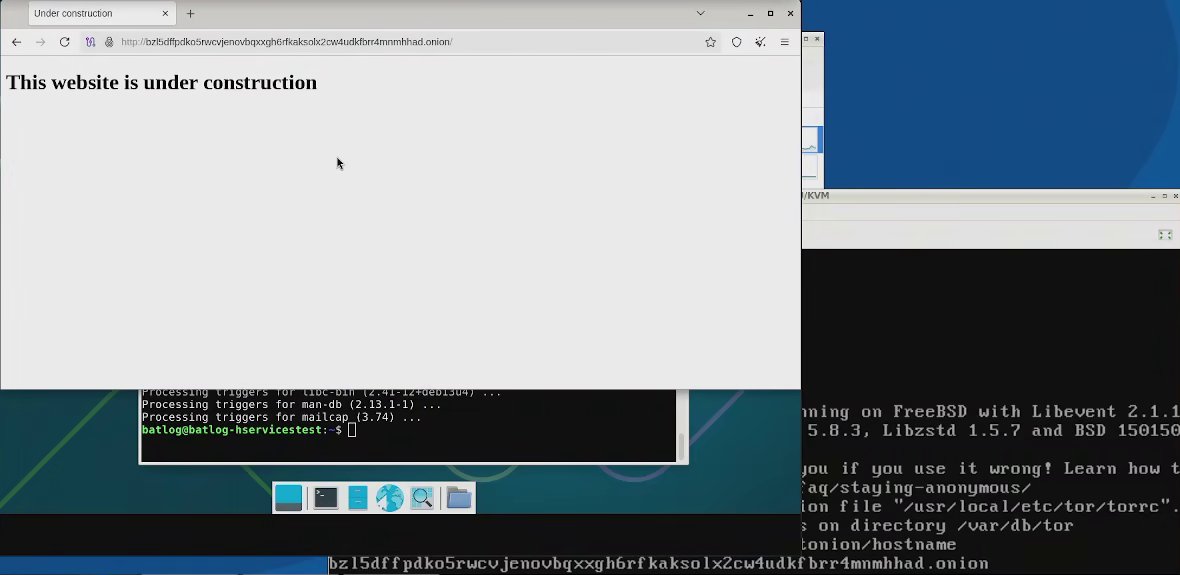
And finally, in a different computer open the TOR browser and load this address. If you are on debian you need to add the contrib repo to sources.list and update your sources.
Changing sources.list in debianUpdating sources and installing the tor browser
Tor browser displaying the website as intended
And... That's it, that's all it takes to make a tor website running on nginx. Hopefully you understand why there are so many of these now lol.
2.4 (Optional) Getting a vanity a vanity address
I've always found vanity addresses in tor to be cool but at the same time, they are a bit pointless. If you don't know what they are, basically you can 'force' tor to give you an address that you want but depending on the length this may take seconds or days as the pc must crawl for them (I've never seen a ful 56 characters long address for instance, it would probably take tor years to find it on a ryzen 9 or intel i9). For demonstration purposes I'm gonna use a 3 letter word, just 'bat'.
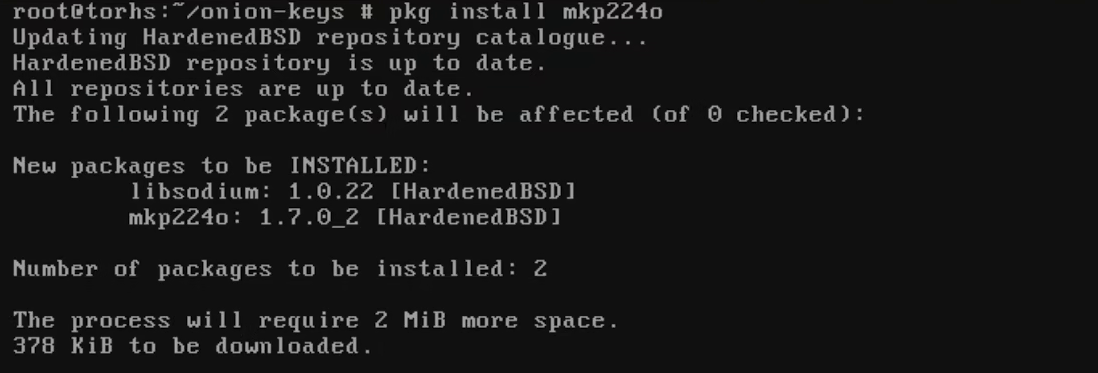
First, install mkp224o. Then make a directory and go into it.
# pkg install mkp224o
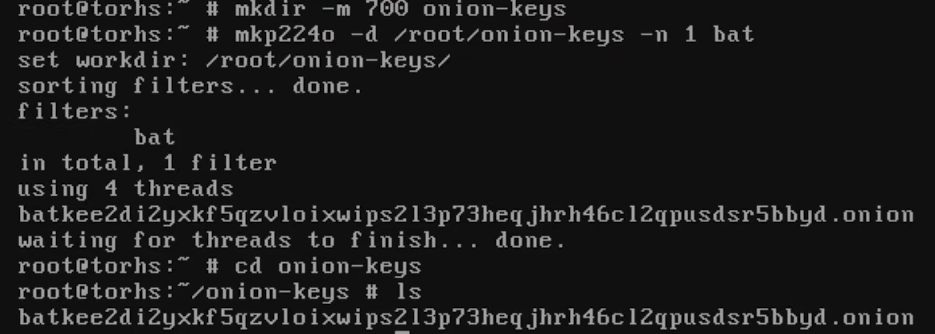
Now make a directory and run mkp224o to look for a single address with the word you want in it and store it in this directory (Make sure to specify you only want a single address, otherwise the program will run indefinitely and eventually kill your system)
# mkdir -m 700 onion-keys
mkp224o -d /root/onion-keys -n 1 <word you want in your address>
mkpo224o generating a single address that starts with the word 'bat', please note the listed file is a directory
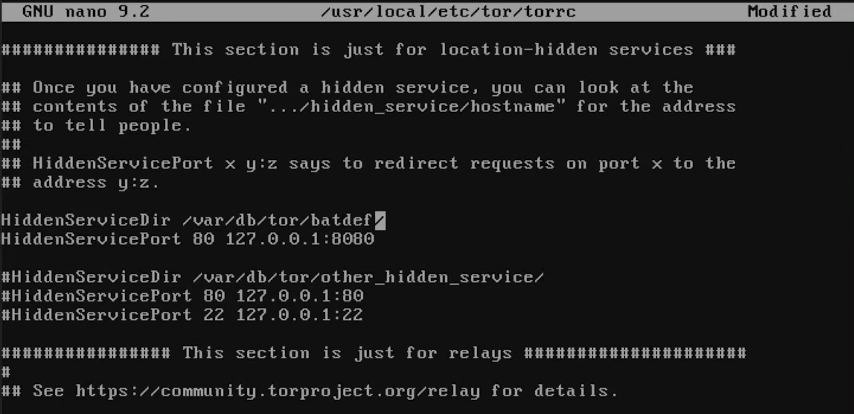
Now, if you had been following this guide until this point I really recommend your torrc and just overwrite your service name with another name (In this example I changed batonion to batdef).
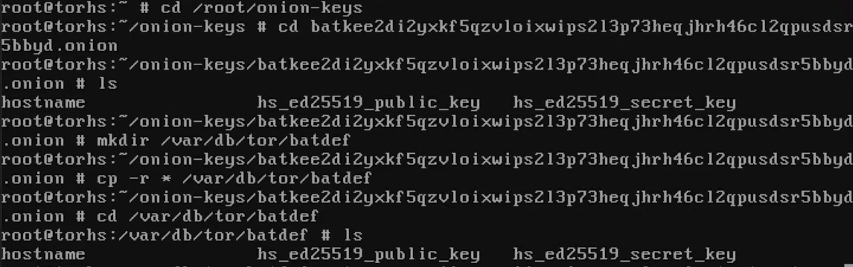
Open the directory with the long name mkp generated, make a new directory under /var/db/tor/ and copy the contents of the long name directory there.
# cd <long address name> mkdir -p /var/db/tor/<new hidden service name> cp -r * /var/db/tor/<new hidden service name>
Copying the address to a new service directoryEditing tor config to point to the new service
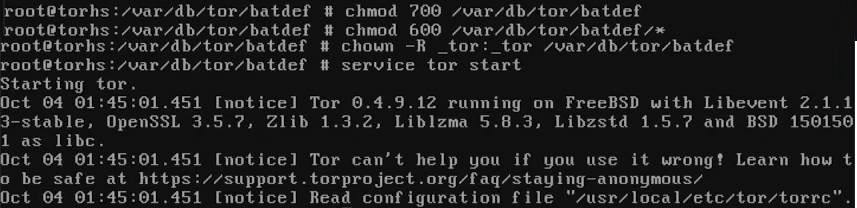
Now you need to set the permissions to the user and group tor uses, in my case it was _tor:_tor and start the service again (If you run a configuration test before starting the service again and it fails it's okay, what matters is that the directory has the correct permissions or else the service will fail to start).
# service tor stop
chmod 700 /var/db/tor/<newhiddenservice>
chmod 600 /var/db/tor/<newhiddenservice>/*
chown -R _tor:_tor
service tor start
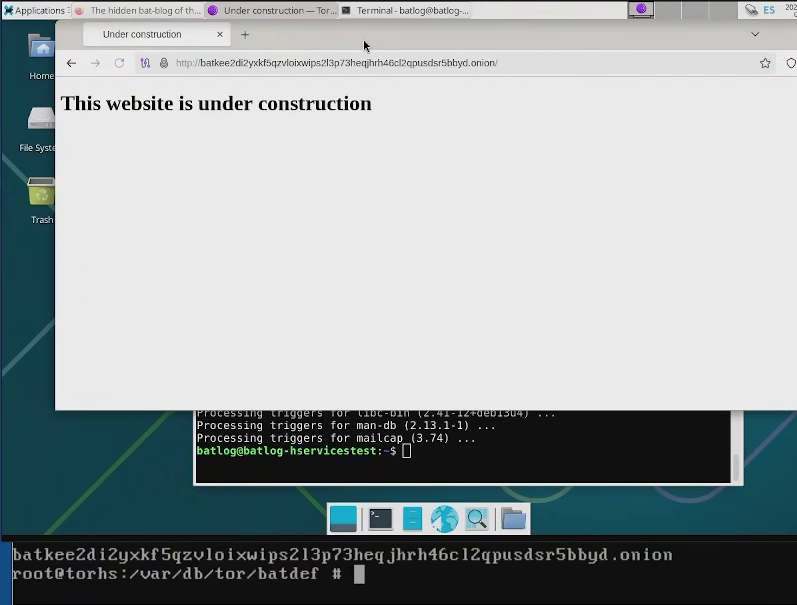
Now give it a couple of minutes (Or more like ten) and then head over to the long address that mkp224o generated using the tor browser.
Congratulations, your site is now -slightly- easier to find.
3. CONSIDERATIONS FOR BOTH I2P AND TOR
3.1 Managing jails and taking snapshots
I'm just gonna use this section with instructions on how to manage jails. Bear in mind this only covers backups you can take inside the virtual machine, in addition to this you can also make snapshots of the virtual machine itself, meaning you can have both an internal AND an external backup, one for each of your jails and one to roll-back ALL your jails at once if the host becomes compromised.
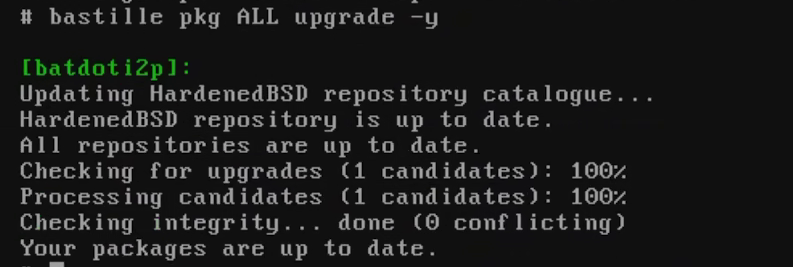
For starter you can upgrade all jails at once from your host without entering them.
# bastille pkg ALL upgrade -y
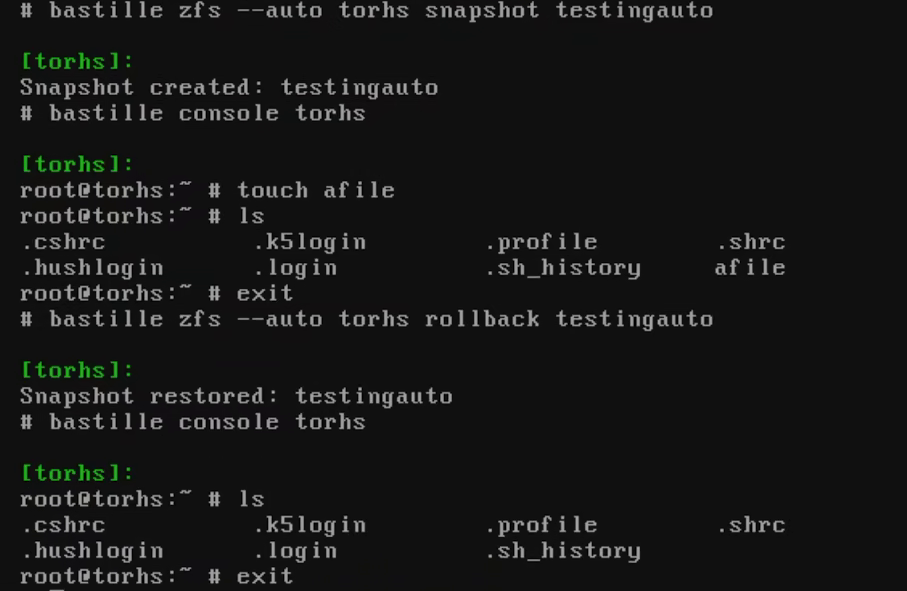
In order to take snaps you have to make a call for the file system. I recommend using the --auto flag as that will shut down the jail and start it again when it's done taking the snapshot automatically. To roll them back just use the same name the snapshot had.
# bastille zfs --auto <name of jail> snapshot <name of snapshot>
# bastille zfs --auto <name of jail> rollback <name of snapshot>
example of making a snapshot and rolling it back with a file
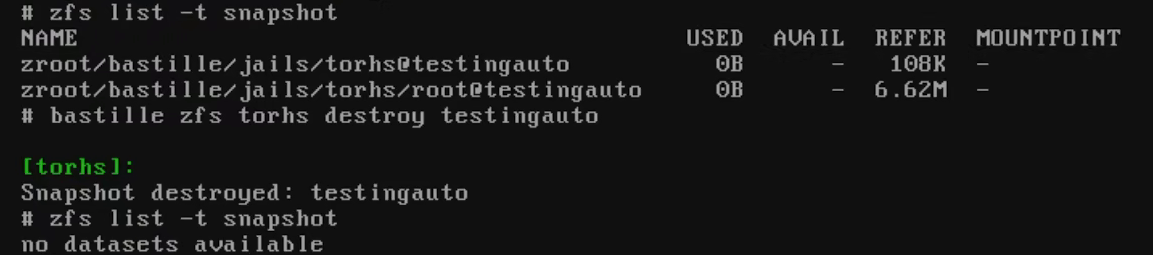
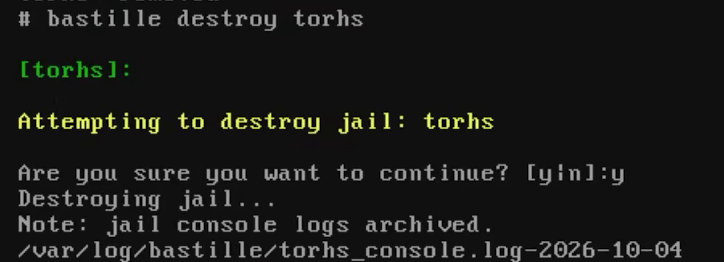
Please note although these work on file a file system similar to how LVM's work, when you roll them back the snapshot doesn't disappear and therefore if a snapshot is no longer of use to you it should be destroyed manually. You can list your current snapshots as shown below.
# zfs list -t snapshot bastille zfs <name of jail> destroy <name of snapshot>
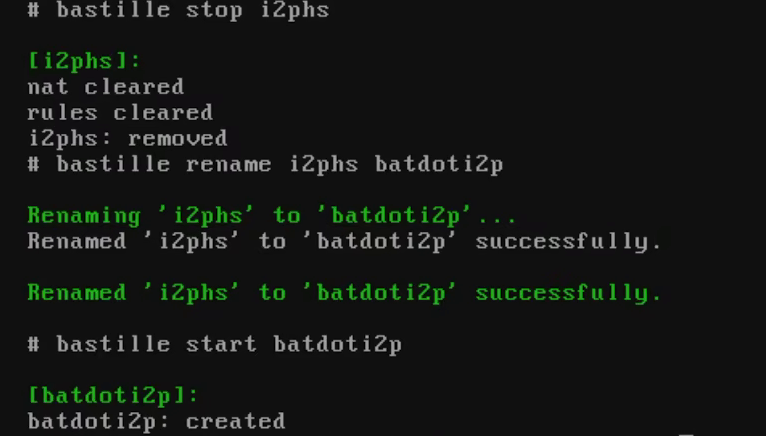
As a last useful command, if the need raises, you can change the names of the snapshots or delete them, in both scenarios you have to stop the jail first.
3.2 Setting up a cron job to keep everything updated
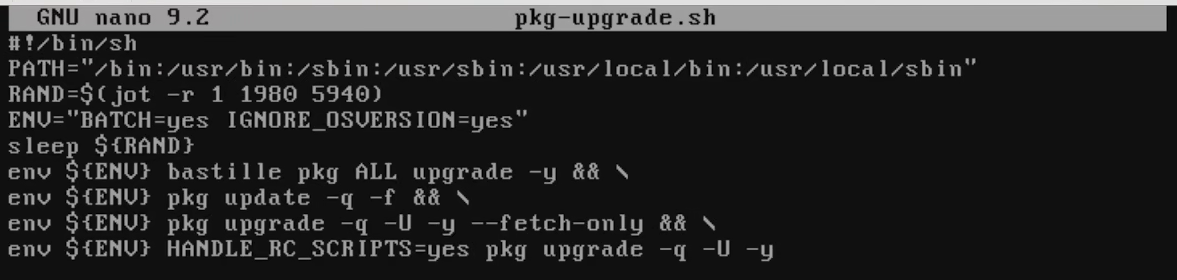
Finally you may want to setup a way for your jails and hosts to update automatically, luckily the tor foundation provides a good script for this, I just added the line to upgrade all jails.
And now, all that's left is to send the script to cron with the time rules (below will trigger the instructions every day at midnight) and restart the cron service.
And that's it, that's all the scope of this guide covers, There are a few tips every here and there such as how to avoid deanomization attacks but most of the time it just comes to being diligent; upgrade your host machine once a month and give both the VM and the host a good restart, that will force the I2P router to seek a new tunnel and more often than not will get rid of most issues from using the service.
Addendum 1: Why even do this?
The first reason is the recent ramp-up in censorship, with most mayor countries and even small ones starting to impose laws that allow for the easier tracking of individuals and most importantly, the policing of speech.
This is an issue that has been going on for a while but it really does feel like TPTB have stopped caring and are now just flagrant about it, so I think it's good to have spaces where people can discuss issues and more importantly express themselves, the I2P community is a really small community numbering under 1,500 websites and honestly both the users and the websites seem to have a very weird attitude that seems straight out of the 90's internet.
Granted, it's not for everyone. There ARE extremist in the websites and other undesirables (I'm talking Cheese Pizza enjoyers here) but the majority of websites are not like that, there are blogs, web games, forums, galleries, wikis and very bizarre websites. It's a network made for people that enjoy playing Hypnospace Outlaw, a place where the third most important website on the network is hosted by a Russian anime fan living in a van.
Some people will inevitably be put of by it but I find the network rather inspirational at times. We live in an era where everyone is obsessed with their self-image constantly walking on eggshells and obeying the rules of the 10 websites that everyone uses both online and offline. I2P really isn't like that; it's like diving back in time to an era where people were still talking about the twin towers and calling each other slurs via webrings, only instead of the twin towers they're talking about current day politics and memes.
It helps that the websites and setup itself uses almost no space, my website is under 250KB and my installation is 2GB so honestly I don't see why more people that are always crying about the old internet don't just visit there from time to time and set their own websites.
There is an issue though, and it's the fact that the userbase has grown rather complacent and centralised which means there may be a limited time to get an i2p domain before the registrars disappear (See addendum 3).
Addendum 2: Regarding Openresty and challenge-response javascripts
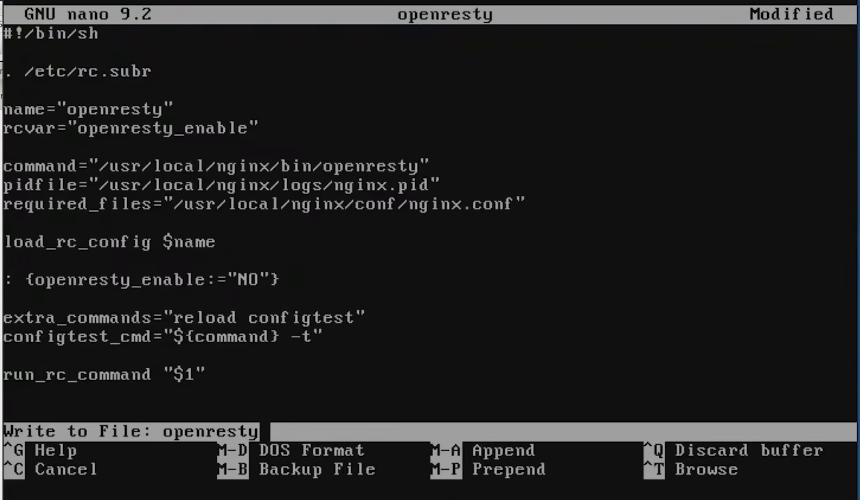
Originally, I wanted to install Openresty and an anti-ddos script that I run on my clearnet website but I ran into endless issues, the main one being that openresty had no service attached to the install and I ended up having to make the service myself.
I actually got rather far, managing to get my .b32 address visible on the network. But eventually I ran into an issue regarding the execution of my lua script where it just refused to let the service keep running.
So, as I was doing this thinking about what could it possibly be and trying to trouble-shoot it and maybe it was javascript that...
... I suddenly realised what I was doing was VERY, VERY DUMB.
The way most anti-ddos scripts or that Anubis thing that the kids love so much to use these days is that it issues a javascript challenge to the client and then allows access to the server, and while this is fine for the internet (My server IP is public, big whoop) it becomes a legitimate deanomization concern with I2P
My advice here is don't do either, install nginx instead of openresty (Which is the same thing without lua scripting support) and just make a website as simple as possible. Just think about it, which is worth more, not feeding the bots your homosexual tendencies in your blog six feet under or your anonymity and the usage of a tool that many governments actively condemn and pursue?
Your anonymity and freedom is worth a lot, don't throw it away.
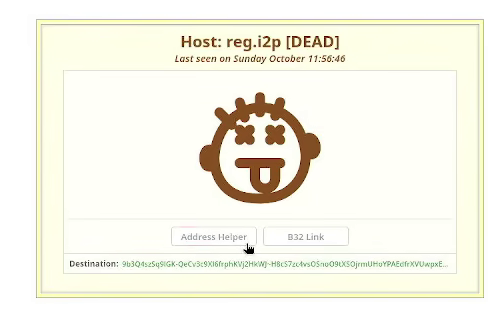
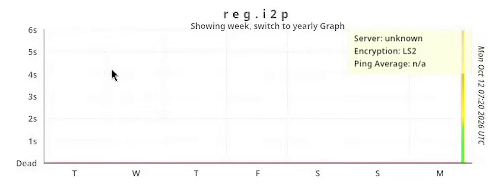
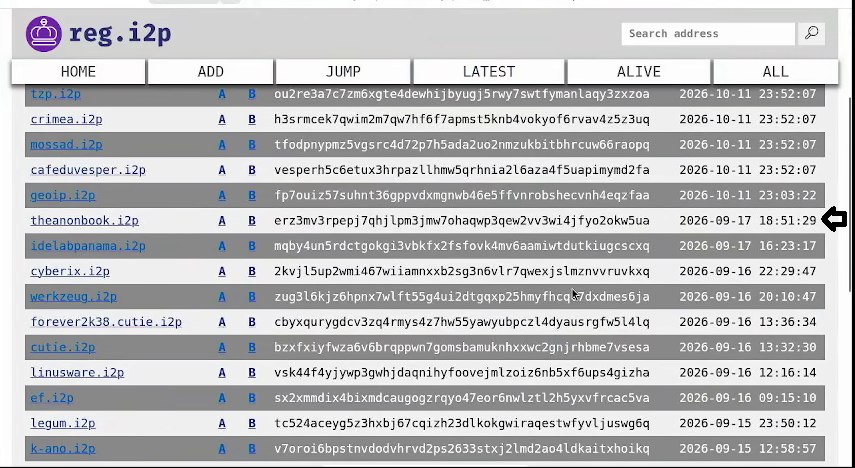
Addendum 3: reg.i2p died for over a week and lost almost an entire month of entries when it came back
I went to notbob.i2p to check how my website was doing and found that while my website was fine, I apparently went through with this decision in the nick of time.
Shortly after I did it appears reg went offline for over a week (Causing notbob to delist it) and apparently it came back yesterday but was missing almost an entire month worth of entries when it came back.
notbob declaring reg deadreg missing a week of traffic just coming backreg missing almost an entire month of entries
I'm making this note in case there is a repeat because reg going offline does more than just take away the ability of registering websites, I2PD depends upon it to fetch the list of aliases to redirect people to i2p domains, so if you access I2P and don't get connected to anything, chances are reg is offline. Give it a week or two and try again.