I just completed a BSD install and I feel the need to do this as you can find answers to this over and over on the internet but most of it is wrong or goes absolutely nowhere, it's maddening.
Installing a FreeBSD desktop
Installation of a base FreeBSD system without desktop is fairly straight-forward, the only problem I've ran into is that it sometimes fails due to bad BIOS clock synchronisation or a dead CMOS battery because .unlike Debian it first installs the system and then it syncs the clock, for some reason. I'll cover the base install in chunks because it's very straight-forward.
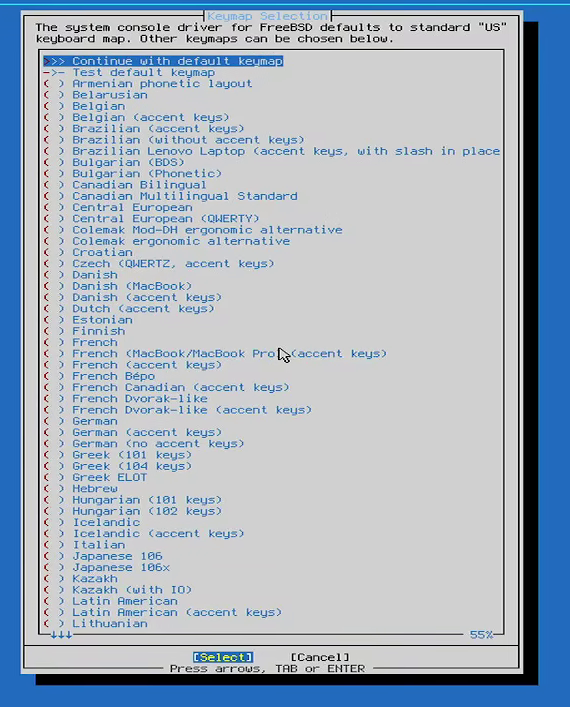
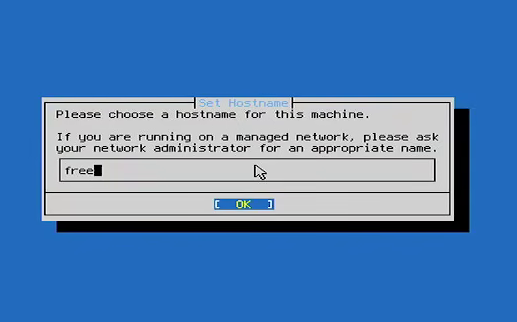
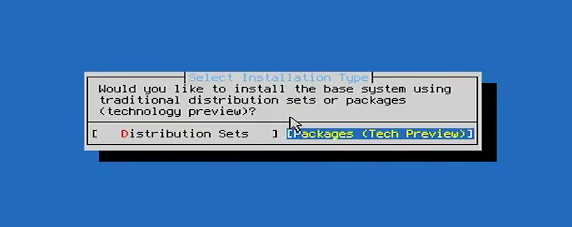
To start with, pick your keyboard distribution (Usually default is enough as en_US is the most commonly sold distribution online), then pick a name for your computer (The installer may ask you to test your keyboard mapping, make sure you don't mix these screens up). When prompted whether you want distribution sets or packages I recommend packages, there isn't much difference between both other than how upgrades and installations are handled but I find packages faster and easier.
Keyboard distributionNaming the computerWhat kind of installation you want
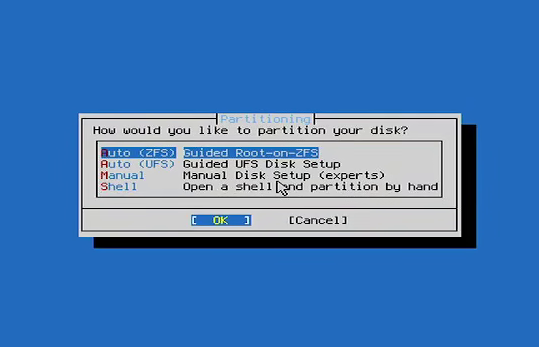
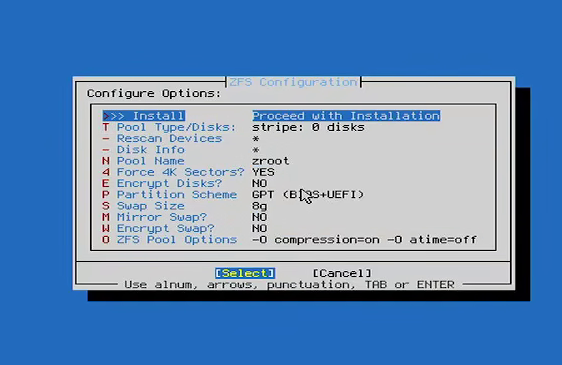
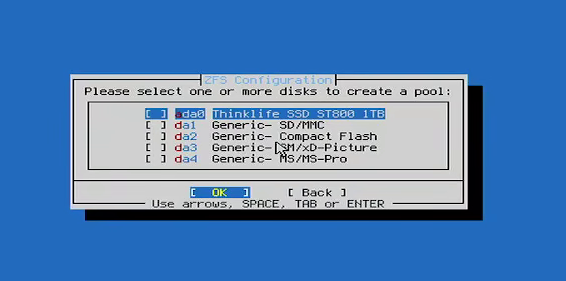
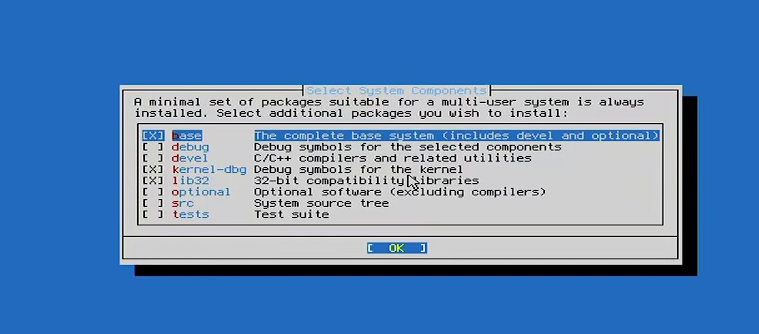
Afterwards, I recommend picking a zfs guided install (To be honest most programs being exclusively developed for FreeBSD by third parties don't use UFS) you can partition it manyally if you want to separate the /home folder but generally it's not necessary, the system will prompt you to pick a few options for your install, the only options I recommend changing here are encryption (If you use a laptop), mirror (In case you have and can afford 2 hard drives) and whether or not you want more swap depending on how much ram you have (If you have 4gb of RAM or less I really recommend you doing this, otherwise leave it at 2). You will then be prompted to select your disks and your base packages, if you're just gonna be using the desktop I recommend the defaults but if you plan on using jails and VMs I recomment the devel, source and optional packages.
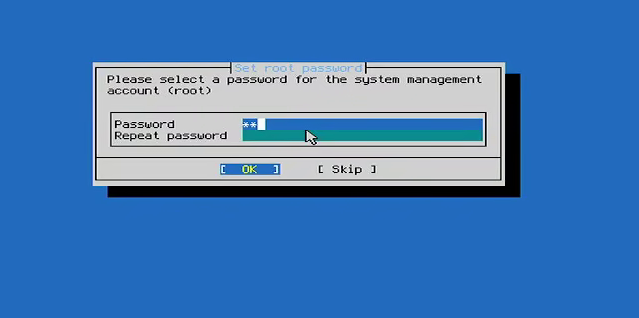
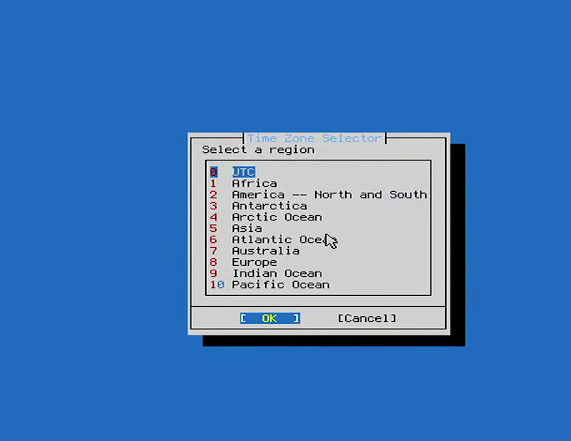
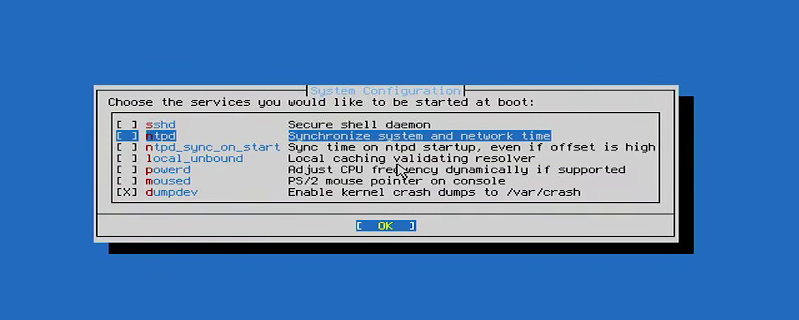
Installing the base packages may take a while, once it's over you'll be prompted for a root password, select your timezone (I have no idea why this isn't at the beginning of the installer) and services. As far as services go, I recommend turning off sshd if all you want is a desktop and turn on ntpd (In case your CMOS battery dies) and powerd if you are not on a laptop.
Root passwordPicking a timezonePicking services
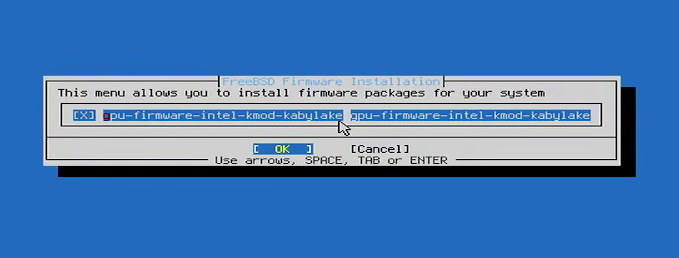
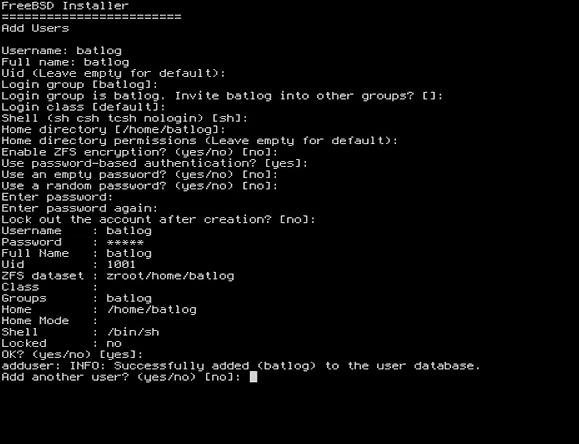
Finally you'll be prompted to install firmware (If there is some), ALWAYS install this as you may get a boot failure if you don't. Finally, make a normal user you can leave all the default options on except for a blank password.
Installing FirmwareCreate an user
Reboot the system, enter as the root user, now you have to install a desktop.
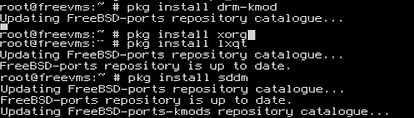
You want to install the desktop in the following: GPU kernel module -> Xorg Display server -> Desktop of your choice -> Display manager, I highly recommend you do it one by one and in that order so you can check for errors (Please note even if you installed firmware related to the gpu at install you must still install the kernel drivers). For this guide I'll install lxqt on an intel machine, the commands would be as follows:
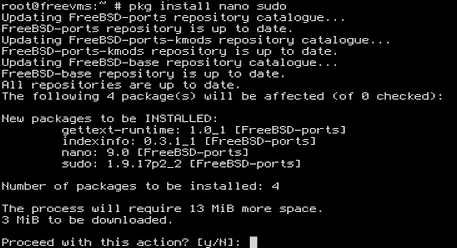
Unlike Linux distros you need to select what you want to load in the kernel and system manually, install sudo and nano and change the files you need accordingly. For my install (LXQT on an intel iGPU), you need to alter /etc/fstab, /etc/rc.conf, sudo and .xinitrc as follows:
pkg install nano sudo
LXQT requires for proc to be mounted in fstab with the next setting:
proc /proc procfs rw 0 0
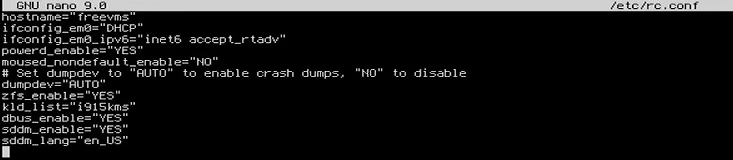
For /etc/rc.conf you need to add the GPU kernel module, the display manager and additional dependencies (LXQT for instance requires dbus_enable to work):
kld_list="i915kms"
dbus_enable="YES"
sddm_enable="YES"
sddm_lang="en_US" <- This line is optional and sets the keyboard distribution, change accordingly as your password may be rendered useless
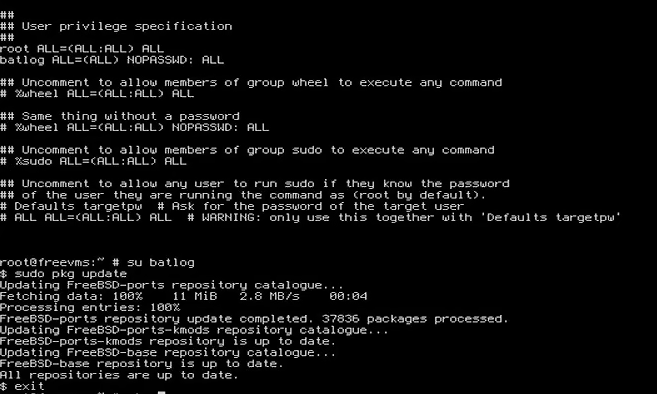
sudo has to be edited using 'EDITOR=nano visudo', I like to have my user running root commands without a password but if you don't just copy the values from the root user. You can test it works by switching to your user after saving the file. PLEASE NOTE IF YOU DON'T GIVE YOUR USER sudo PRIVILAGES YOU MAY BE UNABLE TO RUN ANY COMMANDS AS ssdm DOESN'T ALLOW FOR ROOT LOGIN:
<username> ALL=(ALL) NOPASSWD: ALL
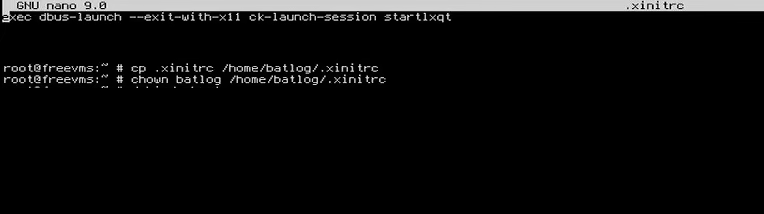
Finally, add a line in .xinitrc to start LXQT. Then copy the file to your user's directory and give ownership of the file to your user.
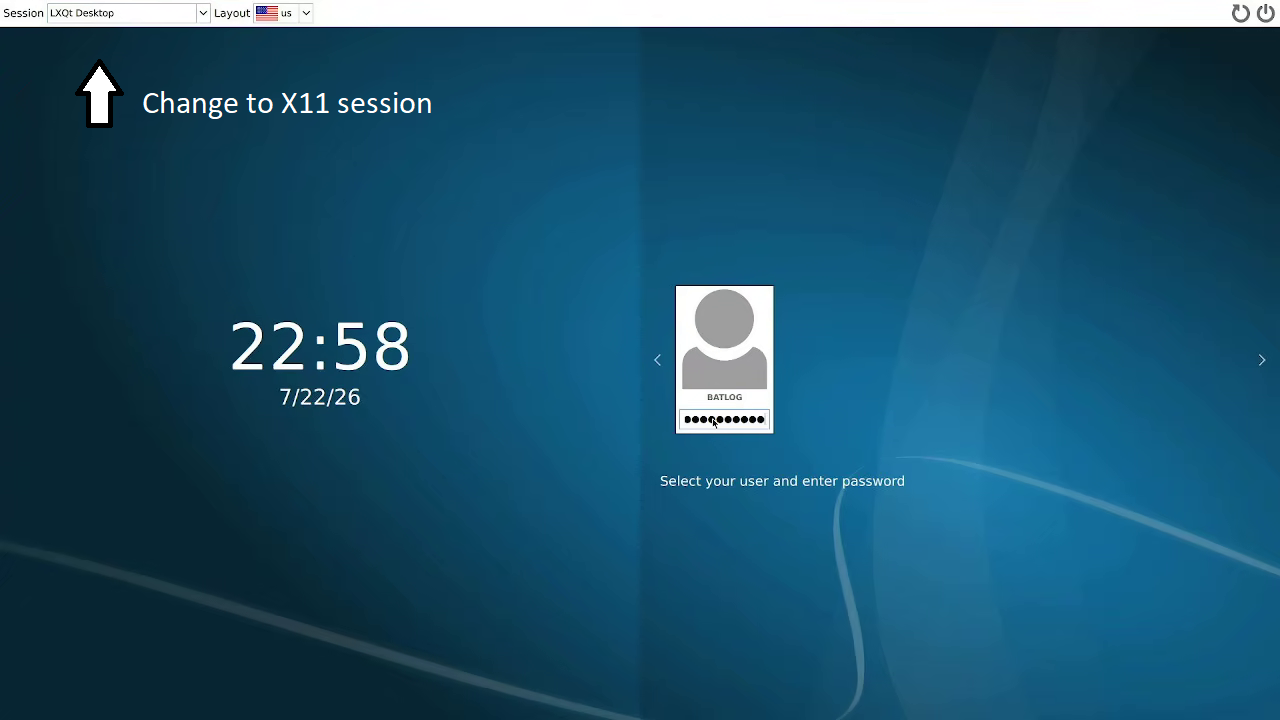
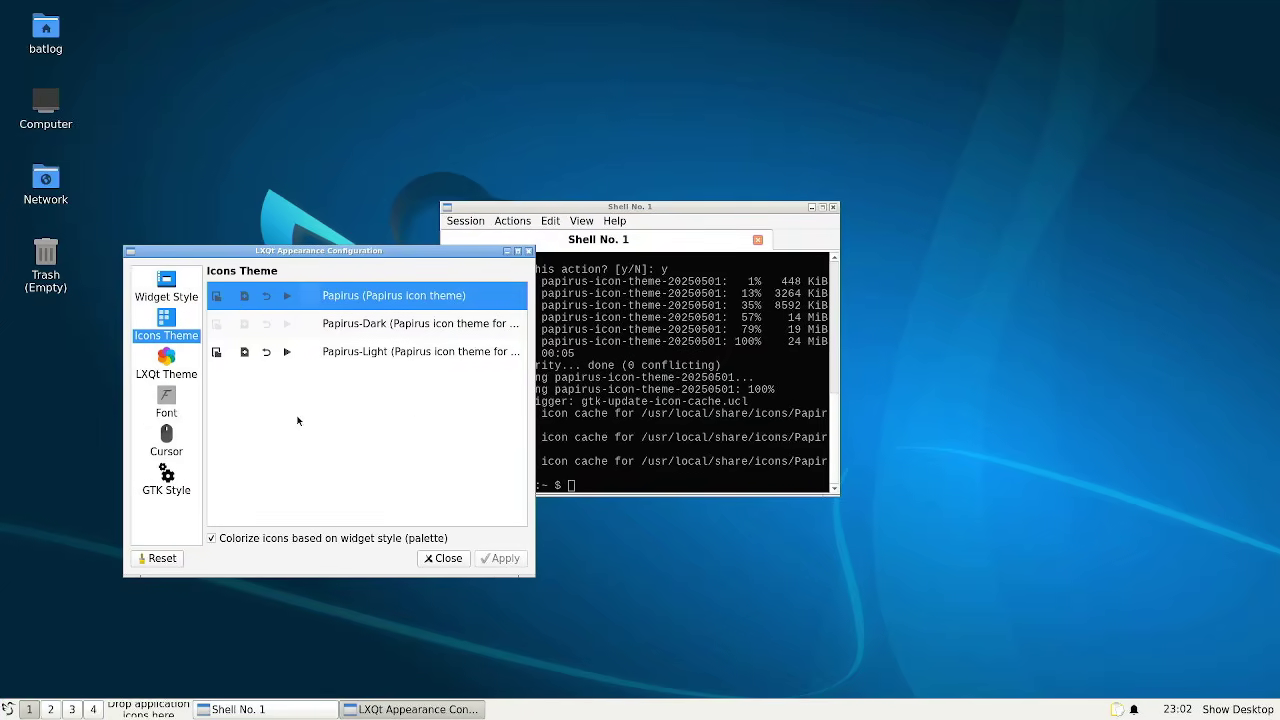
Now reboot your PC, if you did everything correctly you should be greeted by a nice login screen. Make sure to change the tab on the upper left from 'walyland' to 'lxqt desktop'. Once inside I recommend installing an icon theme, go to appearance and select the icon theme. You are done, anything you install from this point onward will be added to the start menu.
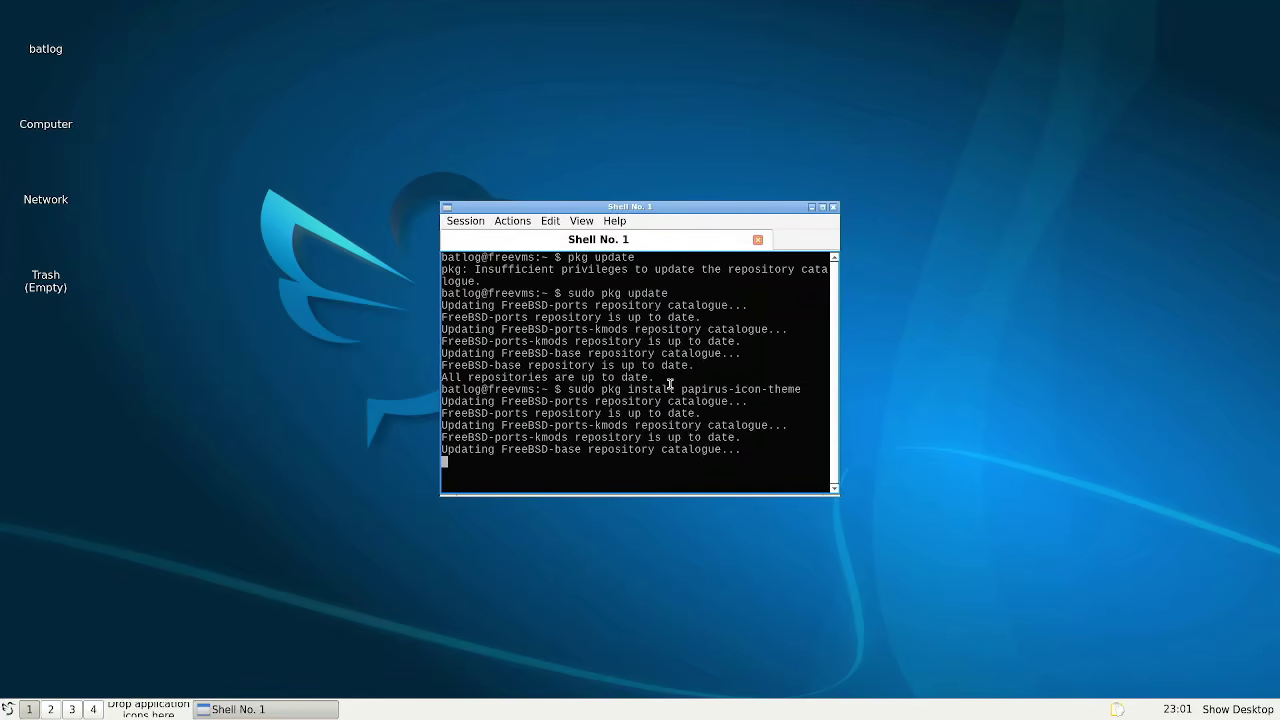
sudo pkg install papirus-icon-theme
Changing the session to x11Installing icons (Note the missing itoms on the desktop)Desktop fully configured with icons
Desktop configuration pointers
WiFi
This is the FreeBSD poster-child for lack of clarity, googling this will result in thousands of results that go absolutely nowhere. It's that common and that bad. In reality it's relatively simple if you have an intel card. If you don't have an intel card though, suffering may follow.
All you have to do is first list your PCI devices and find your wireless card with the following command:
# pciconf -lv
My interface was 'iwn0' . With this you have to add these configuration lines to your /etc/rc.conf file as below where the line after wlans is the name of your interface.
Then, reboot and chances are the interface will just work now, to check just knock it down and back up again.
# ifconfig iwn0 down
 # ifconfig iwn0 up
If all looks good then the next step is to get something to easily manage it, the best tool I know of is networkmgr
# pkg install networkmgr
That embeds itself into most window managers and from there you just have to select the network you like.
Important: Networkmgr has a dependency that's not installed by default and a requirement for additional users to be added to the wheel group if they want to use the tool. To resolve both issues do:
# pkg install gtk3
 # pw groupmod wheel -m batlog
Networkmgr also installs sudo which is not great for server security but chances are if you're using a wireless card you're using a desktop for personal use and not running a server facing the internet so it's not that big of a deal.
Mounting disks
Unlike Linux whenever you insert a usb the system doesn't pick it up immediately, making this a bit of a PITA.
First you must find if the device you inserted is getting picked up.
# geom disk list
Then, after you find the disk, you have to mount the partition, the easiest way to find which partitions the drive has is by going to cd /dev and taking a look. Once you have identified the partition you can load it in the /media or /mnt points (Mounting it on /media will make it appear on the desktop, mounting it on /mnt will not) Please note Fat systems and ext4 systems use a different command. Examples:
There probably is an easier way to go about this, particularly with desktop environments but with window managers? This is as good as it gets.
Allowing non-root users to shutdown
I find this one stupid to be brutally honest and one of those left-overs from yester-year where shutting down a unix server caused all terminals in the office to lose connection and cease working. The reason why I find it stupid is because in order to solve it you must add the user to the operators group.
# pw groupmod operator -m batlog
I find this to be an oversight as doing so gives a user a lot of power over the computer just for the privilage of using /sbin/shutdown. Whatever, I can't do anything about it as far as I know.
How to get Nvida 340 drivers to work
Unlike Linux where getting old Nvidia drivers is a PITA, most drivers seem to work fine on BSD and work right out of the box (Haven't tested 304 though).
In order to get the drivers working you need to first install the package and run the command to load it on the kernel.
Driver version and command to install it
Command to use to add to load the drivers in the kernel
pkg install nvidia-drm-kmod
(Main driver, version 515 at the time of writing)
sysrc kld_list+=nvidia-drm
pkg install nvidia-driver-470
sysrc kld_list+=nvidia-modeset
pkg install nvidia-driver-390
sysrc kld_list+=nvidia-modeset
pkg install nvidia-driver-340
sysrc kld_list+=nvidia
Once this is done xorg needs a couple of alterations, here is my configuration in /usr/local/etc/X11/xorg.conf.d/20-nvidia.conf as of June 2026 for the 340 driver.
/usr/local/etc/X11/xorg.conf.d/20-nvidia.conf
Section "Device"
Identifier "Card0"
Driver "nvidia"
EndSection
Section “ServerFlags”
Option “IgnoreABI” “true”
EndSection
Section "Screen"
Identifier "Screen0"
Device "Card0"
Monitor "Monitor0"
Option "ForceFullCompositionPipeline" "on"
Option "AllowIndirectGLXProtocol" "off"
Option "TripleBuffer" "on"
EndSection
The first paragraph tells xorg to use an nvidia card, the second bypasses some bullshit that I'm 90% sure redhat added after kicking the maintainer for xorg to the curb in order to stop people from filling reports with old cards and the third one is just to stop screen tearing but can be safely be skipped.
Programs that I use
Lumina Desktop: Designed for a now defunct BSD system and based on Fluxbox, I love Lumina and it's lightweight but it's certainly not a desktop, it's closer to a window manager with some utilities.
Sakura and Terminator: My favorite terminal emulators, I especially like Sakura in BSD as unlike linux it doesn't brick the whole system when installing it over certain window managers (Fluxbox in particular has a very hard time with it) my only complaint is that both have a lot of dependencies, may look into another terminal later, they may get removed as they currently don't have maintainers anyways.
VLC: It's just a good video player, I use it everywhere.
Librewolf: Ditto VLC but for browsers, there's a package with it so there's no need to compile it
volumeicon: Self-explanatory. it's a simple volume icon for window managers it does everything and it's very easy to configure (Sadly not the color but I'm certain the icons can be swaped). It uses alsa-mixer for the default audio mixer, which requires the installation of alsa-utils.
viewnior: A simple and dependency-light image viewer, I like it because FreeBSD's file system has a peculiar idiosyncrasy where it numbers files by the first number instead of the next in the numeration (e.g. 1, 10, 100, 1000, 2 instead of 8, 9, 10). This viewer gets rid of that, making it the best choice in my opinion for photos and comics.
Programs to avoid
Steam: As of May 2026 Steam requires you to do a few moves that venerates several security layers (You have to give any user the ability to use chroot) and it's honestly not worth it, gaming is terrible in FreeBSD anyways and using steam on BSD will knock down the performance of whatever you're running by about 20-30%.