"What could possibly go wrong?" Whonix, Ubuntu and the Virt Manager logo are registered trademarks owned by their respective copyright holders and is only used in this article for informative purposes
Using a Whonix gateway to anonymize all traffic of a VM through TOR
In this guide I'm gonna do something the Whonix Community™ would look heavily down on and wag their finger but honestly who gives a shit they're redditors anyways.
Basically what I'm gonna do is make a normal Virtual machine and connect it to a Whonix Gateway in order to anonymize all internet traffic that goes through it, I've added an addendum near the bottom as to why someone may want to do this.
Step 1: Installing Whonix
I would skip this step but hot damn all guides I've read on this subject matter (INCLUDING THE OFFICIAL GUIDE) are full of useless fluff that doesn't really add anything?. Getting Whonix installed is not that hard or impressive guys, seriously.
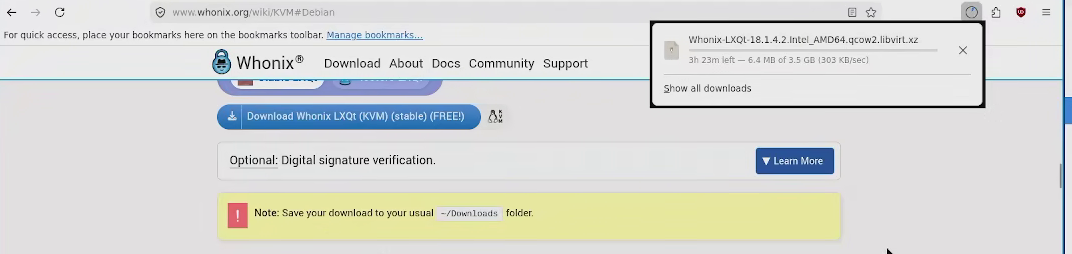
The first hurdle is... downloading the qcow images from the official website (Seriously, this took forever, why even throttle the download at 300 KBPS, what if someone is on a life or death situation, whatever, just download it).
Then just...
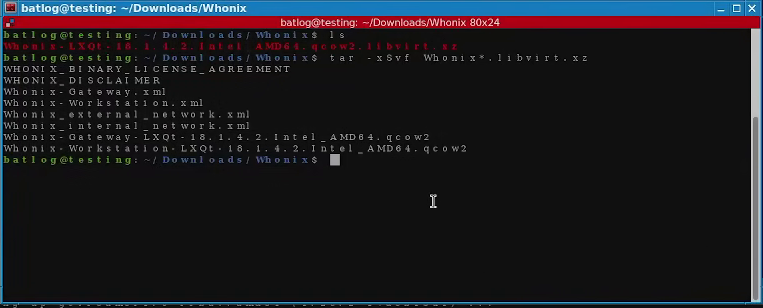
Extract it
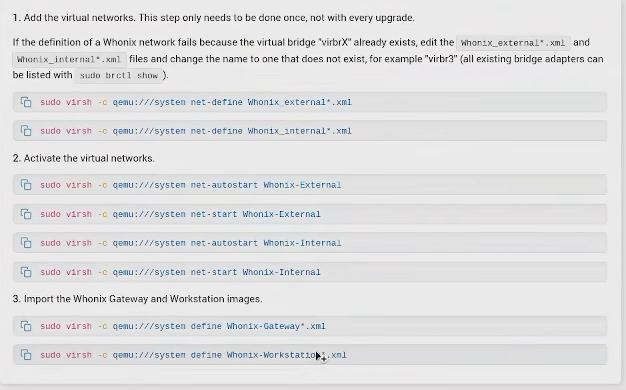
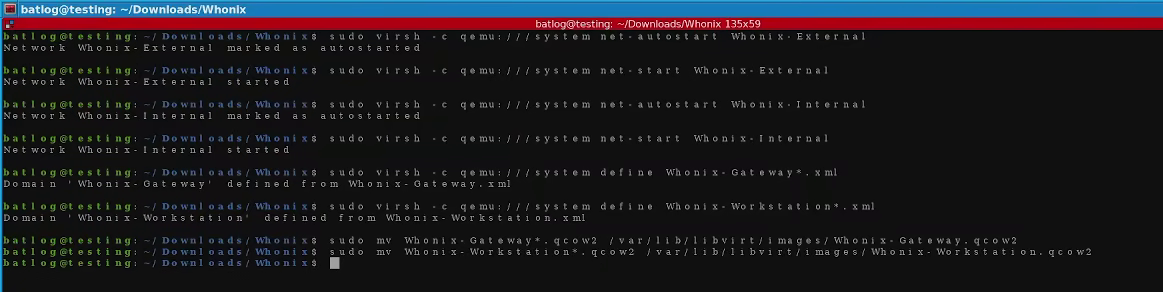
Import the configuration files and move the qcow2 files wheile you're on the same directory.
commands to Import xml config files to the systemMoving qcow files
....And that's it, Whonix is now installed (Jesus Christ why does everyone make such a big fuss of this).
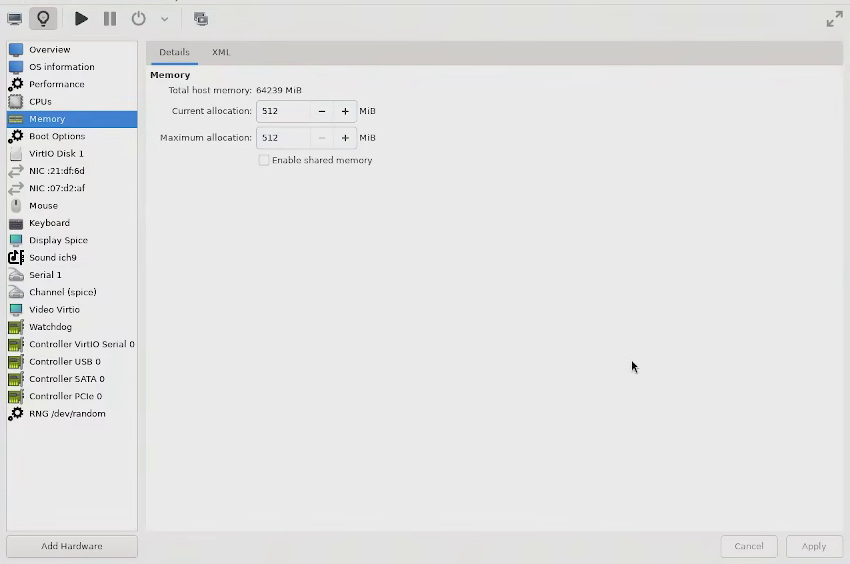
After that I just entered the reduced the memory of the gateway to 512 MB in order to force it into terminal mode, upgraded the gateway using the sysmaint user and the upgrade-nonroot command and just checked the workstation was working as intended.
Reducing ram of the gatewayUpgrading the GatewayChecking the workstation works correctly
There is no further configuration required on the Whonix side except maybe adding passwords to the gateway, there is a non-zero chance a malicious bot may find the gateway, try 'user' with no password on it and get in. Honestly while there is very little they can do when they're inside they are still a waste of bandwith.
Step 2: Making a (Non-Whonix) Virtual machine and connecting it to the gateway
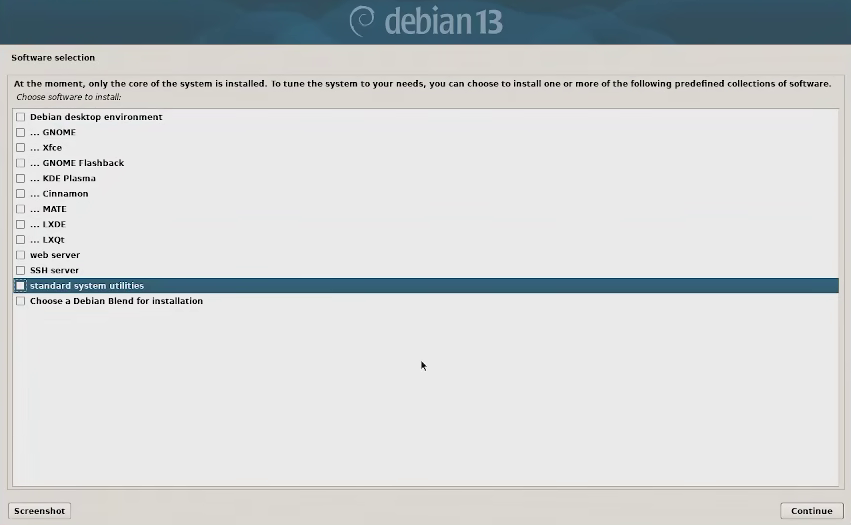
For this you'll need a debian VM, the latest stable version will do and there really isn't anything special I did to mine other than skip ALL optional software(This includes the standard system utilities which has things like wget), you want a virtual machine as minimal as possible.
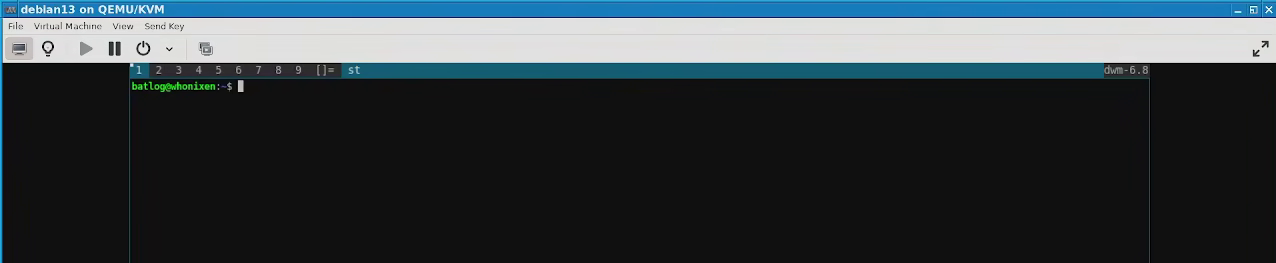
(Optional) Once that's done you can do some customization, all I did was install sudo, add my user to sudoers and install DWM for a graphic interface. If you ARE planning on running an user interface I recommend you use a Window Manager and avoid desktop environments altogether (If you don't want to bother compiling DWM or other Window Manager you can install something like jwm or i3). The reason for this is because Desktop environments often come with utilities to make handling of the network more easy and they interfere with the files I'm modifying in a bit. On that note, if you run into issues with the network after everything is configured, install nmtui, DO NOT install an applet to handle your internet.
Sudoer user installing DWMDWM installed
Step 3: Connecting the VM to the Whonix gateway
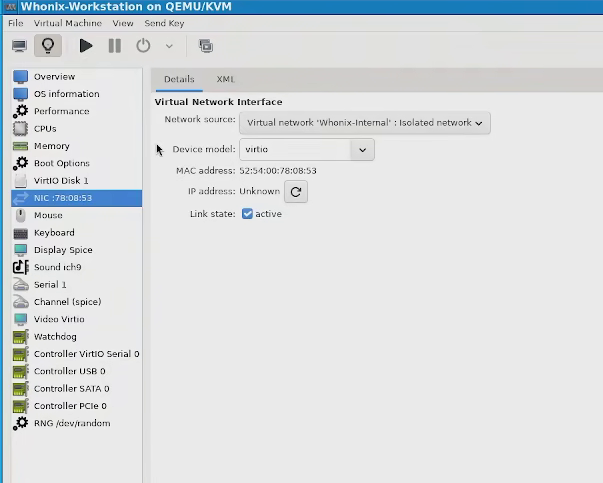
At this point you want to remove the network the VM you want to connect to the gateway is using and use the one that the whonix Workstation uses (Labeled 'Whonix Internal') with the gateway running in the background.
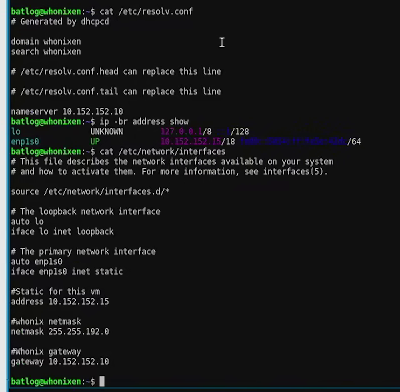
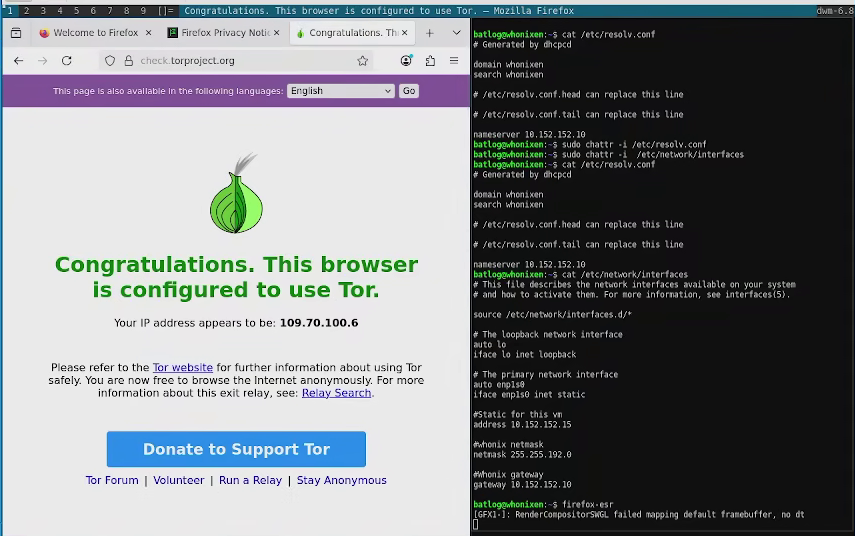
Fire up the VM again. You're after two specific files /etc/resolve.conf and /etc/network/interfaces. You want to add the whonix gateway as your name server and default gateway, as well as add a static ip within the same range (10.152.152.* except .10).
A few pointers: the domain and search in resolv.conf should be the same domain as your virtual machine and the network interface in interfaces should match the name of the interface shown by ip -br address show, for me it was epn1s0 but sometimes it can also be eth0 or other interface name.
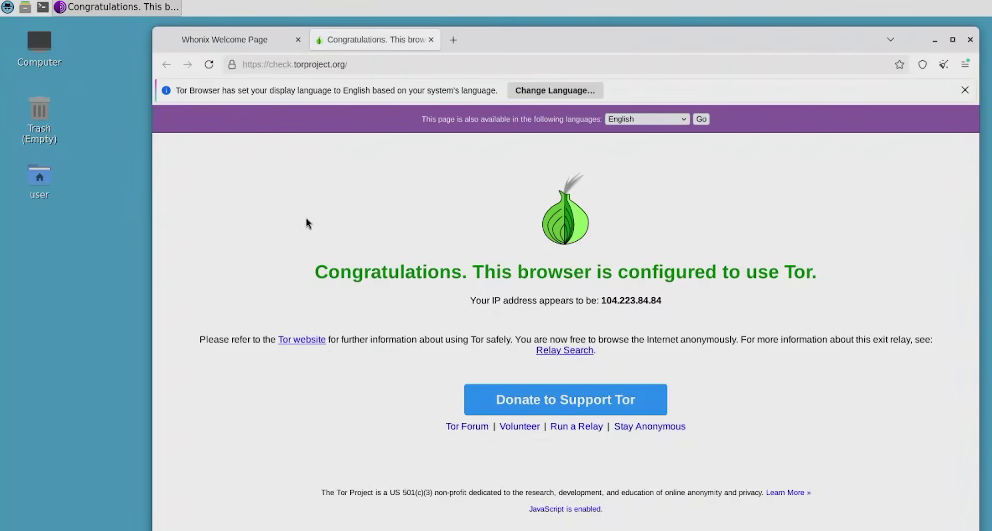
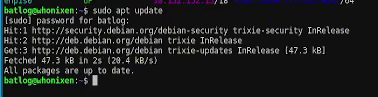
Once this is done you should reboot your machine. If apt update (Or the equivalent of whatever distro you're using) clears then that means you're most likely in the green but just to make sure I installed Firefox and visited TOR check (Bear in mind this is vanilla firefox with no special rules or security features, Librewolf or Badwolf are significantly better alternatives but I was just testing out things).
An update resolves correctlyNormal Firefox shows it's connecting with a TOR exit node
Finally if you're sure everything is working as intended I recommend making the files immutable with chattr, Happy browsing!
The first one is running services that you want to run but you don't want exposed on clearnet without major headaches. This is the easiest way that I know to host a Monero node that I don't intend to use for mining with P2Pool for instance as I can just do a normal install of the node and it just works without any headaches, fanfare or having to worry about my IP leaking.
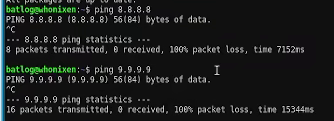
The second reason is bypassing basic internet censorship or age checks (The UK in particular seems to be a rather hot topic about this lately as of June 2026), most computers these days are under-utilised as far as resources are concerned and I think this can provide some level of normalcy to browising the internet on a censored network. Aside from running a few select services and programs, this is also the easiest way I know to run a VPN over TOR, which I feel is a subject privacy users often jeer at but c'mon man sometimes you just want to browse the internet normally and major DNS providers more often than not will block TOR exit nodes (See below where google and quad nine failing to ping).
I can hear arguments of using x or y service provider but that will only carry you so far in countries where said provider isn't allowed to operate (Bear in mind some 'privacy-respecting' service providers are not completely truthful about their commitment to privacy, Quad nine claims to respect privacy and yet as shown above has some TOR nodes blocked).
Addendum 2 How to extract files from a Virtual machine anonymously
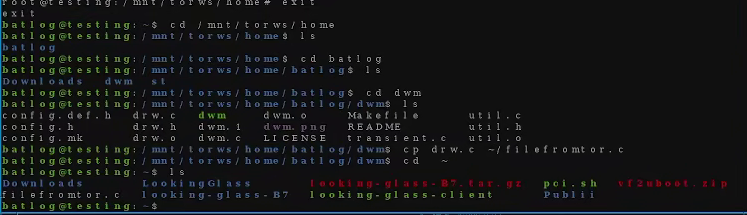
Finally I feel like talking about the matter of transferring things you've downloaded from your guest to your host anonymously. I have tried a few ways but I believe the most 'Clean' (As it leaves no fingerprints in the guest) is by mounting the virtual disk as a normal drive and then just copy the files from the mounted drive as shown below.
Mounting the qcow disk with guestmount,Copying information from the mounted disk to the home directory