Oddware dump - Devices that are compatible with Linux or BSD but require special install
I'm making this article in order to keep track of hardware that works with Linux or BSD but require special drivers to do so. These are not arranged in any special order and the list will likely grow as I come accross them. As of December 2026 this article contains:
Wavlink Silicon Motion SM768 USB Display adapters
Creative Sound Blaster Z
Via Chrome GPU
Chinese AICsemi USB bt+ Ax900 wifi 6 adapter (AIC8800)
Thermal printers
1. Wavlink Silicon Motion SM768 USB display adapters
The SM768 display adapters are kind of special among usb to hdmi adapters. WHy? Because unlike the rest they have small GPU's that can render video up to 4K, which means if you have a CPU without igpu and a single discrete GPU that you want to pass-through or simply liberate video memory from in order to do compute tasks they can be a godsend.
The problem is... as per usual the drivers for them are kind of bad and in Linux in particular they tend to be very bad. I'm gonna go through the process on how to get them to work on Ubuntu 24, I didn't want to test Ubuntu 26 because it's using kernel version 7 and my experience with that has been not very good when it comes to esoteric devices, it may work but I don't guarantee it.
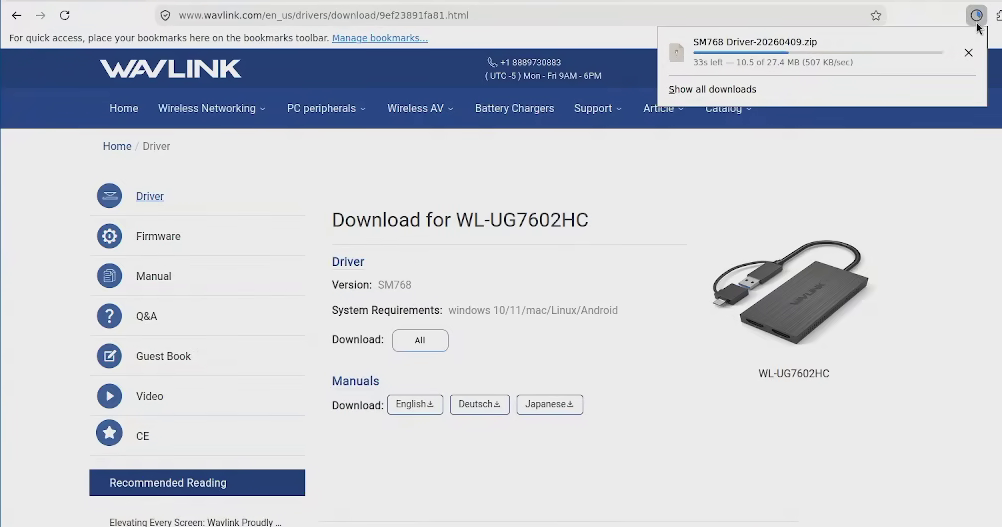
Do not insert your adapter yet. For starters download the official drivers from Wavlink
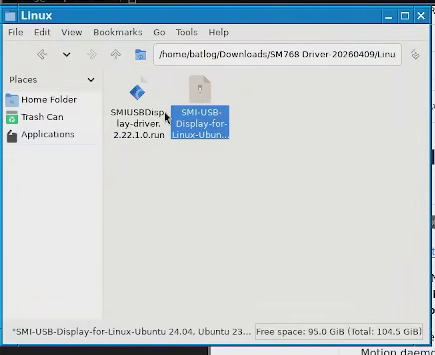
Decompress the file, inside the directory there will be a file for Linux that is also compressed, decompress it and you should get a single .run file. Hold unto this file for a while, don't execute it (It's broken).
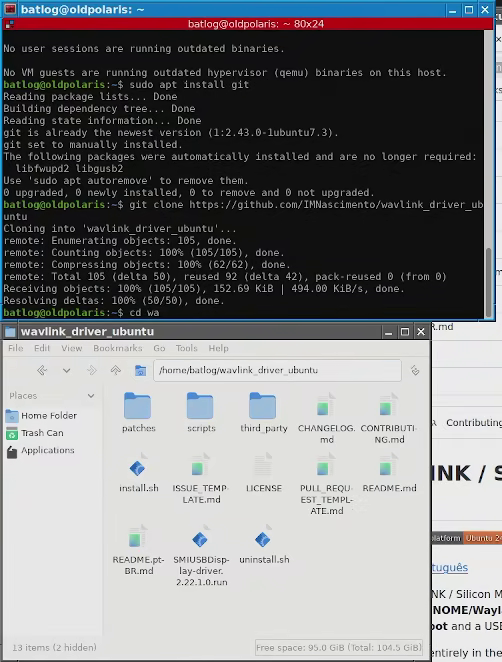
Now go to your home directory and clone the repo by "IMNascimiento", act following copy the .run file into this directory.
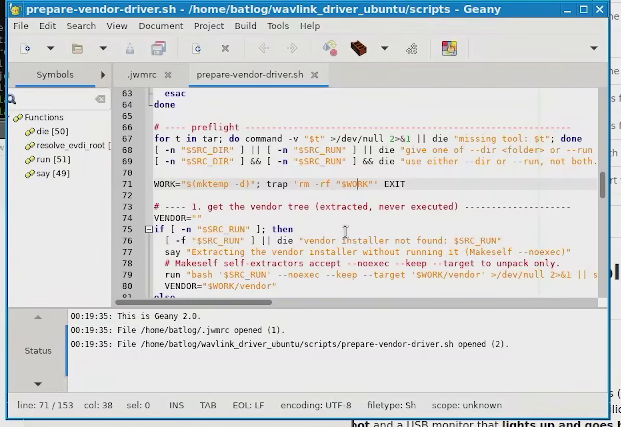
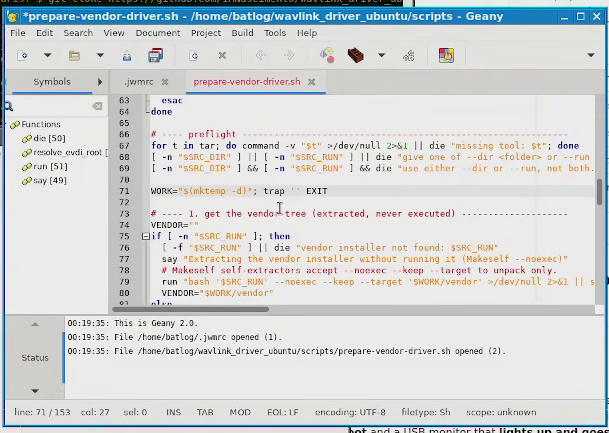
Now, before you follow his guide and get frustrated as it does nothing, you should be sucuntly aware that bro made a mistake. Basically if you run his script as instructed, the script will reach a part where the directory it creates gets deleted, so first you should fix that line.
Remove rm -rf $"WORK" from line 71 in the script located at wavlink_drivers_ubuntu/scripts/prepare-vendor-driver.sh
Before fixAfter fix
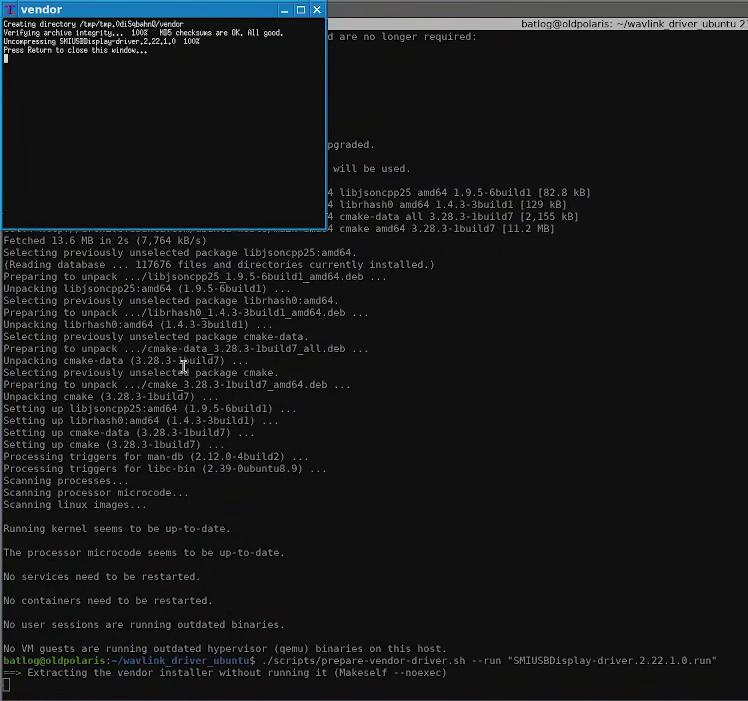
Now run the script specifying the name of the .run file provided by wavlink (Your name may be different).
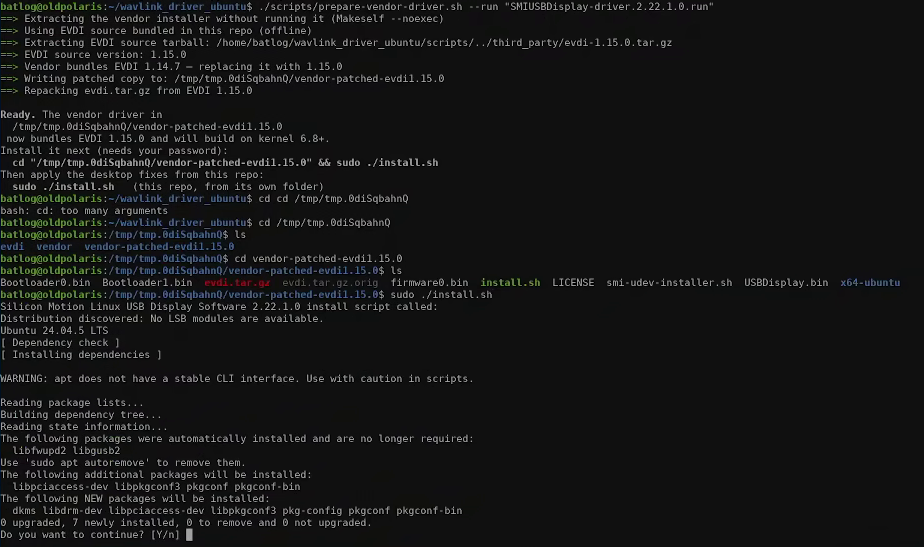
Afterwards, go to the directory in tmp the script tells you to (The name of the directory may vary) and run the install script inside that directory with root privileges.
This will include the (correct) base driver but even if it install correctly they're bugged, don't insert your usb adapter yet. Reboot your system.
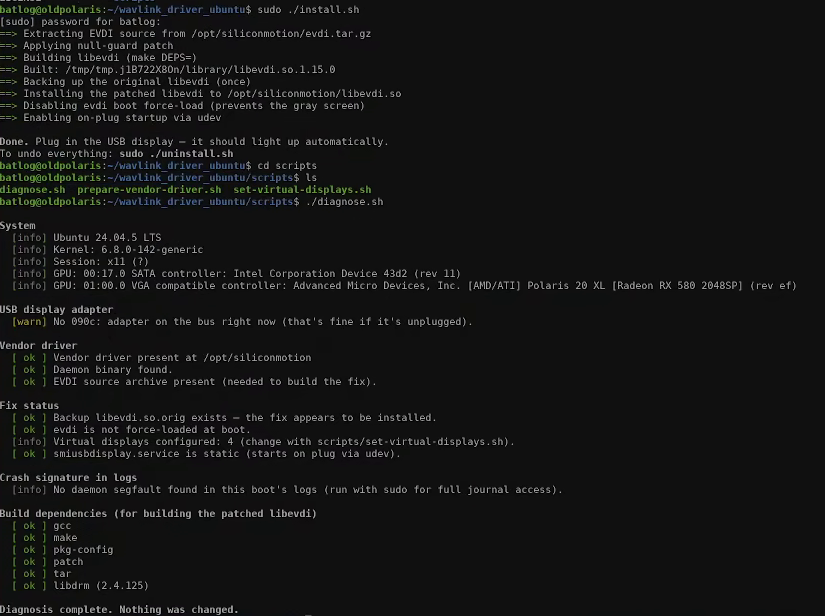
After the reboot open the same directory you're using to install the directory with the scripts and run the install script with sudo privileges. then go to the scripts folder and run the diagnose script to verify it's all correct.
Now turn off your PC. Plug in your SM768 USB atapter. Connect a monitor to your USB adapter and turn your PC again.
If you're running a minimalist window manager like me you may notice you aren't getting any signal from the USB adapter and that's because unless you make an xorg config for it or are running a full desktop manager with display control Xorg disables the device by default.
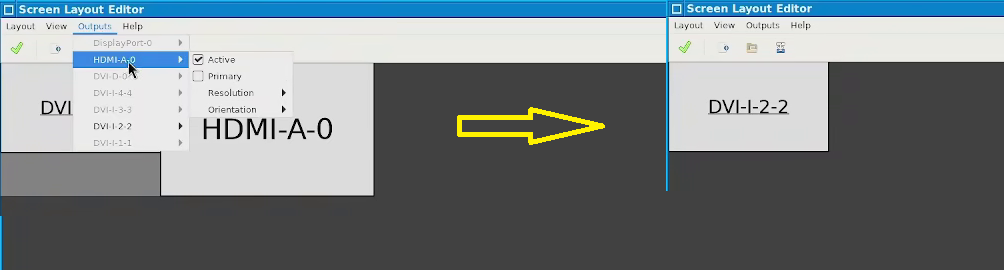
If you just want the display to free memory for computing tasks like I did, just install arandr to control both displays, then set your SM768 adapter as your primary and only display.
Deactivating extra displays with arandr
Afterwards just unplug the second monitor from your main CPU and you're good to go.
Bear in mind performance of the SM768 isn't great on Linux, I'd compare it to be on par with VESA graphics on BSD; but if all you want is a second display to avoid using your main GPU it will get the job done.
2. Creative Sound Blaster Z
3. Via Chrome GPU
4. Chinese AICsemi USB bt+ Ax900 wifi 6 adapter (AIC8800)