I have several Risc V devices and out of all of them the Visionfive 2 remains my favorite, and is honestly one of my favourite SBC's out there. One of the main reasons is because it allows for easy flashing of an on-board drive, allowing you to have storage without using a micro SD.
However with the last update to the visionfive 2 being in November 2025 and StarFive going silent everywhere I get the feeling an EOL notice may appear one of these days, therefore I feel the need to document something as mundane as flashing the disks for the day when that happens.
For the record I'm using the same EMMC that works with the Orange Pi, the Visionfive shares the same pinout.
Getting the latest version and flashing main drive
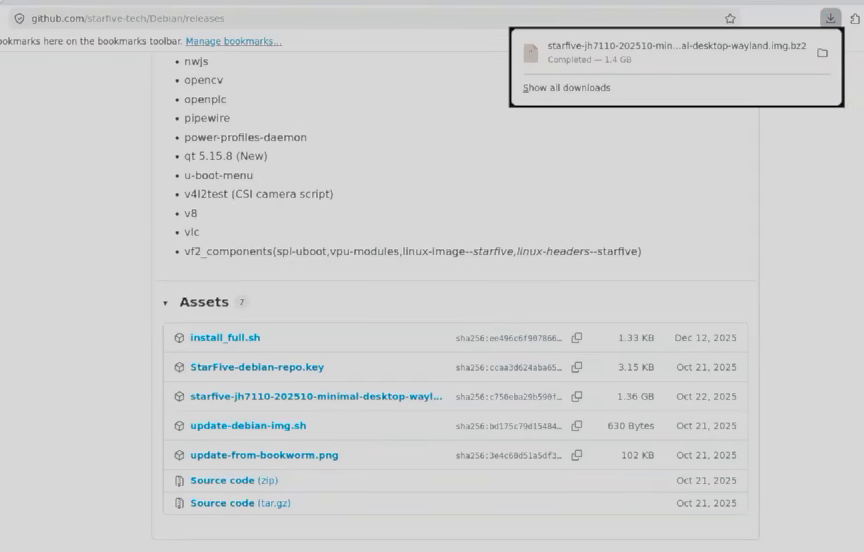
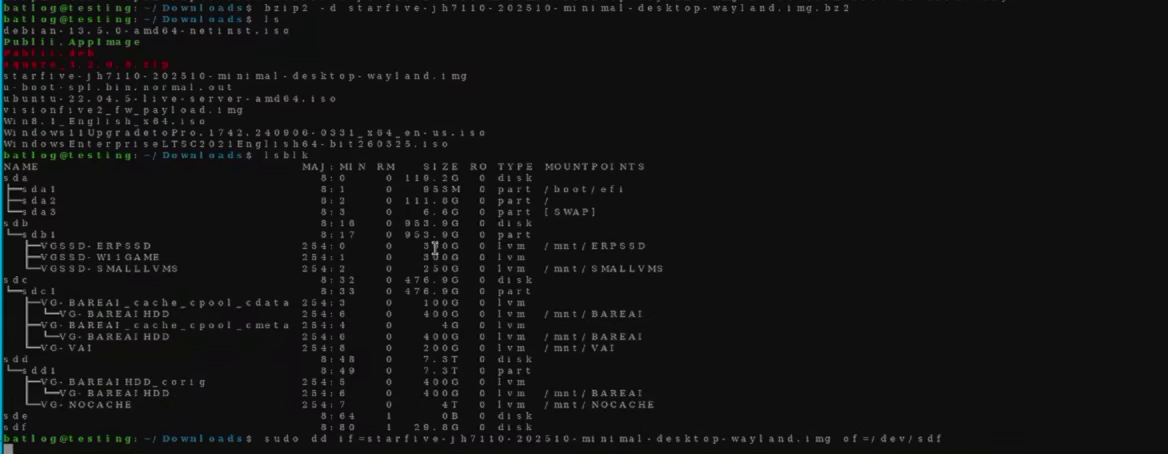
Before flashing the on-board drive you have to flash a micro SD card (Flashing the on-board EMMC can also be done via ssh but to be honest I don't like doing that method because I don't like having the VisionFive 2 online). To do this all that needs to be done is downloading the latest Debian image from the git and running flashing it with dd to a MicroSD.
Downloading the last visionfive imageFlashing the image to the micro SD
Expanding the SD Drive
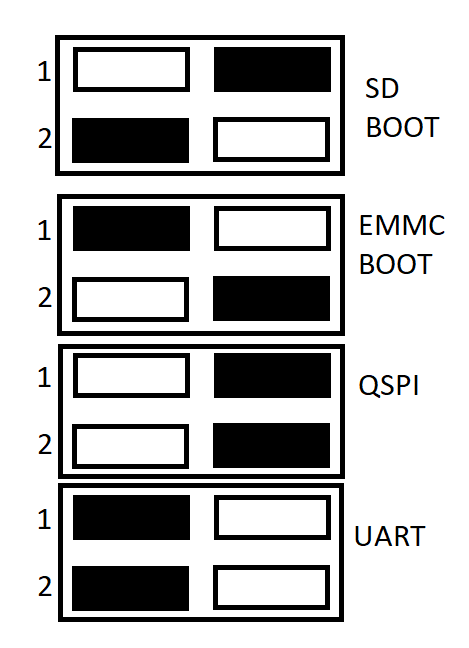
Before flashing the on-board EMMC the drive that was just flashed must be expanded as otherwise the system will run out of space and crash. First the vision five must be set to boot, the switch positions are shown below:
Switch positions
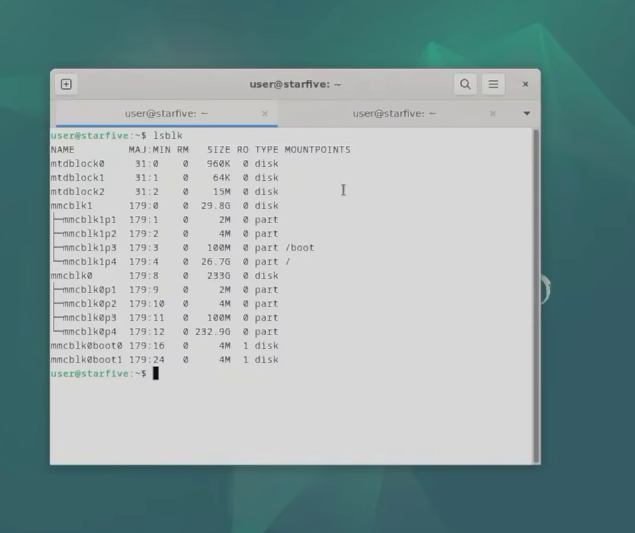
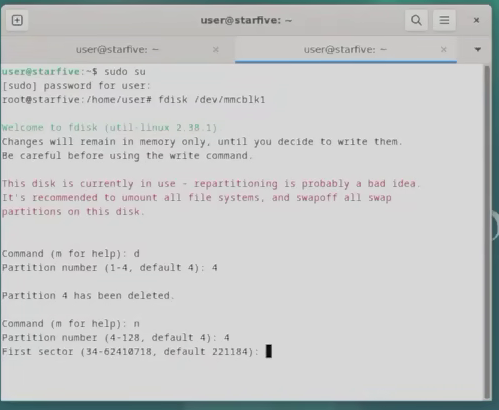
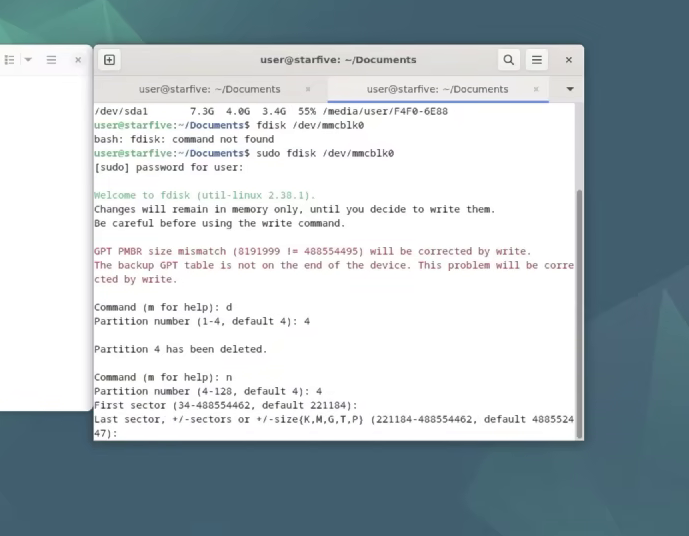
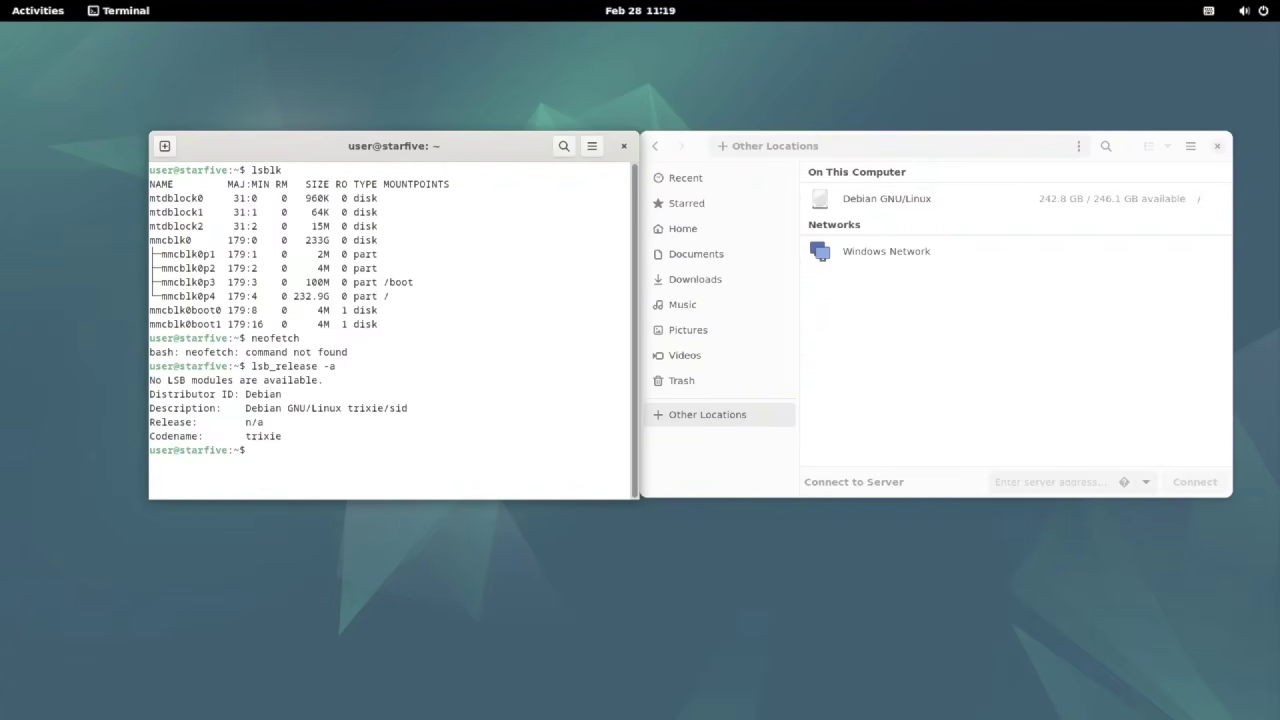
Once booted (The default password for new installs is 'starfive'). You must check the disks loaded, then open up fdisk and delete and create again the data partition (Partition 4) of the sd card.
Listing disksDeleting and creating the data partition with fdisk
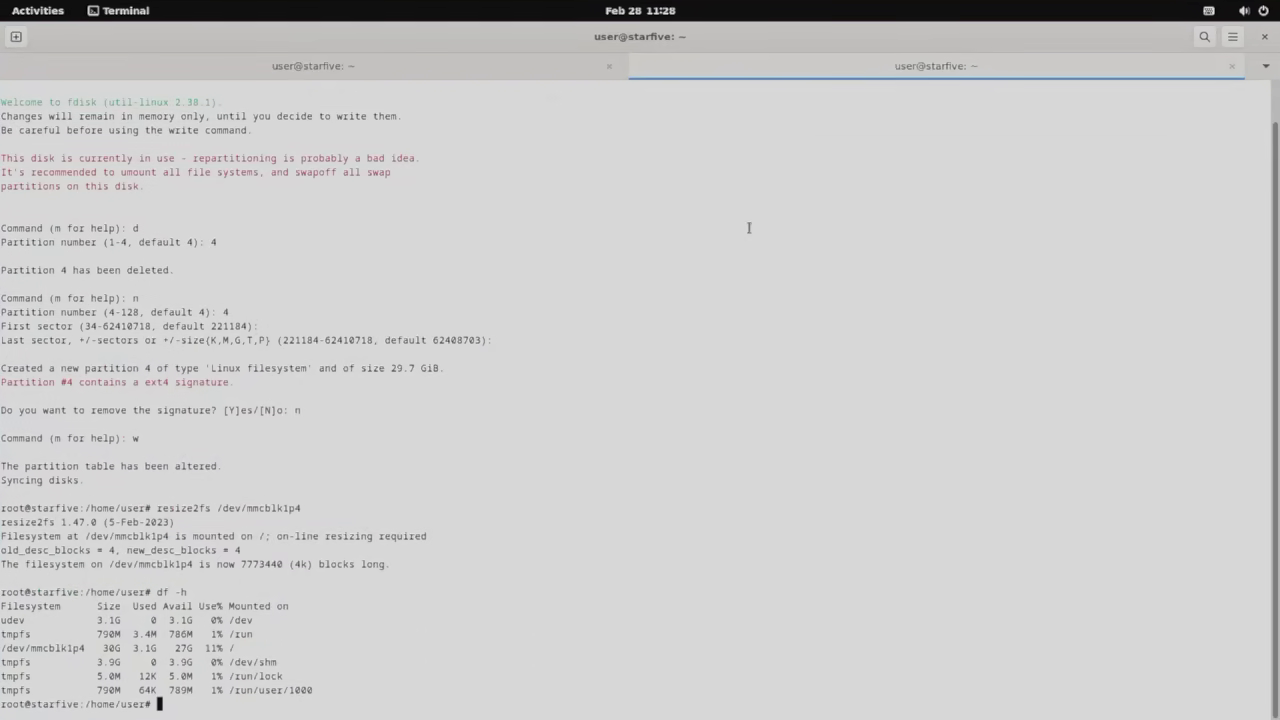
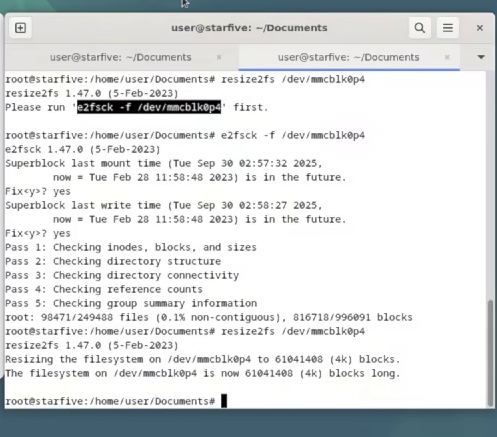
Finally the partition must be resized with resize2fs. If df -h shows that the drive is mostly empty, you've successfully resized the disk.
Flashing and expanding the second drive
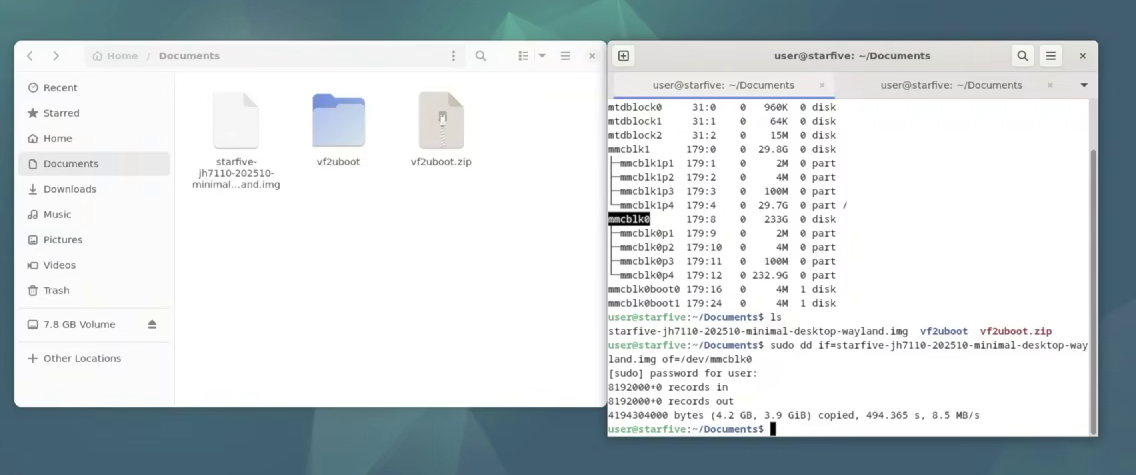
After resizing I transfered the image file to the sd drive and flashed it to the EMMC, then I used fdisk to do the same procedure to the data partition as I did with the SD card.
Flashing the EMMCFormatting partition 4 with fdisk
Finally I resized the EMMC, I had an error but apparently it was only an error due to conflict in dates as I had used the drive before (For the record this wouldn't have happened if I had wiped the EMMC before-hand and it wasn't that big of a deal)
Afterwards I turned off the computer, set the boot switches for the EMMC, took out the micro sd and turned it on again, I checked that the disk was available and the system was mounted correctly.
By the looks of it the latest image contained a preview of Trixie or a modified version of it, regardless it could run apt update and as such will have limited support until August 2028.
I may look into expanding this article in the future as apparently progress is being made on getting Debian official working on the VisionFive 2 and I may include other SBC devices.
Addendum 1: Why I don't like having the VisionFive 2 online (Or any Risc V for that matter)
I see a constant pattern with cheap SBC's and in particular Risc V SBC's where the developers expect you to place them online and use them as servers with SSH enabled. Honestly? Not a fan.
The main reason for this is because you have to manually upgrade them; unlike X86_64 machines some of the drivers or base kernel modules they come with are modified for the chip they use and if you upgrade them from the official debian/gentoo/whatever repository they just break and you must re-flash them. Therefore you must identify which packages can actually be upgraded without breaking the system and upgrade only those.
This leads to a situation where they inevitably get vulnerabilities and I feel like the skill gap between malicious actors and OS maintainers widens every day due to their differing philosophies in regards to hiring practices. I'm honestly too paranoid to have them online as a server, I don't mind using them as personal devices for a few hours a day but I lack the will to leave them unattended 24/7.
If you are not as paranoid or as black-pilled as I am in regards to the open source community though, I wouldn't worry that much. I admit an actor that gets inside a Risc V device may find most if not all of scripts failing to work most of the time due to the different architecture and wacky nonsense Risc V devices rely on, buying the server manager some time to detect the intrusion.